releng-tool
releng-tool aims to provide a way for developers to tailor the building of multiple software components to help prepare packages for desired runtime environments (e.g. cross-platform portable packages, embedded targets, etc.). When building a package, assets may be located in multiple locations and may require various methods to extract, build and more. releng-tool allows developers to define a set of packages, specifying where resources should be fetched from, how packages should be extracted and the processes for patching, configuring, building and installing each package for a target sysroot.
The structure of a package depends on the specific project. The simplest type is a script-based package, where users can define custom scripts for various stages. A package does not need to handle every stage. Helper package types are available (e.g. Autotools, Cargo, CMake, Make, Meson, various Python types, SCons and Waf) for projects using common build systems.
While releng-tool assists in configuring and building projects, it does not aim to provide a perfect sandbox for the process. Users are responsible for defining the compilers/toolchains used and managing the interaction between the staging/target area with the host system.
Requirements
releng-tool is developed in Python and requires either
Python 3.9+ to run on a host system. A series of optional
tools are required if certain stages or features are used. For example,
projects fetching sources from Git will require the git tool
installed; projects with patches will required the patch tool. While
some features may be operating system-specific (e.g. Autotools features are
designed for Linux-based hosts), releng-tool can work on various operating
system variants.
Installation
The recommended method of installing/upgrading releng-tool is using pipx:
pipx install releng-tool
 (or)
python -m pipx install releng-tool
If pipx is not available, users may use pip instead:
pip install -U releng-tool
 (or)
python -m pip install -U releng-tool
To verify the package has been installed, the following command can be used:
releng-tool --version
 (or)
python -m releng-tool --version
Quick-start
The following provides a series of steps to assist in preparing a new environment to use this package.
While the use of Python/pip is almost consistent between Linux distributions, below is a series of helpful steps to install this package under specific distributions of Linux. From a terminal, invoke the following commands:
Using pipx:
$ sudo pacman -Syu
$ sudo pacman -S python-pipx
$ pipx ensurepath
$ pipx install releng-tool
$ releng-tool --version
releng-tool <version>
Using pip:
$ sudo pacman -Sy
$ sudo pacman -S python-pip
$ sudo pip install -U releng-tool
$ releng-tool --version
releng-tool <version>
This package is also available on AUR.
Using pipx:
$ sudo dnf install pipx
$ pipx ensurepath
$ pipx install releng-tool
$ releng-tool --version
releng-tool <version>
Using pip:
$ sudo dnf install python-pip
$ sudo pip install -U releng-tool
$ releng-tool --version
releng-tool <version>
Using pip:
$ pip install -U releng-tool
$ releng-tool --version
releng-tool <version>
Using pipx (Ubuntu 23.04 or above):
$ sudo apt update
$ sudo apt install pipx
$ pipx ensurepath
$ pipx install releng-tool
$ releng-tool --version
releng-tool <version>
Using pip:
$ sudo apt update
$ sudo apt install python-pip
$ sudo pip install -U releng-tool
$ releng-tool --version
releng-tool <version>
From a terminal, invoke the following commands if using pipx:
$ brew install pipx
$ pipx ensurepath
$ pipx install releng-tool
$ releng-tool --version
releng-tool <version>
Or, if using pip:
$ sudo easy_install pip
$ sudo pip install -U releng-tool
$ releng-tool --version
releng-tool <version>
If not already installed, download the most recent version of Python:
Python — Downloads
https://www.python.org/downloads/
When invoking the installer, it is recommended to select the option to "Add Python to PATH". However, users can explicitly invoked Python from an absolute path (the remainder of these steps will assume Python is available in the path).
Open a Windows command prompt and invoke the following:
> python -m pip install -U releng-tool
> python -m releng-tool --version
releng-tool ~version~
Development
To install the most recent development sources, the following pip command can be used:
pipx install git+https://github.com/releng-tool/releng-tool.git
 (or)
pip install git+https://github.com/releng-tool/releng-tool.git
Getting started
This documentation will outline what releng-tool is, how it can be used to create projects with various package definitions, with the end goal of creating release artifacts for a project.
releng-tool is made on Python. Package configurations, scripts, etc. are Python-compatible scripts, which releng-tool accepts for processing configuration files and invoking other tools on a host system. While releng-tool supports running on various host systems (e.g. Linux, OS X, Windows, etc.), this guide will primarily show examples following a Unix-styled file system.
Running releng-tool
Depending on the host and how releng-tool has been installed,
this tool can be either executed using the call releng-tool (if supported) or
explicitly through a Python invoke python -m releng-tool. This guide will
assume the former option is available for use. If the alias command is not
available on the host system, the latter call can be used instead. For example,
the two commands shown below can be considered equivalent:
releng-tool --version
 (or)
python -m releng-tool --version
Overview
A project will typically be defined by a releng-tool.rt configuration
file along with one or more packages found inside a package/ folder.
This location can be referred to as the "root directory".
Note
releng-tool supports using a .py extension. For more information, please
see alternative extensions.
When invoking releng-tool, the tool will look in the current working
directory for project information to process. For example, if a folder
my-project had a skeleton such as:
└── my-project/
    ├── package/
    │   └── package-a/
    │       └── ...
    └── releng-tool.rt
The following output may be observed when running releng-tool:
$ cd my-project
$ releng-tool
extracting package-a...
patching package-a...
configuring package-a...
building package-a...
installing package-a...
generating license information...
(success) completed (0:01:30)
On a successful execution, it is most likely that the releng-tool process
will have an asset (or multiple) generated into a images/ location. It is
up to the developer of a releng-tool project to decide where generated
files will be stored.
If a user wishes to pass the directory of a project location via command line,
the argument --root-dir can be used:
releng-tool --root-dir my-project/
For a complete list of actions and other argument options provided by the tool,
the --help option can be used to show this information:
releng-tool --help
Topics
Prelude
A releng-tool project can define multiple packages, each can be based off of different languages, configured to use custom toolchains and more. Every package has multiple stages (such as fetching, configuring, building, etc.) which can help contribute to a target sysroot. Once all packages are processed, the target sysroot can be packaged for distribution.
The following outlines the common directory/file locations for a releng-tool project:
cache/- Cached content from select package sources (e.g. DVCS, etc.)dl/- Archives for select package sources (e.g..tgz,.zip, etc.)package/- Container for packagespackage/<package>/- A package-specific folderpackage/<package>/<package>.rt- A package definitionoutput/- Container for all output contentoutput/build/- Container for package buildingoutput/host/- Area to hold host-specific contentoutput/images/- Container for final images/archivesoutput/staging/- Area to hold staged sysroot contentoutput/target/- Area to hold target sysroot contentreleng-tool.rt- Project configuration
How these directories and files are used can vary on how a developer defines a releng-tool project. Consider the following process:
releng-tool will load the project's configuration and respective package definitions to determine what steps need to be performed.
Package sources can be downloaded into either the
cache/ordl/folder, depending on what type of sources will be fetched. For example, Git sources will be stored inside of thecache/to take advantage of its distributable nature, and archive files (such as.tgz,.zip, etc.) will be stored inside thedl/directory.Each package will be extracted into its own output directory inside
output/build/. The working areas for packages allow a package to be patched, configured and built based on how the developer configures the respective packages.Once packages are built, their final executables, libraries, etc. can be installed into either the host area (
output/host/), staging area (output/staging/) or the target area (output/target/) depending on what has been built. The target area is designed for the final set of assets produced from a build; the intent is that the files contained inside this folder are planned to be used on a target system (stripped, cross-compiled, etc.). A staging area is like a target area but may contain more content such as headers not intended for a final target, interim development assets and more. Host content is designed for content built for the host system which other packages may depend on.At the end of the releng-tool process, a post-stage script can be invoked to help archive/package content from the target area (
output/target/) into the images folder (output/images/). For example, generating an archiveoutput/images/my-awesome-project-v1.0.0.tgz.
Not all projects may use each of these folders or take advantage of each stage. While various capabilities exist, it does not mean releng-tool will handle all the nitty-gritty details to make a proper build of a project. For example:
If a developer wishes to cross-compile a package to a target, they must ensure the package is configured in the proper manner to use a desired toolchain.
If a developer wants to process a Python package, they must ensure the proper interpreter is used if they cannot rely on the host's default interpreter.
If a developer creates script-based packages, they must ensure that these scripts properly handle multiple re-invokes (e.g. if a user performs a rebuild on a package).
releng-tool will attempt to provide an easy way to deal with fetching sources, ensuring projects are invoked in order, and more; however, the more advanced features/actions a developer may want in their project (such as the examples mentioned above), the more a developer will need to manage their project.
Tutorials
The following is a series of tutorials which helps covers the basic concepts of releng-tool, as well more advanced use cases.
Tutorial "Basic packages"
This tutorial shows an example using very simple script-based packages. This example will make a project with two packages, setup a dependency between them and setup scripts to help show a developer how packages are processed.
To start, make a new folder for the project, folders for each package and move into the root folder:
$ mkdir -p my-project/package/liba
$ mkdir -p my-project/package/program-b
$ cd my-project/
Inside the liba package, a package definition and script-based files will
be created. First, build the package definition my-project/liba/liba.rt with
the following contents:
LIBA_VERSION = '1.0.0'
Next, create a build script for the liba project
my-project/liba/liba-build.rt with the following contents:
print('invoked liba package build stage')
Repeat the same steps for the program-b package with the file
my-project/program-b/program-b.rt containing:
PROGRAM_B_NEEDS = ['liba']
PROGRAM_B_VERSION = '2.1.0'
And my-project/program-b/program-b-build.rt containing:
print('invoked program-b package build stage')
The second package is a bit different since it indicates that package
program-b has a dependency on liba. Configuring a dependency ensures
releng-tool will process the liba package before program-b.
With this minimal set of packages, the project's releng-tool configuration
can now be created. At the root of the project, create a releng-tool.rt
configuration file with the following contents:
packages = [
    'program-b',
]
The packages key indicates a list of required packages to be processed.
In this example, we only need to list program-b since liba will be
implicitly loaded through the dependency configuration set in program B's
package definition.
The file structure should now be as follows:
└── my-project/
    ├── package/
    │   ├── liba/
    │   │   ├── liba.rt
    │   │   └── liba-build.rt
    │   └── program-b/
    │       ├── program-b.rt
    │       └── program-b-build.rt
    └── releng-tool.rt
This sample project should be ready for a spin. While in the my-project
folder, invoke releng-tool:
$ releng-tool
configuring liba...
building liba...
invoked liba package build stage
installing liba...
configuring program-b...
building program-b...
invoked program-b package build stage
installing program-b...
generating sbom information...
generating license information...
(success) completed (0:00:01)
This above output shows that the liba stages are invoke followed by
program-b stages. For the build stage in each package, each respective
package script has been invoked. While this example only prints a message,
more elaborate scripts can be made to handle a package's source to build.
To clean the project, a releng-tool clean request can be invoked:
$ releng-tool clean
After a clean request, the project should be ready to perform a fresh
build.
This concludes this tutorial.
Tutorial "An SDL example"
Note
The goal of this tutorial is to show an example of C-based project, which is built using a host's pre-installed tools (compilers, etc.). The sample application created will be run on the host system to show the results of a build. Typically, a project would configure/use toolchains to build projects to ensure the resulting files can run on a desired target.
This tutorial shows an example creating a Simple DirectMedia Layer (SDL) sample project, utilizing CMake, which can be built on various platforms (Linux, OS X or Windows). Users of this tutorial can use any platform they desire (commands may vary).
Preparing
To start, make a new folder for the project, folders for each package and move into the root folder:
$ mkdir -p my-sdl-project/package/libsdl
$ mkdir -p my-sdl-project/package/sample
$ cd my-sdl-project/
The "libsdl" package will be used to manage the use of SDL, and the "sample" package will be a representation of our sample application that uses the SDL library.
The libsdl package
Inside the libsdl package, create a package definition
my-project/package/libsdl/libsdl.rt with the following contents:
LIBSDL_LICENSE = ['Zlib']
LIBSDL_LICENSE_FILES = ['LICENSE.txt']
LIBSDL_SITE = 'https://www.libsdl.org/release/SDL2-${LIBSDL_VERSION}.tar.gz'
LIBSDL_TYPE = 'cmake'
LIBSDL_VERSION = '2.28.0'

LIBSDL_CONF_DEFS = {
    'SDL_SHARED': 'ON',
    'SDL_STATIC': 'OFF',
    'SDL_TEST': 'OFF',
}
The SDL library uses a zlib license. We configure
LIBSDL_LICENSEto the equivalent SPDX license identifier, as well as defineLIBSDL_LICENSE_FILESto point to a copy of the license text. Specifying license information is not required, but can be helpful when generating license data or software bill of materials (SBOM) for a project.This example uses SDL v2.28, which we set in the
LIBSDL_VERSIONoption. The version value is useful for managing output folders and logging versions of packages.We specify the location to download sources in
LIBSDL_SITE. We take advantage of theLIBSDL_VERSIONconfiguration to point to the specific version we desire.The SDL library uses CMake. This means we can use
LIBSDL_TYPEto configure the helper type and avoid the need to create configure/build scripts to run CMake for us (since releng-tool will handle this for us).This package has a series of custom options available in its library. We use
LIBSDL_CONF_DEFSto configure various CMake options, for example, disabling unit tests. Configuration options will vary per package.
The above libsdl package specifies a remote URL to download library
sources. These sources should be validated to ensure data is not corrupted
or manipulated. To do this, create a hash file alongside the package
definition called libsdl.hash with the contents:
# gpg verified SDL2-2.28.0.tar.gz.sig | 1528635D8053A57F77D1E08630A59377A7763BE6
sha256 d215ae4541e69d628953711496cd7b0e8b8d5c8d811d5b0f98fdc7fd1422998a libsdl-2.28.0.tar.gz
# locally computed
sha256 9928507f684c1965d07f2b6ef4b4723d5efc2f6b4ab731f743a413c51c319927 LICENSE.txt
In this hash file, expected hashes for resources can be configured and checked
when releng-tool attempts to fetch resources from remote sources. Ideally,
hashes provided from a third-party package release can be directly added into
these files (<hash-type> <hash> <file>). In this example, SDL provides
GPG signatures of their archives. We manually download the archive and
signature file to verify its contents. Once verified, we generated our own
SHA-256 sum and place it into this hash file (with a helpful comment).
In addition, we also provide a hash of the license document. While not required, this can be useful in detecting if the license of a package changes between versions.
Finally, the following shows an example of a patch scenario. For v2.28 SDL's
CMake projects, the library's implementation has trouble when the
installation prefix is empty (which releng-tool may set in Windows
environments). To help fix the CMake definition, we want to patch it before
running a configuration script. Along side the package definition, create
a patch
001-empty-prefix-support.patch
with the following contents:
diff -u a/CMakeLists.txt b/CMakeLists.txt

CMAKE_INSTALL_PREFIX may be empty, causing the set of bin_prefix_relpath
to fail. To avoid a failure, avoid using CMAKE_INSTALL_PREFIX when empty.

--- a/CMakeLists.txt    2023-06-20 14:27:57.000000000 -0400
+++ b/CMakeLists.txt    2023-06-25 17:41:30.823627100 -0400
@@ -3067,7 +3067,11 @@
 endif()

 set(prefix ${CMAKE_INSTALL_PREFIX})
-file(RELATIVE_PATH bin_prefix_relpath "${CMAKE_INSTALL_FULL_BINDIR}" "${CMAKE_INSTALL_PREFIX}")
+if(CMAKE_INSTALL_PREFIX STREQUAL "")
+  set(bin_prefix_relpath ${CMAKE_INSTALL_FULL_BINDIR})
+else()
+  file(RELATIVE_PATH bin_prefix_relpath "${CMAKE_INSTALL_FULL_BINDIR}" "${CMAKE_INSTALL_PREFIX}")
+endif()

 set(exec_prefix "\${prefix}")
 set(libdir "\${exec_prefix}/${CMAKE_INSTALL_LIBDIR}")
Without getting into the specifics of the patch, the existence of this
patch file will ensure the extracted CMakeLists.txt is updated before
libsdl package performs its configuration stage. This should ensure this
third-party library can be built on all the platforms we wish to support.
The following shows the expected file structure at this stage of this tutorial:
└── my-sdl-project/
    └── package/
        ├── libsdl/
        │   ├── 001-empty-prefix-support.patch
        │   ├── libsdl.rt
        │   └── libsdl.hash
        └── sample/
The sample package
Next, we will create a "sample" project. The sources for this sample
project would typically be stored in a version control system such as a
Git repository. To simplify this tutorial, we will utilize a local VCS
type (typically used for interim development) to help demonstrate the
sample project.
Create a package definition my-sdl-project/sample/sample.rt with the
following contents:
SAMPLE_NEEDS = [
    'libsdl',
]

SAMPLE_INTERNAL = True
SAMPLE_TYPE = 'cmake'
SAMPLE_VCS_TYPE = 'local'
We specify a dependency on the
libsdlpackage by adding this package in aSAMPLE_NEEDSlist. One or more packages can be specified here if needed, and will ensure thatlibsdlis built before any attempts to configure/build the sample package.This package is then flagged as internal (
SAMPLE_INTERNAL). We do this since this is our own custom package and flagging an internal package avoids warnings generated for missing license files or hash files (although developers can add hash checks for internal sources if desired).The sample program will also be a CMake-based project, so
SAMPLE_TYPEwill be configured.Lastly, we will configure the custom
localtype inSAMPLE_VCS_TYPEto indicate our implementation will be found inside the package folder (until we can later add it to Git/etc. repository in the future).
Next, we want to create the sample implementation for this demonstration.
Inside the sample package folder, create the following file structure:
└── local/
    ├── src/
    │   └── sample/
    │       └── main.c
    └── CMakeLists.txt
With the following contents:
cmake_minimum_required(VERSION 3.11)

set(BASE_DIR ${CMAKE_CURRENT_SOURCE_DIR})
set(INC_DIR ${BASE_DIR}/src)
set(SRC_DIR ${BASE_DIR}/src/sample)

########################################################################
## support
########################################################################

# targeting c11
set(CMAKE_C_STANDARD 11)
enable_language(C) # msvc hint

# includes
include_directories(${INC_DIR})

set(CMAKE_MACOSX_RPATH 1)
set(CMAKE_INSTALL_RPATH "${CMAKE_INSTALL_PREFIX}/lib")

########################################################################
## dependencies
########################################################################

find_package(SDL2 REQUIRED)
find_package(Threads REQUIRED)

########################################################################
## project
########################################################################

project(sample)

set(SAMPLE_SRCS
    ${SRC_DIR}/main.c
)

add_executable(sample ${SAMPLE_SRCS})
target_link_libraries(sample SDL2::SDL2 SDL2::SDL2main)
target_link_libraries(sample Threads::Threads)
install (TARGETS sample RUNTIME DESTINATION bin)
#include <SDL2/SDL.h>
#include <stdbool.h>
#include <stdio.h>

static void err(const char *format, ...)
{
    fprintf(stderr, "(error) ");
    va_list args;
    va_start(args, format);
    vfprintf(stderr, format, args);
    va_end(args);
    fprintf(stderr, "\n");
    fflush(stderr);
}

int main(void)
{
    SDL_Renderer* renderer;
    SDL_Surface* imgSurface;
    SDL_Texture* imgTexture;
    SDL_Window* window;

    if (SDL_Init(SDL_INIT_VIDEO | SDL_INIT_EVENTS) < 0) {
        err("sdl2 init: %s", SDL_GetError());
        return 1;
    }

    window = SDL_CreateWindow("releng-tool",
        SDL_WINDOWPOS_CENTERED, SDL_WINDOWPOS_CENTERED,
        1280, 640, SDL_WINDOW_OPENGL);
    if (window == NULL) {
        err("failed to create window");
        return 1;
    }

    renderer = SDL_CreateRenderer(window, -1, SDL_RENDERER_ACCELERATED);
    if (renderer == NULL) {
        err("failed to create renderer");
        return 1;
    }

    // read the image into a texture
    imgSurface = SDL_LoadBMP("releng-tool.bmp");
    if (imgSurface == NULL) {
        err("failed to load image: %s", SDL_GetError());
        return 1;
    }

    imgTexture = SDL_CreateTextureFromSurface(renderer, imgSurface);
    if (imgTexture == NULL) {
        err("failed to create texture");
        return 1;
    }

    SDL_FreeSurface(imgSurface);

    while (true) {
        // wait until a quit is issued
        SDL_Event e;
        if (SDL_PollEvent(&e)) {
            if (e.type == SDL_QUIT) break;
        }

        // render the image
        SDL_RenderClear(renderer);
        SDL_RenderCopy(renderer, imgTexture, NULL, NULL);
        SDL_RenderPresent(renderer);
    }

    // cleanup
    SDL_DestroyTexture(imgTexture);
    SDL_DestroyRenderer(renderer);
    SDL_DestroyWindow(window);
    SDL_Quit();

    return 0;
}
Without getting into specifics of this sample program, the overall goal is to have an SDL program create a window and show an image.
The following shows the expected file structure at this stage of this tutorial:
└── my-sdl-project/
    └── package/
        ├── libsdl/
        │   ├── 001-empty-prefix-support.patch
        │   ├── libsdl.rt
        │   └── libsdl.hash
        └── sample/
            ├── local/
            │   ├── src/
            │   │   └── sample/
            │   │       └── main.c
            │   └── CMakeLists.txt
            └── sample.rt
Project configuration and post-build script
The project has both libsdl and sample packages ready to build. For
the sample project, the implementation references a releng-tool.bmp
image to render for a window, which has not yet been setup. This file should
be added into the build system and installed into the target in the
post-build stages.
Create a new assets folder at the root of the project folder. Inside,
place a copy of the releng-tool.bmp image.
At the root of the project folder, create a post-build script named
releng-tool-post-build.rt with the following contents:
sample_img = ROOT_DIR / 'assets' / 'releng-tool.bmp'
releng_copy_into(sample_img, TARGET_BIN_DIR)
In this example script, we find the project's root path using a
ROOT_DIRhelper to find where we locally store thereleng-tool.bmpimage file.We then copy the image into the target directory's bin folder to be placed alongside the executable we plan to build.
Lastly, we need to create our releng-tool configuration file for the project.
In the root folder, create a releng-tool.rt file with the following
contents:
packages = [
    'sample',
]

vsdevcmd = True
We explicitly configure releng-tool to load the
samplepackage to build.Note that we do not need to specify the
libsdlpackage since thesamplepackage will load it implicitly through its dependency configuration.Adding
vsdevcmdwill auto-load Visual Studio developer environment variables to support Windows-based builds.
The following shows the expected file structure at this stage of this tutorial:
└── my-sdl-project/
    ├── assets/
    │   └── releng-tool.bmp
    ├── package/
    │   ├── libsdl/
    │   │   ├── 001-empty-prefix-support.patch
    │   │   ├── libsdl.rt
    │   │   └── libsdl.hash
    │   └── sample/
    │       ├── local/
    │       │   ├── src/
    │       │   │   └── sample/
    │       │   │       └── main.c
    │       │   └── CMakeLists.txt
    │       └── sample.rt
    ├── releng-tool.rt
    └── releng-tool-post-build.rt
Performing a build
With packages, assets and configurations prepared, the project should be
ready to be built. While in the my-sdl-project folder, invoke
releng-tool:
$ releng-tool
fetching libsdl...
requesting: https://www.libsdl.org/release/SDL2-2.28.0.tar.gz
[100%] libsdl-2.28.0.tar.gz: 7.7 MiB of 7.7 MiB
completed download (7.7 MiB)
extracting libsdl...
WhatsNew.txt
Xcode
android-project
VisualC-WinRT
...
patching libsdl...
(001-empty-prefix-support.patch)
patching file CMakeLists.txt
configuring libsdl...
building libsdl...
installing libsdl...
configuring sample...
building sample...
installing sample...
generating sbom information...
generating license information...
(success) completed (0:01:15)
Testing
With the project built, we will run the recently created SDL application to verify our initial releng-tool project definitions. With Linux or OS X, navigate to the target directory's bin path and invoke the created sample application:
$ cd output/target/usr/bin
$ LD_LIBRARY_PATH=../lib ./sample
With Windows, users can navigate to output/target/bin using the file
explorer and click-open the sample.exe executable.
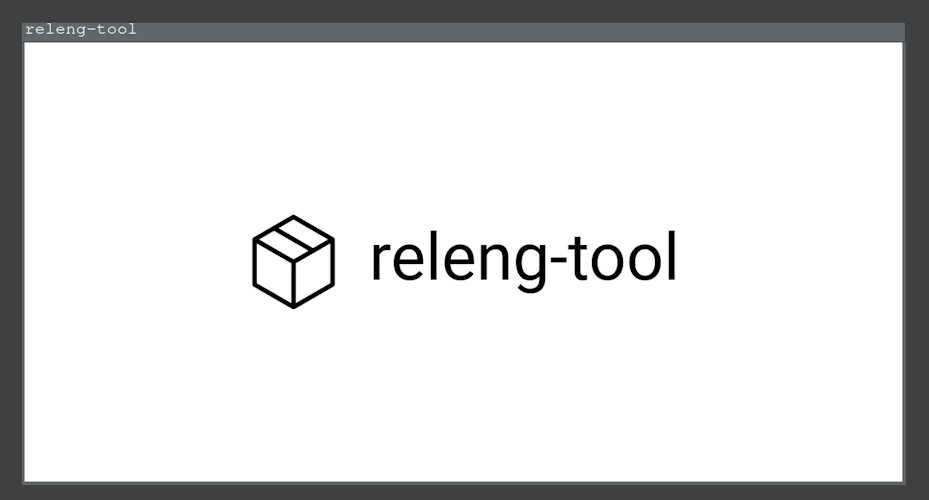
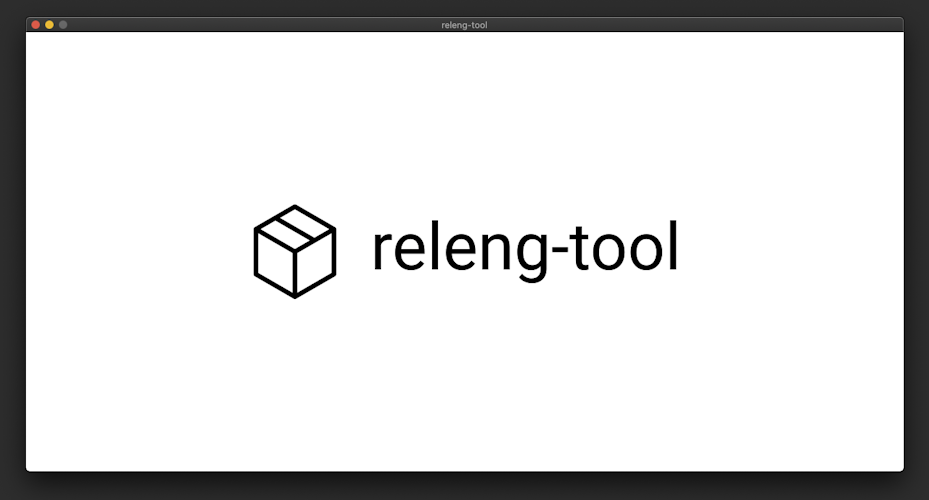
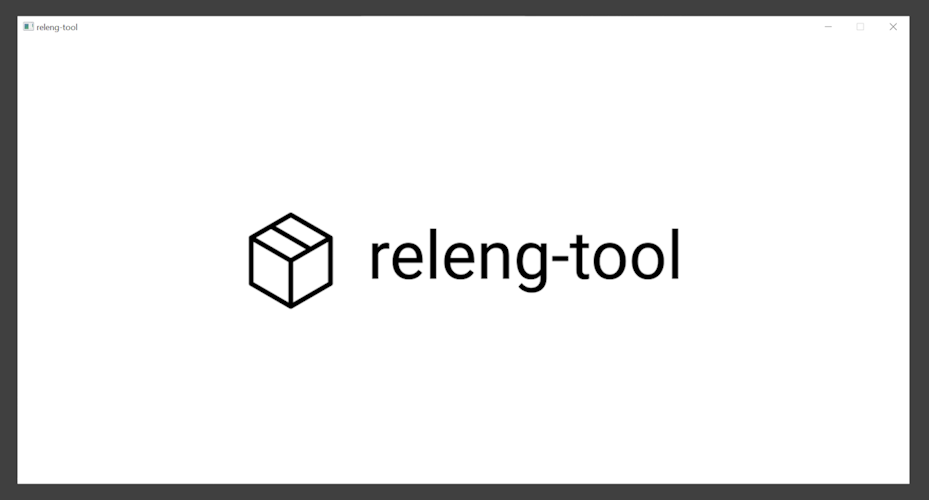
In all cases, a window should be presented with the releng-tool logo:
This concludes this tutorial.
Tutorial "A toolchain example"
This tutorial shows an example creating an application using a pre-built toolchain. In this example, we will use a pre-built toolchain which (in theory) has been used to prepare a Linux image for an embedded device. With the same toolchain, we can define a releng-tool project that prepares an application that can run on this embedded device.
This example will attempt to prepare a static build of htop that can run on an aarch64 system.
Preparing the host environment
Note
A releng-tool project may create a package to download/setup a toolchain package to use for a build. However, for this example, we will keep the installation/availability of the toolchain outside of the releng-tool project (for simplicity of this tutorial).
First, we will prepare a toolchain on a host system to be used by our releng-tool project. For this tutorial, we will use a toolchain provided by Bootlin. Download the following toolchain package:
Architecture: aarch64
libc: glibc
https://toolchains.bootlin.com/.../aarch64--glibc--stable-2022.08-1.tar.bz2
https://toolchains.bootlin.com/.../aarch64--glibc--stable-2022.08-1.sha256
(sha256:
844df3c99508030ee9cb1152cb182500bb9816ff01968f2e18591d51d766c9e7)
Extract and place the toolchain into a desired location. In this example,
we will place the toolchain under /opt. However, users can install the
toolchain to whatever path they desire:
$ tar -vxf <toolchain-archive>
$ mv aarch64--glibc--stable-2022.08-1 /opt
$ cd /opt/aarch64--glibc--stable-2022.08-1
$ relocate-sdk.sh
Verify the ability to invoke GCC from the toolchain installation:
$ /opt/aarch64--glibc--stable-2022.08-1/bin/aarch64-linux-gcc --version
aarch64-linux-gcc.br_real (Buildroot 2021.11-4428-g6b6741b) 11.3.0
Copyright (C) 2021 Free Software Foundation, Inc.
This is free software; see the source for copying conditions.  There is NO
warranty; not even for MERCHANTABILITY or FITNESS FOR A PARTICULAR PURPOSE.
Preparing a new releng-tool project
To build htop, this requires two dependencies:
Build a new project with the following structure to support our htop
package, dependencies and project configuration:
└── my-tc-project/
    ├── package/
    │   ├── htop/
    │   │   ├── htop.rt
    │   │   └── htop.hash
    │   ├── libnl/
    │   │   ├── libnl.rt
    │   │   └── libnl.hash
    │   └── ncurses/
    │       ├── ncurses.rt
    │       └── ncurses.hash
    └── releng-tool.rt
The configuration
The first changes we will make to our releng-tool project is to define the
specifics of the project configuration in releng-tool.rt. Apply the
following contents to the configuration:
packages = [
    'htop',
]

# location of the toolchain to use
MY_TOOLCHAIN_ROOT = '/opt/aarch64--glibc--stable-2022.08-1'
MY_TOOLCHAIN_SYSROOT = releng_join(
    MY_TOOLCHAIN_ROOT, 'aarch64-buildroot-linux-gnu/sysroot')

# flag buildroot toolchain to be strict with includes
releng_env('BR_COMPILER_PARANOID_UNSAFE_PATH', '1')

MY_TOOLCHAIN_CONF_ENV = {
    # configure compiler/linker options
    'CC': f'{MY_TOOLCHAIN_ROOT}/bin/aarch64-linux-gcc',
    'CXX': f'{MY_TOOLCHAIN_ROOT}/bin/aarch64-linux-g++',
    'CFLAGS': f'--sysroot={MY_TOOLCHAIN_SYSROOT} -I${{STAGING_INCLUDE_DIR}}',
    'CXXLAGS': f'--sysroot={MY_TOOLCHAIN_SYSROOT} -I${{STAGING_INCLUDE_DIR}}',
    'LDFLAGS': f'--sysroot={MY_TOOLCHAIN_SYSROOT} -L${{STAGING_LIB_DIR}}',
    # configure pkg-config to use staging directory
    'PKG_CONFIG_DIR': '',
    'PKG_CONFIG_LIBDIR': '${STAGING_LIB_DIR}/pkgconfig',
    'PKG_CONFIG_SYSROOT_DIR': '${STAGING_DIR}',
}

MY_TOOLCHAIN_CONF_DEFS = {
    # configure for cross compiling
    '--host': 'aarch64-buildroot-linux',
}
Create a package list which defines
htopas a required package to build. Since we plan to makelibnlandncursesdependencies tohtop, they do not need to be included.This project will rely on the host system having the toolchain installed. We create some variables to help point to the toolchain's path and sysroot. Developers can make this flexible by allowing these options to be configured by environment variables or using command line arguments, but this will not be done here to simplify this tutorial.
We configure
BR_COMPILER_PARANOID_UNSAFE_PATH, an option supported by the generated Bootlin (Buildroot) toolchain to error when using an unsafe path when performing a build (i.e. throw an error when using the system's/usr/includepath over a releng-tool sysroot path).Prepares two variables
MY_TOOLCHAIN_CONF_ENVandMY_TOOLCHAIN_CONF_DEFSwhich we can later use for the Autotools packages we have. These values help configure toolchain and desired releng-tool paths. Variables set in the root configuration can later be used inside package scripts and post-build scripts. The options specified here are applicable to Autotools packages. Options can vary for other types (e.g. CMake projects typically are configured with a CMake toolchain file).
The releng-tool project's configuration is ready. Now to define the package definitions/hashes for each package.
The libnl package
Update the libnl package definition (my-tc-project/libnl/libnl.rt) with
the following contents:
LIBNL_INSTALL_TYPE = 'staging'
LIBNL_LICENSE = ['LGPL-2.1-or-later']
LIBNL_LICENSE_FILES = ['COPYING']
LIBNL_SITE = 'https://github.com/thom311/libnl/releases/download/libnl3_7_0/libnl-3.7.0.tar.gz'
LIBNL_TYPE = 'autotools'
LIBNL_VERSION = '3.7.0'

LIBNL_CONF_ENV = MY_TOOLCHAIN_CONF_ENV
LIBNL_CONF_DEFS = MY_TOOLCHAIN_CONF_DEFS

LIBNL_CONF_OPTS = [
    # static lib
    '--enable-static',
    '--disable-shared',
    # disable features that are not required
    '--disable-cli',
    '--disable-debug',
    '--disable-pthreads',
]
The libnl library uses a LGPL-2.1+ license. We configure
LIBNL_LICENSEto the equivalent SPDX license identifier, as well as defineLIBNL_LICENSE_FILESto point to a copy of the license text. Specifying license information is not required, but can be helpful when generating license data or software bill of materials (SBOM) for a project.This example uses libnl v3.7.0, which we set in the
LIBNL_VERSIONoption. The version value is useful for managing output folders and logging versions of packages.We specify the location to download sources in
LIBNL_SITE.The libnl library uses Autotools. This means we can use
LIBNL_TYPEto configure the helper type and avoid the need to create custom configure/build scripts to run./configure, etc. (since releng-tool will handle this for us).We configure
LIBNL_CONF_ENVandLIBNL_CONF_DEFSto use the configuration options we prepared in the root configuration. This allows this Autotools package to use the desired toolchain.This package is configured to install (
LIBNL_INSTALL_TYPE) into the staging area (instead of, by default, into the target directory). Since we are creating a static library forhtopto link against, there is no need to place any generated content from thelibnlpackage into the target area.Finally, we configure
LIBNL_CONF_OPTSto tweak other options supported by this package. We only need a static library, so we explicitly indicate to enable static builds and disable shared builds. We also disable a series of other features not needed for this example.Using configuration options can be useful for disabling certain project options such as disabling unit tests (which may not be desired for these types of builds). It is always good to explicitly define configuration entries when possible, just in case default values change for an option.
The above libnl package specifies a remote URL to download library
sources. These sources should be validated to ensure data is not corrupted
or manipulated. To do this, create a hash file alongside the package
definition called libnl.hash with the contents:
# https://github.com/thom311/libnl/releases/download/libnl3_7_0/libnl-3.7.0.tar.gz.sha256sum
sha256 9fe43ccbeeea72c653bdcf8c93332583135cda46a79507bfd0a483bb57f65939 libnl-3.7.0.tar.gz
# locally computed
sha256 dc626520dcd53a22f727af3ee42c770e56c97a64fe3adb063799d8ab032fe551 COPYING
In this hash file, expected hashes for resources can be configured and checked
when releng-tool attempts to fetch resources from remote sources. Ideally,
hashes provided from a third-party package release can be directly added into
these files (<hash-type> <hash> <file>). In this example, libnl provides
expected hashes for archives when they make a release. We copy the hash
contents into our local hash file (with a helpful comment to indicate where
it came from).
In addition, we also provide a hash of the license document. While not required, this can be useful in detecting if the license of a package changes between versions.
The ncurses package
Update the ncurses package definition (my-tc-project/ncurses/ncurses.rt)
with the following contents:
NCURSES_INSTALL_TYPE = 'staging'
NCURSES_LICENSE = ['X11']
NCURSES_LICENSE_FILES = ['COPYING']
NCURSES_SITE = 'https://invisible-mirror.net/archives/ncurses/ncurses-${NCURSES_VERSION}.tar.gz'
NCURSES_TYPE = 'autotools'
NCURSES_VERSION = '6.4'

NCURSES_CONF_ENV = MY_TOOLCHAIN_CONF_ENV
NCURSES_CONF_DEFS = MY_TOOLCHAIN_CONF_DEFS

NCURSES_CONF_OPTS = [
    # static lib
    '--with-normal',
    '--without-shared',
    # disable features that are not required
    '--disable-db-install',
    '--without-ada',
    '--without-curses-h',
    '--without-cxx',
    '--without-cxx-binding',
    '--without-debug',
    '--without-gpm',
    '--without-manpages',
    '--without-progs',
    '--without-sysmouse',
    '--without-tack',
    '--without-tclib',
    '--without-termlib',
    '--without-tests',
]
The above almost mimics the previous libnl package with the exception of
this package having a different license and different configuration options
available.
Since ncurses package specifies a remote URL to download library
sources, we also want to update ncurses.hash with the contents:
# locally computed after verification with:
#  https://invisible-island.net/archives/ncurses/ncurses-6.4.tar.gz.asc
#  19882D92DDA4C400C22C0D56CC2AF4472167BE03
sha256 6931283d9ac87c5073f30b6290c4c75f21632bb4fc3603ac8100812bed248159 ncurses-6.4.tar.gz
# locally computed
sha256 63de87399e9fc8860236082b6b0520e068e9eb1fad0ebd30202aa30bb6f690ac COPYING
In the previous libnl package, maintainers provided an official SHA-256
hash to use for our local hash file. For ncurses, maintainers provide a
GPG signature of their archives instead. To handle this, we manually
download the archive and signature file to verify its contents. Once
verified, we generated our own SHA-256 sum and place it into this hash file
(with a helpful comment). And as done in the previous package, we also
provide a hash of the license document.
The htop package
Update the htop package definition (my-tc-project/htop/htop.rt) with the
following contents:
HTOP_NEEDS = [
    'libnl',
    'ncurses',
]

HTOP_LICENSE = ['GPL-2.0-or-later']
HTOP_LICENSE_FILES = ['COPYING']
HTOP_SITE = 'https://github.com/htop-dev/htop/releases/download/${HTOP_VERSION}/htop-${HTOP_VERSION}.tar.xz'
HTOP_TYPE = 'autotools'
HTOP_VERSION = '3.2.2'

HTOP_CONF_ENV = MY_TOOLCHAIN_CONF_ENV
HTOP_CONF_DEFS = MY_TOOLCHAIN_CONF_DEFS

HTOP_CONF_OPTS = [
    # disable features that are not required
    '--disable-capabilities',
    '--disable-dependency-tracking',
    '--disable-hwloc',
    '--disable-openvz',
    '--disable-pcp',
    '--disable-sensors',
    '--disable-unicode',
    '--disable-vserver',
]
This package defines a list of package dependencies for
htop. Specifically, we listlibnlandncurses, which will force releng-tool to configure/build these packages before processing thehtoppackage.
Since htop package specifies a remote URL to download library sources,
we also want to update htop.hash with the contents:
# https://github.com/htop-dev/htop/releases/download/3.2.2/htop-3.2.2.tar.xz.sha256
sha256 bac9e9ab7198256b8802d2e3b327a54804dc2a19b77a5f103645b11c12473dc8 htop-3.2.2.tar.xz
# locally computed
sha256 8177f97513213526df2cf6184d8ff986c675afb514d4e68a404010521b880643 COPYING
Performing a build
With a configuration and packages prepared, the project should be ready to
be built. While in the my-tc-project folder, invoke releng-tool:
$ releng-tool
fetching libnl...
configuring libnl...
building libnl...
...
building htop...
installing htop...
generating sbom information...
generating license information...
(success) completed (0:01:15)
Once completed, the target directory will have a compiled htop executable
that can be copied over to and run on an aarch64-running target.
This concludes this tutorial.
Understanding rebuilds
Completed stages for a package are not executed again when releng-tool is re-run.
Users looking to re-run a completed stage for a specific package need to manually re-trigger the stage (e.g.
releng-tool <pkg>-rebuild,releng-tool <pkg>-reconfigure,releng-tool <pkg>-reinstall).Users can also invoke
releng-tool punchfor force re-trigger all package stages.
Details
As packages are processed in order (based off of detected dependencies, if any), each package will go through their respective stages:
Fetching
Extraction
Patching
Configuration
Building
Installation
While a package may not take advantage of each stage, the releng-tool will step through each stage to track its progress. Due to the vast number of ways a package can be defined, the ability for releng-tool to determine when a previously executed stage is "stale" is non-trivial. Instead of attempting to manage "stale" package stages, releng-tool leaves the responsibility to the builder to deal with these scenarios. This idea is important for developers to understand how it is possible to perform rebuilds of packages to avoid a full rebuild of the entire project.
Consider the following example: a project has three packages which are C++-based packages:
└── my-releng-tool-project/
    ├── package/
    │   ├── module-a/
    │   │   └── ...
    │   ├── module-b/
    │   │   └── ...
    │   └── module-c/
    │       └── ...
    └── releng-tool.rt
For this example, project module-b depends on module-a and project
module-c depends on module-b. Therefore, releng-tool will process
packages in the order module-a -> module-b -> module-c. In this example,
the project is built until a failure is detected in package module-c:
$ releng-tool
[module-a built]
[module-b built]
ERROR: unable to build module-c
A developer notices that it is due to an issue found in module-b; however,
instead of attempting to redo everything from a fresh start, the developer
wishes to test the process by manually making local changes in module-b to
complete the build process. The developer makes the change, re-invokes
releng-tool but still notices the build error occurs:
$ releng-tool
ERROR: unable to build module-c
The issue here is that since module-b has already been processed, none of
the interim changes made will be available for module-c to use. To take
advantage of the new implementation in module-b, the builder can signal for
the updated package to be rebuilt:
$ releng-tool module-b-rebuild
[module-b rebuilt]
With module-b in a more desired state, a re-invoke of releng-tool can
allow module-c to be built.
$ releng-tool
[module-c built]
This is a very simple example to consider, and attempts to rebuild can vary based on the packages, changes made and languages used.
Understanding fetching
The first stage packages go through is the "fetch" phase. For packages which have content to acquire, files can be downloaded or version control sources may be locally cached. For example, if a package has a link to a file to download:
LIBFOO_SITE = 'https://example.com/libfoo-1.0.tgz'
The file will be stored in the download folder, ready to be used for extraction:
└── my-project/
    ├── dl/
    │   └── libfoo/
    │       └── libfoo-1.0.tgz       <----
    ├── package/
    │   └── libfoo/
    │       └── ...
    └── releng-tool.rt
And for DVCS-based sites:
LIBFOO_SITE = 'git+git@example.com:base/libfoo.git'
The contents of the repository will be stored in the cache folder for later use:
└── my-project/
    ├── cache/
    │   └── libfoo/
    │       └── ...                  <----
    ├── package/
    │   └── libfoo/
    │       └── ...
    └── releng-tool.rt
Once a package has completed its fetch stage, releng-tool should never need
to remotely fetch content for that package again (until site, version, etc.
changes). In the event that a user invokes a clean action
followed by a full build:
$ releng-tool clean
$ releng-tool
...
No fetching may occur since package contents may already be stored in the
existing dl/ and cache/ folders.
A problem a user may experience is if they wish to re-acquire sources from a site if they know the sources have changed. For example, if a remote archive has been updated, if a tag has been moved or if a target branch has been updated. The following will present a series of ways a user can deal with these use cases.
Start fresh!
Tip
While this approach ensures the most recent sources for the existing package configurations are fetched, it can be time consuming to clear the entire cache if, for example, only a single package has changed.
It is recommended to look at all available options to re-fetch content.
The easiest way to ensure all fresh sources are downloaded is to clean all
local downloads/cache for a project. This can be achieved using
distclean:
releng-tool distclean
This will ensure all downloaded files, cached content, etc. are removed from the local system, ensuring a next-build to download fresh sources.
Full fetching
Changed in version 1.4: Post-fetching will occur after the patching stage instead of the extraction phase.
Most package sources are acquired during the fetch stage. However, some
packages define dependencies within their sources. This can require
releng-tool to first fetch a defined package's sources, extract the
package, followed by fetching any defined dependencies. Post-fetching
will be automatically performed for supported packages (e.g. Cargo) after
their patch stage. Users can invoke the fetch-full
action to explicitly process releng-tool's fetch-post operations:
releng-tool fetch-full
Force re-fetch of DVCS sources
When a DVCS-based package goes through its fetch stage, the contents can be locally stored in the configured cache directory. For a package definition as follows:
LIBFOO_SITE = 'git+git@example.com:base/libfoo.git'
LIBFOO_REVISION = 'v1.0'
A cache of the v1.0 tag will be fetched and stored locally. If a package
is cleaned and rebuilt again, releng-tool will referred to the locally
cached tag. In the event that the remote site changes the tag location,
clean builds will not be using the most recent tag location. If a user
knows the reference for a site has been updated, they can explicitly
request a <pkg>-fetch on a package which should
trigger a forced update from the remote site. For example:
releng-tool libfoo-fetch
The above can recognize the new tag update, and any future clean builds made will use the new reference implementation.
Force re-fetch of fixed sources
For packages which reference a fixed artifact, once a package has completed its fetch stage, the artifact will no longer need to be downloaded again. For example:
LIBFOO_SITE = 'https://example.com/libfoo-1.0.tgz'
The archive libfoo-1.0.tgz will be locally store and used in future
builds. In the event where a site's archive is known to have been changed,
a user can force re-fetch these artifacts by using the
<pkg>-fetch action along with the
-F, --force argument. For example, even if libfoo-1.0.tgz
was already downloaded locally, a request as follows will delete the local
cache file and re-download it from the configured site:
releng-tool libfoo-fetch --force
Automatically re-fetch development branches
When operating in development mode where a
package has a development-specific source based off a branch, it may be
preferred to always ensure the most recent sources are fetched. For
example, consider libfoo with a development revision main:
LIBFOO_SITE = 'git+git@example.com:base/libfoo.git'
LIBFOO_REVISION = 'v1.0'
LIBFOO_DEVMODE_REVISION = 'main'
With the above configuration, if a builder cleans and rebuilds the project,
the originally cache of main would still be used, even if main has new
updates on the remote branch:
$ releng-tool
...
~using libfoo hash 1b100c825307730e2027398d70af7c84ce173238~
...
$ releng-tool clean
$ releng-tool
...
~still using libfoo hash 1b100c825307730e2027398d70af7c84ce173238~
...
If a user wants to automatically re-fetch new updates on a development
branch, they can take advantage of the
LIBFOO_DEVMODE_IGNORE_CACHE option. For
example, if a site definition had:
LIBFOO_SITE = 'git+git@example.com:base/libfoo.git'
LIBFOO_REVISION = 'v1.0'
LIBFOO_DEVMODE_REVISION = 'main'
LIBFOO_DEVMODE_IGNORE_CACHE = True
A repeat of the rebuild actions will result in an automatic update of the
package's main branch (if updates are available):
$ releng-tool
...
~using libfoo hash 1b100c825307730e2027398d70af7c84ce173238~
...
$ releng-tool clean
$ releng-tool
...
~using libfoo hash 4cd6375c7464b6bdf166b4f27d5e2fbd937e4ad0~
...
User guides
The following lists a series of guides which can help a user understand and utilize all capabilities of releng-tool.
Arguments
The command line can be used to specify a single action to perform or provide various options to configure the releng-tool process. Options can be provided before or after an action (if an explicit action is provided). By default, if a user does not specify an action, it is assumed that all steps are to be performed.
releng-tool <options> [action]
Global actions
The following outlines available global actions:
clean
Clean (removes) a series of folders holding content such as extracted archives, built libraries and more.
releng-tool clean
Images and downloaded assets/cache are not removed (see
mrproper for a more through all cleaning operation).
This clean operation will remove files based off the configured output
directory. If an output directory is provided (i.e. --out-dir <dir>)
during a clean event, select folders inside this directory will be removed
instead of the output directory (if any) found in the root directory.
See also the distclean, mrproper and
<pkg>-clean actions.
distclean
Added in version 0.6.
Perform a more extreme pristine clean of the releng-tool project.
releng-tool distclean
This request removes the cache/, dl/ and output/ directories found
in the root directory or overridden by respective arguments, as well as
any mode file flags which may be set. See also the clean
or mrproper actions.
See also the clean, mrproper and
<pkg>-distclean actions.
extract
All packages will be processed up to the extraction phase (inclusive).
releng-tool extract
See also the <pkg>-extract action.
fetch
All packages will be processed up to the fetch phase (inclusive).
releng-tool fetch
Tip
When a fetch is explicitly requested for DVCS sources (e.g. Git), the
local cache kept for the repository will be updated against the
configured remote. This can be helpful for packages which use a branch
for their target revision, or wishing to use a tag which has been moved.
Users may also take advantage of explicit re-fetching of downloaded artifacts when using this action in combination with the --force, -F argument.
See also offline builds, the
fetch-full action and the
<pkg>-fetch action.
fetch-full
Added in version 1.3.
All packages will be processed up to the extraction phase, as well as any post-extraction fetch operations for supported package types (e.g. fetching Cargo dependencies).
releng-tool fetch-full
See also the fetch and
<pkg>-fetch-full actions.
init
Added in version 0.6.
Initialize an empty root directory with a sample project.
releng-tool init
licenses
A request to generate all license information for the project.
releng-tool licenses
Note that license information requires acquiring license documents from packages. Therefore, packages will be fetched/extracted if not already done.
See also the <pkg>-license action.
lint
Added in version 2.7.
A request to lint the quality of a project.
releng-tool lint
To ignore lines based on preference or false-positives, lines can be commented
with a noqa keyword to not be flagged. For example:
UNEXPECTED_KEY = True # noqa
See also the <pkg>-lint action.
mrproper
Added in version 0.6.
Perform a pristine clean of the releng-tool project.
releng-tool mrproper
This request removes the output/ directory found in the root directory or
overridden by the --out-dir argument, as well as any mode file flags
which may be set. The cache/ and dl/ directories will remain untouched.
patch
All packages will be processed up to the patch phase (inclusive).
releng-tool patch
See also Patching and the <pkg>-patch action.
printpkgs
Added in version 2.10.
Print the names of packages to be used for the configured state.
releng-tool printpkgs
printvars
Added in version 2.7.
Print configuration variables associated with the project.
releng-tool printvars
Printed variables will also note whether the variable is known to be set in the active configuration/execution context.
See also the <pkg>-printvars action.
punch
Added in version 1.2.
A punch request acts in a similar fashion as if no global action was provided. All configured packages will be processed to their completion and any post actions will be run. The difference between a default run and a punch run is when a punch run is requested, any packages that have already been processed will be re-invoked as if a re-configuration request has been made.
This allows a developer to easily attempt to rebuild all packages in their project when multiple packages have been updated.
releng-tool punch
sbom
Added in version 0.14.
A request to generate a software build of materials (SBOM) for the project.
releng-tool sbom
By default, a releng-tool run will generate an SBOM file at the end of a run. This action can be used to generate an SBOM without requiring a build.
See also --sbom-format <fmt> (argument) and
sbom_format (configuration).
state
Added in version 0.17.
A request to output active state information for a project.
releng-tool state
A state request can be used to output any active configuration and operating modes.
Package actions
The following outlines available package-specific actions:
<pkg>-build
Performs the build stage for the package.
releng-tool <pkg>-build
On success, the specified package will have completed its build. If a package has any package dependencies, these dependencies will be processed before the specified package. If the provided package name does not exist, a notification will be generated.
<pkg>-clean
Cleans the build directory for package (if it exists).
releng-tool <pkg>-clean
See also the clean and
<pkg>-distclean actions.
<pkg>-configure
Performs the configure stage for the package.
releng-tool <pkg>-configure
On success, the specified package will have completed its configuration stage. If a package has any package dependencies, these dependencies will be processed before the specified package. If the provided package name does not exist, a notification will be generated.
<pkg>-distclean
Added in version 0.8.
Perform a pristine clean of a releng-tool package.
releng-tool <pkg>-distclean
This request not only removes the build directory but also any cached file or directory associated with the package.
See also the distclean and
<pkg>-clean actions.
<pkg>-exec "<cmd>"
Added in version 0.12.
Changed in version 1.4: Support accepting arguments after --.
Changed in version 2.5: When using -- with this call, releng_args is no
longer populated.
Invokes a provided command in the package's build output directory. This package action can be useful for developers attempting to develop/debug a specific package, allowing an easy way to issue commands in a package's directory without having to manually venture to a package's output directory. Packages will need to be processed to at least the patch stage before a provided command is issued.
An example is as follows:
releng-tool libfoo-exec "mycmd arg1 arg2"
Alternatively, arguments can be passed using the format:
releng-tool libfoo-exec -- mycmd arg1 arg2
Package environment variables will be available for the invoked command.
See also RELENG_EXEC (environment) and
releng_args (configuration).
<pkg>-extract
Performs the extraction stage for the package.
releng-tool <pkg>-extract
On success, the specified package will have completed its extraction stage. If the provided package name does not exist, a notification will be generated.
See also the extract action.
<pkg>-fetch
Performs the fetch stage for the package.
releng-tool <pkg>-fetch
On success, the specified package stage will have completed its fetch stage. If the provided package name does not exist, a notification will be generated.
See also the fetch and
<pkg>-fetch-full actions.
<pkg>-fetch-full
Added in version 1.3.
Performs the fetch and extraction stages for the package, as well as any post-extraction fetch operations for the supported package type (e.g. fetching Cargo dependencies).
releng-tool <pkg>-fetch-full
If the provided package name does not exist, a notification will be generated.
See also the fetch-full and
<pkg>-fetch actions.
<pkg>-fresh
Added in version 1.4.
Prepares a package to be ready to invoke its configuration stage. A successful end state results in the specified package will have completed its patch stage. If the package has already been processed before, it will be cleaned ahead of time to start fresh.
releng-tool <pkg>-fresh
If the provided package name does not exist, a notification will be generated.
<pkg>-install
Performs the installation stage for the package.
releng-tool <pkg>-install
On success, the specified package will have completed its installation stage. If a package has any package dependencies, these dependencies will be processed before the specified package. If the provided package name does not exist, a notification will be generated.
<pkg>-license
Added in version 0.8.
A request to generate the license information for a specific package in a project.
releng-tool <pkg>-license
Note that license information requires acquiring license documents from the package itself. Therefore, the package will be fetched/extracted if not already done.
See also the licenses action.
<pkg>-lint
Added in version 2.7.
A request to lint the quality of a specific package in a project.
releng-tool <pkg>-lint
See also the lint action.
<pkg>-patch
Performs the patch stage for the package.
releng-tool <pkg>-patch
On success, the specified package will have completed its patch stage. If the provided package name does not exist, a notification will be generated.
<pkg>-printvars
Added in version 2.7.
Print configuration variables associated with the package.
releng-tool <pkg>-printvars
Printed variables will also note whether the variable is known to be set in the active configuration/execution context.
See also the printvars action.
<pkg>-rebuild
Force a rebuild of a specific package.
releng-tool <pkg>-rebuild
Once a package has been built, the package will not attempt to be built
again. Invoking a rebuild request will tell releng-tool to re-invoke the
build step again. This can be useful during times of development where a
developer attempts to change a package definition or sources between build
attempts. After completing a rebuild, releng-tool will perform the
remaining stages of the package (i.e. the installation phase). Users
wishing to perform only the rebuild stage are recommended to use
<pkg>-rebuild-only instead.
If using this action, ensure understanding rebuilds has been read to understand this action's effect.
<pkg>-rebuild-only
Added in version 0.7.
Force a rebuild of a specific package.
releng-tool <pkg>-rebuild-only
Once a package has been built, the package will not attempt to be built
again. Invoking a rebuild request will tell releng-tool to re-invoke the
build step again. This can be useful during times of development where
a developer attempts to change a package definition or sources between
build attempts. After completing a rebuild, releng-tool will stop and
perform no other changes. Users wishing to perform a rebuild to the
installation phase are recommended to use <pkg>-rebuild instead.
If using this action, ensure understanding rebuilds has been read to understand this action's effect.
<pkg>-reconfigure
Force a re-configuration of a specific package.
releng-tool <pkg>-rebuild-reconfigure
Once a package has been configured, the package will not attempt to
configure it again. Invoking a re-configuration request will tell
releng-tool to re-invoke the configuration step again. This can be useful
during times of development where a developer attempts to change a package
definition or sources between configuration attempts. After completing a
re-configuration, releng-tool will perform the remaining stages of the
package (i.e. all the way to the installation phase). Users wishing to
perform only the re-configuration stage are recommended to use
<pkg>-reconfigure-only instead.
If using this action, ensure understanding rebuilds has been read to understand this action's effect.
<pkg>-reconfigure-only
Added in version 0.7.
Force a re-configuration of a specific package.
releng-tool <pkg>-reconfigure-only
Once a package has been configured, the package will not attempt to
configure it again. Invoking a re-configuration request will tell
releng-tool to re-invoke the configuration step again. This can be useful
during times of development where a developer attempts to change a package
definition or sources between configuration attempts. After completing a
re-configuration, releng-tool will stop and perform no other changes.
Users wishing to perform a re-configuration to the installation phase are
recommended to use <pkg>-reconfigure instead.
If using this action, ensure understanding rebuilds has been read to understand this action's effect.
<pkg>-reinstall
Force a re-installation of a specific package.
releng-tool <pkg>-reinstall
Once a package has been installed, the package will not attempt to install it again. Invoking a re-installation request will tell releng-tool to re-invoke the installation step again. This can be useful during times of development where a developer attempts to change a package definition or sources between installation attempts.
If using this action, ensure understanding rebuilds has been read to understand this action's effect.
Option arguments
The following outlines available options:
--assets-dir <dir>
Added in version 0.10.
Directory to hold cache and download folders instead of using a configured root directory.
Note
Configuring an asset directory override is only helpful when attempting to
configure a container for all assets. If a user also specifies --cache-dir
or --dl-dir overrides, this argument has no effect.
See also RELENG_ASSETS_DIR.
--cache-dir <dir>
Directory for distributed version control cache information (defaults to
<root>/cache).
See also RELENG_CACHE_DIR.
--config <file>
Added in version 0.13.
Configuration file to load (defaults to <root>/releng-tool.rt).
See also alternative extensions that may apply when detecting the default configuration file.
--debug
Show debug-related messages.
See also RELENG_DEBUG.
--debug-extended
Show extended debug-related messages, such as process execution arguments and environment variables.
--development [<mode>], -D [<mode>]
Changed in version 0.13: Support configurable modes.
Enables development mode.
See also RELENG_DEVMODE.
--dl-dir <dir>
Directory for download archives (defaults to <root>/dl).
See also DL_DIR and RELENG_DL_DIR.
--force, -F
Added in version 0.11.
Triggers a forced request for the releng-tool invoke. This entails:
Packages will be processed as if a re-configuration request has been made.
If an explicit fetch request is made (
fetchor<pkg>-fetch), any packages which cache to a file will have their cache files deleted to be re-fetched.
See also RELENG_FORCE.
--help, -h
Show a list of all arguments available by releng-tool.
--images-dir <dir>
Added in version 0.13.
Directory for image outputs (defaults to <root>/output/images).
See also IMAGES_DIR and
RELENG_IMAGES_DIR.
--jobs <jobs>, -j <jobs>
Changed in version 2.9: Added support for negative jobs.
Numbers of jobs to handle (defaults to 0; automatic).
If the total number of jobs provided is negative, it will subtract the provided value from the automatic job detection count (to a minimum of one).
See also RELENG_PARALLEL_LEVEL.
--local-sources [[<pkg>:]<dir>], -L [[<pkg>:]<dir>]
Changed in version 0.13: Support configurable packages and directories.
Changed in version 0.16: Support : (new) or @ (original) as a separator.
Enables local-sources mode.
Without a directory provided, sources of internal packages will be looked for in the parent directory of the configured root directory. Users may use this argument multiple times to override the local-sources configuration. If a package-specific override is provided, sources for that package will be looked for inside the provided path.
--nocolorout
Explicitly disable colorized output.
Tip
Added in version 0.17: Added NO_COLOR support.
Added in version 2.7: Added FORCE_COLOR support.
releng-tool respects the NO_COLOR and
FORCE_COLOR environment variables, if configured in the
running environment.
--only-mirror
Added in version 2.0.
Only fetch external projects with configured mirror.
When releng-tool is fetching sources with url_mirror
configured, package downloads will be first attempted on the mirror before
using their package-defined site. If a developer wishes to enforce a build
to only download external packages from the configured mirror, this option
can be provided when invoking releng-tool.
--out-dir <dir>
Directory for output (builds, images, etc.; defaults to <root>/output).
See also RELENG_OUTPUT_DIR.
--profile [<profile>], -P [<profile>]
Added in version 2.5.
Configure a profile to run with. Providing this option is only applicable if
a project accepts custom profile options. Multiple profiles can be provided
by repeating this argument. Multiple profiles can also be provided in a
single argument where profiles are separated by a comma (,) or a
semicolon (;).
See also using profiles.
--quiet
Added in version 2.10.
Enable a quiet output.
--quirk <quirk-id>
Added in version 0.4.
Allows specifying a runtime quirk for the releng-tool process. This option can be used multiple times to apply multiple quirks.
--relaxed-args
Added in version 1.3.
Do not throw an error when releng-tool is provided unknown arguments.
See also RELENG_IGNORE_UNKNOWN_ARGS.
--root-dir <dir>, -R <dir>
Directory to process a releng-tool project. By default, the root directory is configured to the working directory.
See also ROOT_DIR.
--success-exit-code <code>
Added in version 2.8.
Allows overriding the exit code reported on a successful run. By default, a
successful run will have an exit code of 0.
--sbom-format <fmt>
Added in version 0.14.
Changed in version 2.4: rdp-spdx renamed to rdf-spdx.
The format to use when generating a software build of materials (SBOM). Multiple formats can be provided (comma-separated).
Type |
Value |
|---|---|
CSV |
|
HTML |
|
JSON |
|
JSON (CycloneDX) |
|
JSON (SPDX) |
|
RDF (SPDX) |
|
Text |
|
XML |
|
XML (CycloneDX) |
|
See also sbom (action) and sbom_format
(configuration).
--verbose, -V
Show additional messages.
See also RELENG_VERBOSE.
--version
Show releng-tool's version.
--werror, -Werror
Added in version 0.14.
Treat warnings from releng-tool as errors.
Variable injection
Added in version 0.12.
Users can override a select set of variables by defining them in the command
line arguments. For example, consider a project that defines a libfoo
package with a version 1.0:
LIBFOO_VERSION = '1.0'
If a user wants to override this a run with 1.1, the following can be used:
releng-tool LIBFOO_VERSION=1.1
Configuration
A releng-tool project defines its configuration options inside the a
releng-tool.rt file at the root of a project (or other defaults; see
alternative extensions). The primary
configuration option for a developer to define is packages, which is used
to hold a list of packages to be processed. For example, a project structure
such as follows:
└── my-project/
    ├── package/
    │   ├── package-a/
    │   │   └── ...
    │   ├── package-b/
    │   │   └── ...
    │   └── package-c/
    │       └── ...
    └── releng-tool.rt                <----
Can have a configuration (releng-tool.rt) such as:
packages = [
    'package-a',
    'package-b',
    'package-c',
]
Packages can be loaded implicitly. If other packages depend on each other,
a project may only list a subset of packages in a packages configuration.
For example, if the above had package-b dependent on both package-a and
package-c, then only package-b would need to be defined in the main
configuration file:
packages = [
    'package-b',
]
Common options
A series of additional configuration options are available to be defined inside the project's configuration. A list of common configuration options are as follows:
default_internal
A flag to indicate that projects are implicitly loaded as internal projects. By default, packages not explicitly configured as internal or external are assumed to be external packages.
default_internal = True
See also internal and external packages.
environment
Added in version 1.3.
A dictionary to define environment variables to apply to all stages of releng-tool.
environment = {
    'MY_ENV_1': 'First example',
    'MY_ENV_2': 'Another example',
}
extensions
A list of extensions to load before processing a releng-tool project. If an extension cannot be loaded, releng-tool will stop with information on why an extension could not be loaded.
extensions = [
    'ext-a',
    'ext-b',
]
See also extensions.
external_packages
A list of external package locations. By default, packages for a project
will be searched for in root directory's package folder (<root>/package).
In some build environments, some packages may be required or may be preferred
to be located in another location/repository. To allow packages to be
loaded from another package container directory, one or more package
locations can be provided. For example:
external_packages = [
    releng_env('MY_EXTERNAL_PKG_DIR'),
]
license_header
As the releng-tool build process is finalized, a license document can be generated containing each package's license information. If a developer wishes to add a custom header to the generated document, a header can be defined by project's configuration. For example:
license_header = 'my leading content'
See also licenses.
packages
A list of packages to process. Packages listed will be processed by releng-tool till their completion. Package dependencies not explicitly listed will be automatically loaded and processed as well.
packages = [
    'package-a',
    'package-b',
    'package-c',
]
The order of listed packages is used to determine the order of processed
packages (outside of ordered dictated by LIBFOO_NEEDS
configurations).
prerequisites
Added in version 0.6.
A list of host tools to check for before running a releng-tool project. Allows a developer to identify tools to check and fail-fast if missing, instead of waiting for a stage which requires a specific tool and failing later during a building, packaging, etc. phase.
prerequisites = [
    'tool-a',
    'tool-b',
    'tool-c',
]
revisions
Note
Users are encouraged to use LIBFOO_VERSION or
LIBFOO_REVISION over this option.
Added in version 2.8.
Provides a dictionary that defines which revisions to use for packages. While
package revisions are typically set using LIBFOO_VERSION
or LIBFOO_REVISION, using the project configuration's
revisions can provide a convenience factor when revisions want to be
maintained in a single location.
revisions = {
    'libfoo': 'libfoo-v2.1',
    'myapp': '1.0.0',
}
The dictionary will map a package name to a revision value. If an entry
exists for a package, its provided revision value will be used as if
LIBFOO_REVISION was configured with this same value.
Also consider:
A package definition's revision value (i.e.
LIBFOO_VERSIONorLIBFOO_REVISION) takes precedence over revision values defined by this configuration option.If this option is used and a revision is not defined for a package, packages will use their standard way to resolving a revision.
sbom_format
Added in version 0.15.
Changed in version 0.16: Support added for json-spdx and rdp-spdx.
Changed in version 2.4: rdp-spdx renamed to rdf-spdx.
Changed in version 2.10: Support added for json-cyclonedx and xml-cyclonedx.
Configures the default format to use when generating a software build of
materials (SBOM). By default, text format SBOMs are generated for a
project.
sbom_format = 'xml'
The following lists the available formats supported:
Type |
Value |
|---|---|
CSV |
|
HTML |
|
JSON |
|
JSON (CycloneDX) |
|
JSON (SPDX) |
|
RDF (SPDX) |
|
Text |
|
XML |
|
XML (CycloneDX) |
|
Multiple formats can be provided. For example:
sbom_format = [
    'html',
    'json',
]
The all value is accepted to generate all supported SBOM variants.
See also sbom (action) and
--sbom-format <fmt> (argument).
sysroot_prefix
Changed in version 2.8: Support added for path-like values.
Define a custom sysroot prefix to provide to packages during their
configuration, build and installation stages. By default, the sysroot
prefix is typically set to /usr; for Windows, the value is empty.
sysroot_prefix = '/usr'
See also LIBFOO_PREFIX and PREFIX.
url_mirror
Specifies a mirror base site to be used for URL fetch requests. If this option is set, any URL fetch requests will first be tried on the configured mirror before attempting to acquired from the defined site in a package definition.
url_mirror = 'ftp://mirror.example.org/data/'
The url_mirror configuration also accepts the following format options:
name: the name of a packageversion: the version of a package
For example:
url_mirror = 'ftp://mirror.example.org/cache/{name}/'
Where {name} will be replaced by the package name being fetched.
Advanced options
A list of more advanced configuration options are as follows:
cache_ext
A transform for cache extension interpreting. This is an advanced configuration and is not recommended for use except for special use cases outlined below.
When releng-tool fetches assets from remote sites, the site value can used
to determine the resulting filename of a cached asset. For example,
downloading an asset from https://example.org/my-file.tgz, the locally
downloaded file will result in a .tgz extension. However, not all defined
sites will result in an easily interpreted cache extension. While
releng-tool will attempt its best to determine an appropriate extension
value to use, some use cases may not be able to be handled. To deal with
these cases, a developer can define a transform method to help translate
a site value into a known cache extension value.
Consider the following example: a host is used to acquire assets from a
content server. The URI to download an asset uses a unique request format
https://static.example.org/fetch/25134. releng-tool may not be able to
find the extension for the fetched asset, but if a developer knows the
expected archive types for these calls, a custom transform can be defined.
For example:
def my_translator(site):
    if 'static.example.org' in site:
        return 'tgz'
    return None

cache_ext = my_translator
The above transform indicates that all packages using the
static.example.org site will be tgz archives.
default_cmake_build_type
Added in version 2.7.
CMake packages can configure their default
build type on individual packages using
LIBFOO_CMAKE_BUILD_TYPE. However, if a developer
wishes to configure the default build type across all CMake packages, this
option may be used. For example, to default to using the Release build type,
the following may be used:
default_cmake_build_type = 'Release'
See also LIBFOO_CMAKE_BUILD_TYPE.
default_devmode_ignore_cache
Added in version 2.1.
When operating in development mode, packages may
configure LIBFOO_DEVMODE_IGNORE_CACHE to
indicate that a package should ignore any generated cache when operating
from a clean state. If a developer is managing a package set in a project
where most (if not all) packages would want to use this feature, a global
override can be configured.
default_devmode_ignore_cache = True
Setting this value to True will default all packages to operate with a
manner as if LIBFOO_DEVMODE_IGNORE_CACHE = True. Individual packages may
opt-out in this scenario by configuring LIBFOO_DEVMODE_IGNORE_CACHE = False.
See also LIBFOO_DEVMODE_IGNORE_CACHE.
default_meson_build_type
Added in version 2.7.
Meson packages can configure their default
build type on individual packages using
LIBFOO_MESON_BUILD_TYPE. However, if a developer
wishes to configure the default build type across all Meson packages, this
option may be used. For example, to default to using the Release build type,
the following may be used:
default_meson_build_type = 'release'
See also LIBFOO_MESON_BUILD_TYPE.
extra_license_exceptions
Added in version 0.14.
A dictionary to define extra license exceptions that are permitted in
package definitions. Packages which define license exceptions in a
LIBFOO_LICENSE option are expected to use
SPDX License Exceptions. If not, a warning is generated
by default. A project can define their own custom exceptions by adding them
into a project's extra_license_exceptions option to avoid this warning:
extra_license_exceptions = {
    'My-Exception-ID': 'Exception Name',
}
See also licenses.
extra_licenses
Added in version 0.14.
A dictionary to define extra licenses that are permitted in package
definitions. Packages which define licenses in a
LIBFOO_LICENSE option are expected to use a licensed
defined in the SPDX License List. If not, a warning is
generated by default. A project can define their own custom license by
adding them into a project's extra_licenses option to avoid this warning:
extra_licenses = {
    'My-License-ID': 'License Name',
}
See also licenses.
override_extract_tools
A dictionary to be provided to map an extension type to an external tool
to indicate which tool should be used for extraction. For example, when a
.zip archive is being processed for extraction, releng-tool will
internally extract the archive. However, a user may wish to override this
tool with their own extraction utility. Consider the following example:
override_extract_tools = {
    'zip': '/opt/my-custom-unzip {file} {dir}',
}
The {file} key will be replaced with the file to be extracted, and the
{dir} key will be replaced where the contents should extract to.
quirks
A list of configuration quirks to apply to deal with corner cases which can prevent releng-tool operating on a host system.
quirks = [
    'releng.<special-quirk-id>',
]
For a list of available quirks, see quirks.
urlopen_context
Added in version 0.10.
Allows a project to specify a custom SSL context [1] to apply for
URL fetch requests. This can be useful for environments which may
experience CERTIFICATE_VERIFY_FAILED errors when attempting to fetch
files. A custom SSL context can be created and tailored for a build
environment. For example:
import ssl
...

urlopen_context = ssl.create_default_context()
vsdevcmd
Note
The option is ignored in non-Windows environments.
Added in version 1.4.
Changed in version 2.5: Cycles through all applicable configured products until the first install
that provides VsDevCmd.bat is found.
Allows a project to automatically load Visual Studio Developer Command
Prompt (VsDevCmd.bat) variables into the releng-tool process. This will
allow packages and post-build scripts to invoke commands as if releng-tool
was started from within a Visual Studio Developer Command Prompt.
vsdevcmd = True
The version of which Visual Studio application it used is determined with
the help of Visual Studio Locator (vswhere). By default, the
newest version of Visual Studio and the most recent installed version is
used (assuming the installation includes a VsDevCmd.bat script).
Projects looking to use an explicit version of Visual Studio can specify a
version string that is compatible with Visual Studio Locator's -version
argument.
vsdevcmd = '[17.0,18.0)'
See also vsdevcmd_products and
LIBFOO_VSDEVCMD.
vsdevcmd_products
Note
The option is ignored in non-Windows environments.
Added in version 2.4.
Allows a project to configure which products to search for when releng-tool
invokes Visual Studio Locator to find which Visual Studio tooling
to use. By default, releng-tool operates as if vswhere is invoked with the
-products * argument. Providing a string in this option replaces the
asterisk value with the configured value.
vsdevcmd_products = 'Microsoft.VisualStudio.Product.BuildTools'
See also vsdevcmd and
LIBFOO_VSDEVCMD_PRODUCTS.
Environment variables
Variables outlined below are available in both the environment and in
applicable script contexts (unless noted otherwise). For example, the
RELENG_VERSION variable can be accessed by invoked
programs such as a Makefile definition:
all:
	@echo Using version ${RELENG_VERSION}
Or an invoked shell script:
echo "Using version $RELENG_VERSION"
For package definitions and releng-tool scripts, these variables can be directly used:
print(f'Using version {RELENG_VERSION}')
Tip
Avoid using external environment variables for a project to configure package options such as compiler flags or interpreters. Managing these options inside a releng-tool project configuration or package definitions can improve configuration management.
Common
When configuration, package definitions or various scripts are invoked by releng-tool, the following environment variables are available:
BUILD_DIR
Changed in version 2.2: Variable is path-like in a script environment.
The build directory for a project. By default, this will be a folder build
found inside the configured output directory. For example:
<root-dir>/output/build
For package-specific build directories, see
PKG_BUILD_DIR.
CACHE_DIR
Changed in version 2.2: Variable is path-like in a script environment.
The cache directory which holds distributed version control cache data (e.g.
Git data). By default, this will be a folder cache found inside the
configured root directory. For example:
<root-dir>/cache
See also RELENG_CACHE_DIR and the
--cache-dir argument.
DL_DIR
Changed in version 2.2: Variable is path-like in a script environment.
The download directory which holds a local copy of package artifacts. By
default, this will be a folder dl found inside the configured root
directory. For example:
<root-dir>/dl
See also RELENG_DL_DIR and the
--dl-dir argument.
HOST_BIN_DIR
Added in version 0.14.
Changed in version 2.2: Variable is path-like in a script environment.
The host directory's prefixed bin directory. For example:
<root-dir>/output/host/usr/bin
HOST_DIR
Changed in version 2.2: Variable is path-like in a script environment.
The host directory. By default, this will be a folder host found inside
the configured output directory. For example:
<root-dir>/output/host
HOST_INCLUDE_DIR
Added in version 0.12.
Changed in version 2.2: Variable is path-like in a script environment.
The host directory's prefixed include directory. An example include directory may be as follows:
<root-dir>/output/host/usr/include
HOST_LIB_DIR
Added in version 0.12.
Changed in version 2.2: Variable is path-like in a script environment.
The host directory's prefixed library directory. An example library directory may be as follows:
<root-dir>/output/host/usr/lib
IMAGES_DIR
Changed in version 2.2: Variable is path-like in a script environment.
The images directory which holds final images/packages from a run. By default,
this will be a folder images found inside the configured output directory.
For example:
<root-dir>/output/images
See also RELENG_IMAGES_DIR and the
--images-dir argument.
LICENSE_DIR
Changed in version 2.2: Variable is path-like in a script environment.
The licenses directory which holds tracked license information from a run.
By default, this will be a folder licenses found inside the configured output
directory. For example:
<root-dir>/output/licenses
See also licenses.
NJOBS
Number of calculated jobs to allow at a given time. Unless explicitly set
by a system builder on the command line, the calculated number of jobs
should be equal to the number of physical cores on the host. When building
a specific package and the package overrides the number of jobs to use,
the package-defined count will be used instead. This
configuration will always be a value of at least one (1).
NJOBSCONF
Number of jobs to allow at a given time. Unlike NJOBS,
NJOBSCONF provides the requested configured number of jobs to use. The
value may be set to zero (0) to indicate an automatic detection of jobs
to use. This can be useful for tools which have their own automatic job
count implementation and do not want to rely on the value defined by
NJOBS. When building a specific package and the package
overrides the number of jobs to use, the
package-defined count will be used instead.
OUTPUT_DIR
Changed in version 2.2: Variable is path-like in a script environment.
The output directory. By default, this will be a folder output found inside
the configured root directory. For example:
<root-dir>/output
The output directory can be configured using either:
The
--out-dirargument.The
RELENG_OUTPUT_DIRenvironment variable.The
RELENG_GLOBAL_OUTPUT_CONTAINER_DIRenvironment variable.
PKG_BUILD_BASE_DIR
Added in version 0.12.
The directory for a specific package's base directory for buildable content.
In most cases, this value will be the same as
PKG_BUILD_DIR. However, if
LIBFOO_BUILD_SUBDIR is configured,
PKG_BUILD_DIR will also include the configured
sub-directory. The value of LIBFOO_BUILD_SUBDIR
does not adjust the value of PKG_BUILD_BASE_DIR.
For example, for a package test, the package build base directory may be:
<root>/build/test-1.0
See also PKG_BUILD_DIR.
PKG_BUILD_DIR
Changed in version 2.2: Variable is path-like in a script environment.
The directory for a specific package's buildable content. This path is the working directory for package stages (e.g. configuration, build, etc.).
<root>/build/<pkg-name>[-<pkg-version>]
For example, for a package test with a version set (e.g.
PKG_VERSION='1.0'), the package build directory may be:
<root>/build/test-1.0
If PKG_VERSION is not configure, the package build
directory may be:
<root>/build/test
If LIBFOO_BUILD_SUBDIR is configured, the
sub-directory path will be appended. For example:
# LIBFOO_BUILD_SUBDIR='subdir/subdir2'
<root>/build/test/subdir/subdir2
See also PKG_BUILD_BASE_DIR and
PKG_BUILD_OUTPUT_DIR.
PKG_BUILD_OUTPUT_DIR
Changed in version 2.2: Variable is path-like in a script environment.
The directory for where a package's build output will be stored.
For example, for a package test, the package build output directory may be:
<root>/build/test-1.0/releng-output
See also PKG_BUILD_DIR.
PKG_CACHE_DIR
Changed in version 2.2: Variable is path-like in a script environment.
The location of the cache directory for a package. If a package defines a fetch from a repository which can be locally cached, this cache directory represents the location where the local cache of content will be held. For example, if a provide defines a Git-based site, a local cache of the Git repository will be stored in this location. Typically, packages should not need to operate on the cache directory except for advanced cases.
For example, for a package test, the package cache directory would be:
<root>/cache/test
PKG_CACHE_FILE
Changed in version 2.2: Variable is path-like in a script environment.
The location of the cache file for a package. If a package defines a fetch of an archive from a remote source, after the fetch stage is completed, the archive can be found in this location.
For example, if a package defines a site https://www.example.com/test.tgz,
the resulting cache file may be:
<root>/output/dl/test-1.0.tgz
PKG_DEFDIR
Changed in version 2.2: Variable is path-like in a script environment.
The package's definition directory.
For example, for a package test, the definition directory would be:
<root>/package/test
PKG_DEVMODE
Added in version 0.13.
Whether the package is configured for development mode. While runtime may be
configured in a development mode, not all packages may be designed for
development (e.g. external packages). If both a package
is aimed for internal development and the runtime is configured in a
development mode, the environment variable will be set to a value of one
(i.e. PKG_DEVMODE=1).
See also RELENG_DEVMODE and
development mode.
PKG_INTERNAL
Whether or not the package is considered "internal". If internal, the
environment variable will be set to a value of one (i.e. PKG_INTERNAL=1).
See also internal and external packages.
PKG_LOCALSRCS
Added in version 0.13.
Whether the package is configured for local-sources mode. If a package is
configured for local-sources, the environment variable will be set to a
value of one (i.e. PKG_LOCALSRCS=1).
See also local-sources mode.
PKG_NAME
The name of the package.
PKG_REVISION
The site revision of the package.
See also LIBFOO_REVISION.
PKG_SITE
The site of the package.
See also LIBFOO_SITE.
PKG_VERSION
The version of the package.
See also LIBFOO_VERSION.
PREFIX
The sysroot prefix for the package. By default, this value is configured
to /usr; with the exception of Windows builds where this value is empty
by default.
See also LIBFOO_PREFIX and
sysroot_prefix.
PREFIXED_HOST_DIR
Added in version 0.12.
Changed in version 2.2: Variable is path-like in a script environment.
The host directory with the prefix applied. An example prefixed directory may be as follows:
<root-dir>/output/host/usr
PREFIXED_STAGING_DIR
Added in version 0.12.
Changed in version 2.2: Variable is path-like in a script environment.
The staging area directory with the prefix applied. An example prefixed directory may be as follows:
<root-dir>/output/staging/usr
PREFIXED_TARGET_DIR
Added in version 0.12.
Changed in version 2.2: Variable is path-like in a script environment.
The target area directory with the prefix applied. An example prefixed directory may be as follows:
<root-dir>/output/target/usr
RELENG_CLEAN
Added in version 0.7.
Flag set if performing a clean request.
This includes when a user invokes either a clean,
distclean or mrproper action request.
RELENG_DEBUG
Added in version 0.7.
Flag set if debug-related information should be shown.
This flag is enabled when the --debug argument is configured.
RELENG_DEVMODE
Added in version 0.2.
The development mode or flag set if in development mode.
See also PKG_DEVMODE and
--development.
RELENG_DISTCLEAN
Added in version 0.7.
Flag set if performing an extreme pristine clean request.
This includes when a user invokes either the distclean
action request.
RELENG_EXEC
Added in version 1.4.
Flag set if performing a <pkg>-exec request.
RELENG_FORCE
Added in version 0.11.
Flag set if performing a forced request from the command line.
See also --force.
RELENG_LOCALSRCS
Added in version 0.2.
Flag set if in local-sources mode.
See also --local-sources.
RELENG_MRPROPER
Flag set if performing a pristine clean request.
This includes when a user invokes either a distclean or
mrproper action request.
RELENG_PROFILES
Added in version 2.5.
Defines one or more semicolon-separated profile values actively configured for a run.
See also --profile and using profiles.
RELENG_REBUILD
Flag set if performing a re-build request.
See also <pkg>-rebuild and
<pkg>-rebuild-only.
RELENG_RECONFIGURE
Flag set if performing a re-configuration request.
See also <pkg>-reconfigure and
<pkg>-reconfigure-only.
RELENG_REINSTALL
Flag set if performing a re-install request.
See also <pkg>-reinstall.
RELENG_SCRIPT
Added in version 1.0.
Changed in version 2.2: Variable is path-like in a script environment.
The path of the script currently being executed.
See also RELENG_SCRIPT_DIR.
RELENG_SCRIPT_DIR
Added in version 1.0.
Changed in version 2.2: Variable is path-like in a script environment.
The path of the directory holding the script currently being executed.
See also RELENG_SCRIPT.
RELENG_TARGET_PKG
Added in version 0.13.
The name of the target package (if any) provided by the command line.
For example, if running libfoo-rebuild, the target package would be:
libfoo
See also package actions.
RELENG_VERBOSE
Added in version 0.7.
Flag set if verbose-related information should be shown.
This flag is enabled when the --verbose argument is configured.
RELENG_VERSION
Added in version 0.7.
The version of releng-tool.
ROOT_DIR
Changed in version 2.2: Variable is path-like in a script environment.
Directory to process a releng-tool project.
The root directory can be configured using the
--root-dir argument.
STAGING_BIN_DIR
Added in version 0.14.
Changed in version 2.2: Variable is path-like in a script environment.
The staging area directory's prefixed bin directory. An example binary directory may be as follows:
<root-dir>/output/staging/usr/bin
STAGING_DIR
Changed in version 2.2: Variable is path-like in a script environment.
The staging area directory. By default, this will be a folder staging found
inside the configured output directory. For example:
<root-dir>/output/staging
STAGING_INCLUDE_DIR
Added in version 0.12.
Changed in version 2.2: Variable is path-like in a script environment.
The staging area directory's prefixed include directory. An example include directory may be as follows:
<root-dir>/output/staging/usr/include
STAGING_LIB_DIR
Added in version 0.12.
Changed in version 2.2: Variable is path-like in a script environment.
The staging area directory's prefixed library directory. An example library directory may be as follows:
<root-dir>/output/staging/usr/lib
SYMBOLS_DIR
Changed in version 2.2: Variable is path-like in a script environment.
The symbols area directory. By default, this will be a folder symbols found
inside the configured output directory. For example:
<root-dir>/output/symbols
TARGET_BIN_DIR
Added in version 0.14.
Changed in version 2.2: Variable is path-like in a script environment.
The target area directory's prefixed bin directory. An example binary directory may be as follows:
<root-dir>/output/target/usr/bin
TARGET_DIR
Changed in version 2.2: Variable is path-like in a script environment.
The target area directory. By default, this will be a folder target found
inside the configured output directory. For example:
<root-dir>/output/target
TARGET_INCLUDE_DIR
Added in version 0.12.
Changed in version 2.2: Variable is path-like in a script environment.
The target area directory's prefixed include directory. An example include directory may be as follows:
<root-dir>/output/target/usr/include
TARGET_LIB_DIR
Added in version 0.12.
Changed in version 2.2: Variable is path-like in a script environment.
The target area directory's prefixed library directory. An example library directory may be as follows:
<root-dir>/output/target/usr/lib
Package-specific variables
Package-specific environment variables are also available if another package or
script needs to rely on the (generated) configuration of another package. For
example, if a package LIBFOO existed with a package definition:
LIBFOO_VERSION = '1.0.0'
The environment variable LIBFOO_VERSION with a value of 1.0.0 can be used
in other configurations and script files. The following package-specific
environment variables are available for use, where <PKG> translates to a
releng-tool's determined package key:
<PKG>_BUILD_DIR
Changed in version 2.2: Variable is path-like in a script environment.
The directory for a defined package's buildable content.
For most packages, this path will match the value specified in
<PKG>_BUILD_OUTPUT_DIR. For package types that do not support in-tree
building (e.g. CMake), this path may be the parent of the value specified
in <PKG>_BUILD_OUTPUT_DIR:
└── my-releng-tool-project/
    ├── output/
    │   └── build/
    │       └── libfoo-1.0.0          <---- LIBFOO_BUILD_DIR
    │           └── releng-output     <---- LIBFOO_BUILD_OUTPUT_DIR
    │               └── ...
    ├── package/
    │   └── libfoo/
    │       └── libfoo.rt
    ├── releng-tool.rt
    ...
For cases where a package uses local sources, this path may change to point to the specified local source path. For example, when configured for local-sources mode, the build directory may exist out of the root directory:
├── libfoo/                           <---- LIBFOO_BUILD_DIR
│   └── ...
└── my-releng-tool-project/
    ├── output/
    │   └── build/
    │       └── libfoo-1.0.0          <---- LIBFOO_BUILD_OUTPUT_DIR
    │           └── ...
    ├── package/
    │   └── libfoo/
    │       └── libfoo.rt
    ├── releng-tool.rt
    ...
Or, when using a local VCS type, the path may be set for a folder inside
the package's definition directory:
└── my-releng-tool-project/
    ├── output/
    │   └── build/
    │       └── libfoo-1.0.0          <---- LIBFOO_BUILD_OUTPUT_DIR
    │           └── ...
    ├── package/
    │   └── libfoo/
    │       ├── local/                <---- LIBFOO_BUILD_DIR
    │       │   └── ...
    │       └── libfoo.rt
    ├── releng-tool.rt
    ...
<PKG>_BUILD_OUTPUT_DIR
Changed in version 2.2: Variable is path-like in a script environment.
The directory for where a defined package's build output will be stored.
This location is a path is a folder inside the project's output/build
directory. The name is typically a combination of the package's name and
version (e.g. libfoo-1.0.0):
└── my-releng-tool-project/
    ├── output/
    │   └── build/
    │       └── libfoo-1.0.0          <---- LIBFOO_BUILD_OUTPUT_DIR
    │           └── ...
    ├── package/
    │   └── libfoo/
    │       └── libfoo.rt
    ├── releng-tool.rt
    ...
However, if no version is specified for a package, the folder name may
just be libfoo:
└── my-releng-tool-project/
    ├── output/
    │   └── build/
    │       └── libfoo                <---- LIBFOO_BUILD_OUTPUT_DIR
    │           └── ...
    ├── package/
    │   └── libfoo/
    │       └── libfoo.rt
    ├── releng-tool.rt
    ...
Note for some package types, the build output directory may be changed to
have an additional path (e.g. output/build/libfoo-1.0.0/releng-output)
for package types like CMake. For example:
└── my-releng-tool-project/
    ├── output/
    │   └── build/
    │       └── libfoo-1.0.0
    │           └── releng-output     <---- LIBFOO_BUILD_OUTPUT_DIR
    │               └── ...
    ├── package/
    │   └── libfoo/
    │       └── libfoo.rt
    ├── releng-tool.rt
    ...
<PKG>_DEFDIR
Changed in version 2.2: Variable is path-like in a script environment.
The directory where a defined package's definition is stored.
For example, if a package libfoo exists, the LIBFOO_DEFDIR environment
variable will contain a directory path matching the path seen below:
└── my-releng-tool-project/
    ├── package/
    │   └── libfoo/                   <---- LIBFOO_DEFDIR
    │       └── libfoo.rt
    ├── releng-tool.rt
    ...
<PKG>_NAME
The name of the package.
For example, if a package libfoo exists, the LIBFOO_NAME environment
variable will have a value of libfoo.
<PKG>_REVISION
The revision of a defined package. If a package does not define a revision, the value used will match the version value (if set). If no version value exists, this variable may be empty.
<PKG>_VERSION
The version of a defined package. If a package does not define a version, the value used will match the revision value (if set). If no revision value exists, this variable may be empty.
Script-only variables
A series a script-only variables are also available at certain stages of releng-tool.
RELENG_GENERATED_LICENSES
Added in version 1.3.
Defines a list of generated license files at the end of package processing that is available for post-processing actions to use.
RELENG_GENERATED_SBOMS
Added in version 1.3.
Defines a list of generated software build of materials (SBOM) files at the end of package processing that is available for post-processing actions to use.
Other variables
releng-tool also accepts environment variables for configuring specific features of the releng-tool process. The following environment variables are accepted:
RELENG_ASSETS_DIR=<dir>
Added in version 0.10.
Configures the asset directory to use. The asset directory is the container
directory to use for both cache and download content. By default, no asset
directory is configured. If a user does not override an asset directory using
the --assets-dir argument, the RELENG_ASSETS_DIR can be
used as the container directory override for both cache and download
content.
RELENG_CACHE_DIR=<dir>
Added in version 0.10.
Configures the cache directory to use. By default, the cache directory used is
configured to <root>/cache. If a user does not override a cache directory
using the --cache-dir argument, the RELENG_CACHE_DIR
option can be used to override this location.
See also CACHE_DIR.
RELENG_DL_DIR=<dir>
Added in version 0.10.
Configures the download directory to use. By default, the download directory
used is configured to <root>/dl. If a user does not override a download
directory using the --dl-dir argument, the RELENG_DL_DIR
option can be used to override this location.
See also DL_DIR.
RELENG_GLOBAL_OUTPUT_CONTAINER_DIR=<dir>
Note
This environment variable is always ignored when either the
--out-dir argument or
RELENG_OUTPUT_DIR environment variable is used.
Added in version 1.1.
Configures a "global" container directory used to hold the output contents
of releng-tool projects. Projects will typically generate output contents
inside a project's <root-dir>/output directory. This can be overridden
using the --out-dir argument or
RELENG_OUTPUT_DIR environment variable, if a user
wishes to generate a build on a different path/partition. While these
overrides can help, users managing multiple releng-tool projects will need
to tailor a specific output directory value for each project they wish to
build. This may be less than ideal if projects typically build in an
output folder in a common directory. To help avoid this, this environment
variable can be used.
When configuring this option, the default output folder for projects will be set to the provided container directory along with a project's root directory name:
$RELENG_GLOBAL_OUTPUT_CONTAINER_DIR/<root-directory-name>
This allows a user to build multiple releng-tool projects with output data placed inside a common directory path without needing to explicitly configure a specific output directory each project's build.
For example, if a user stores multiple projects inside a ~/projects/ path
and configures this option to the path /mnt/extern-disk:
export RELENG_GLOBAL_OUTPUT_CONTAINER_DIR=/mnt/extern-disk
The following folder structure should be expected:
├── usr/
│   └── home/
│       └── myuser/
│           └── projects/
│               ├── my-project-a/
│               │   ├── ...
│               │   └── releng-tool.rt
│               └── my-project-b/
│                   ├── ...
│                   └── releng-tool.rt
└── mnt/
    └── extern-disk/
        ├── my-project-a/
        │   └── ...
        └── my-project-b/
            └── ...
RELENG_IGNORE_RUNNING_AS_ROOT=1
Added in version 0.10.
Suppress the warning generated when running releng-tool with an elevated user.
RELENG_IGNORE_UNKNOWN_ARGS=1
Added in version 1.3.
Suppress the warning/error generated when running releng-tool with unknown arguments.
See also the --relaxed-args argument.
RELENG_IMAGES_DIR=<dir>
Added in version 0.13.
Configures the images directory to use. By default, the images directory used is
configured to <root>/output/images. If a user does not override a images
directory using the --images-dir argument, the
RELENG_IMAGES_DIR option can be used to override this location.
See also IMAGES_DIR.
RELENG_OUTPUT_DIR=<dir>
Added in version 1.1.
Configures the output directory to use. By default, the output directory used is
configured to <root>/output. If a user does not override an output
directory using the --out-dir argument, the
RELENG_OUTPUT_DIR option can be used to override this location.
See also
RELENG_GLOBAL_OUTPUT_CONTAINER_DIR.
RELENG_PARALLEL_LEVEL=<level>
Added in version 2.3.
Changed in version 2.9: Added support for negative jobs.
Configures the number of jobs to use (defaults to 0; automatic).
If the total number of jobs provided is negative, it will subtract the provided value from the automatic job detection count (to a minimum of one).
See also the --jobs argument, NJOBS and
NJOBSCONF.
Tool overrides
Environment variables can be used to help override external tool invoked by the
releng-tool process. For example, when invoking CMake-based projects, the tool
cmake will be invoked. However, if a builder is running on CentOS and CMake
v3.x is desired, the tool cmake3 needs to be invoked instead. To configure
this, an environment variable can be set to switch which tool to invoke.
Consider the following example:
$ export RELENG_CMAKE=cmake3
$ releng-tool
[cmake3 will be used for cmake projects]
Packages
Packages for a project are defined inside the package/ directory.
Packages can consist of libraries, programs or even basic assets.
└── sample-releng-tool-project/
    ├── package/
    │   ├── box-firmware/
    │   │   ├── box-firmware.rt
    │   │   └── box-firmware.hash
    │   ├── libfw-uploader/
    │   │   └── libfw-uploader.rt
    │   ├── libsupport/
    │   │   └── libsupport.rt
    │   └── rack-engine/
    │       └── rack-engine.rt
    └── releng-tool.rt
Overview
There is no explicit limit on the total number of packages a project can have.
Package names are recommended to be lower-case with dash-separated (-)
separators (if needed). For example, package-a is recommended over PackageA
or package_a; however, the choice is up to the developer making the
releng-tool project.
When making a package, a container folder for the package as well as a package
definition file needs to be made. For example, for a package package-a,
the file package/package-a/package-a.rt should exist.
└── my-releng-tool-project/
    ├── package/
    │   └── package-a/                <---- Container
    │       └── package-a.rt          <---- Definition
    ...
Package definition files are Python-based. Inside the definition file, a series of configuration options can be set to tell releng-tool how to work with the defined package. Each option is prefixed with a variable-safe variant of the package name. The prefix value will be an uppercase string based on the package name with special characters converted to underscores. For example:
package-awill have a prefixPACKAGE_A_libfoowill have a prefixLIBFOO_MyAwesomeModulewill have a prefixMYAWESOMEMODULE_
For a package to take advantage of a configuration option, the package
definition will add a variable entry with the package's prefix followed by
the supported option name. Considering the same package with the name
package-a which has a prefix PACKAGE_A_; to use the
LIBFOO_VERSION configuration option, the option
PACKAGE_A_VERSION should be defined:
PACKAGE_A_VERSION = '1.0.0'
Topics
Common package options
The following outlines common configuration options available for packages.
LIBFOO_INSTALL_TYPE
Defines the installation type of this package. A package may be designed to be built and installed for just the target area, the stage area, both or maybe in the host directory. The following options are available for the installation type:
Type |
Description |
|---|---|
|
The host directory. |
|
The images directory. |
|
The staging area. |
|
Both the staging an target area. |
|
The target area. |
The default installation type is target.
LIBFOO_INSTALL_TYPE = 'target'
See also LIBFOO_HOST_PROVIDES.
LIBFOO_LICENSE
A string or list of strings outlining the license information for a package. Outlining the license of a package is recommended. It is recommended to use SPDX registered licenses.
LIBFOO_LICENSE = [
    'GPL-2.0-only',
    'MIT',
]
or
LIBFOO_LICENSE = 'GPL-2.0-or-later WITH Bison-exception-2.2'
or
LIBFOO_LICENSE = 'LicenseRef-MyCompanyLicense'
See also LIBFOO_LICENSE_FILES.
LIBFOO_LICENSE_FILES
A string or list of strings identifying the license files found inside the
package sources which typically would match up to the defined LICENSE
entries (respectively).
LIBFOO_LICENSE_FILES = [
    'LICENSE.GPLv2',
    'LICENSE.MIT',
]
or
LIBFOO_LICENSE_FILES = 'LICENSE'
See also LIBFOO_LICENSE.
LIBFOO_NEEDS
Note
The option replaces the legacy
LIBFOO_DEPENDENCIES option.
Added in version 1.3.
List of package dependencies a given project has. If a project depends on
another package, the package name should be listed in this option. This ensures
releng-tool will process packages in the proper order. The following shows an
example package libfoo being dependent on liba and libb being
processed first:
LIBFOO_NEEDS = [
    'liba',
    'libb',
]
See also LIBFOO_PREEXTRACT.
LIBFOO_SITE
The site where package sources/assets can be found. The site can be a URL of an archive, or describe a source control URL such as Git or SVN. The following outline a series of supported site definitions:
Changed in version 0.10: Support added for rsync+.
Changed in version 0.17: Support added for perforce+.
Changed in version 1.4: Support added for brz+.
Changed in version 2.0: Support added for file+.
Deprecated since version 2.0: Support for Bazaar sites is deprecated.
Removed in version 2.10: Support for Bazaar sites has been removed.
Type |
Prefix/Postfix |
|---|---|
|
|
|
|
|
|
|
|
|
|
|
|
|
|
|
|
|
|
|
Examples include:
LIBFOO_SITE = 'https://example.com/libfoo.git'
LIBFOO_SITE = 'cvs+:pserver:anonymous@cvs.example.com:/var/lib/cvsroot mymodule'
LIBFOO_SITE = 'svn+https://svn.example.com/repos/libfoo/c/branches/libfoo-1.2'
LIBFOO_SITE = 'https://www.example.com/files/libfoo.tar.gz'
LIBFOO_SITE = {
    DEFAULT_SITE: 'https://pkgs.example.com/releases/libfoo-${LIBFOO_VERSION}.tar.gz',
    '<mode>': 'https://git.example.com/libfoo.git',
}
A developer can also use LIBFOO_VCS_TYPE to
explicitly define the version control system type without the need for a
prefix hint. The use of a dictionary value is only useful when operating in
development mode.
Using a specific type will create a dependency for a project that the
respective host tool is installed on the host system. For example, if a
Git site is set, the host system will need to have git installed on the
system.
If no site is defined for a package, it will be considered a virtual package (i.e. has no content). If applicable, loaded extensions may provide support for custom site protocols.
Specifying a local site value with local will automatically
configure a VCS-type of local.
See also LIBFOO_VCS_TYPE and
site definitions.
LIBFOO_TYPE
Changed in version 0.13: Support added for make.
Changed in version 0.16: Support added for meson.
Changed in version 1.3: Support added for cargo.
Changed in version 2.8: Support added for waf.
The package type. The default package type is a (Python) script-based package. releng-tool also provides a series of helper package types for common frameworks. The following outline a series of supported type definitions:
Type |
Value |
|---|---|
|
|
|
|
|
|
|
|
|
|
|
|
|
|
|
|
|
For example:
LIBFOO_TYPE = 'script'
If no type is defined for a package, it will be considered a script-based package. If applicable, loaded extensions may provide support for custom types.
Using a specific type will create a dependency for a project that the
respective host tool is installed on the host system. For example, if a
CMake type is set, the host system will need to have cmake installed on
the system.
LIBFOO_VERSION
The version of the package. Typically the version value should be formatted in a semantic versioning style, but it is up to the developer to decide the best version value to use for a package. It is important to note that the version value is used to determine build output folder names, cache files and more.
LIBFOO_VERSION = '1.0.0'
For some VCS types, the version value will be used to acquire a specific
revision of sources. If for some case the desired version value cannot be
gracefully defined (e.g. a version value libfoo-v1.0 will produce output
directories such as libfoo-libfoo-v1.0),
LIBFOO_REVISION can be used.
See also LIBFOO_DEVMODE_REVISION and
LIBFOO_REVISION.
Advanced package options
The following outlines more advanced configuration options available for packages.
LIBFOO_BUILD_SUBDIR
Changed in version 2.2: Support added for path-like values.
Sub-directory where a package's extracted sources holds its buildable content. Sources for a package may be nested inside one or more directories. A package can specify the sub-directory where the configuration, build and installation processes are invoked from.
LIBFOO_BUILD_SUBDIR = 'subdir'
LIBFOO_DEVMODE_IGNORE_CACHE
Added in version 0.3.
Flag value to indicate that a package should ignore any generated cache file when operating in development mode. In most cases, users want to take advantage of cached sources to prevent having to re-fetch the same content again between builds. However, some packages may be configured in a way where their request for a package's contents varies from a fresh stage. For example, when pulling from a branch, releng-tool will not attempt to re-fetch from a site since a cached content has already been fetched. If a developer configures a package to use a revision value with dynamic content, they may wish to use this option to have a user always force fetching new content from a clean state.
LIBFOO_DEVMODE_IGNORE_CACHE = True
By default, this option is not defined and results can vary based off the site
type being fetched. In most cases, fetch operations will treat the default case
of this option as disabled (False). DVCS site types may elect to enable this
option by default (True) if the target revision is a branch.
See also default_devmode_ignore_cache.
LIBFOO_DEVMODE_PATCHES
Added in version 2.9.
Allow configuring a package to apply patches when operating in
development mode. Typically, patches are not
enabled for packages in development mode since they are primarily for helping
to patch fixed revisions that have issues. However, this option can be used
to allow a package in a development mode to have patches applied to them.
By default, patches are never applied to development mode packages with a
value of False.
To enable all patches to be applied when in development mode, the following flag can be set:
LIBFOO_DEVMODE_PATCHES = True
A developer can provide a pattern of patches to include:
LIBFOO_DEVMODE_PATCHES = '*variable-shift*'
Or multiple patterns:
LIBFOO_DEVMODE_PATCHES = [
    '007-add-mode-x.patch',
    '*-experimental-shuffle-*',
]
A developer can also configure the inclusion or patterns based on the specific development mode being operated on:
LIBFOO_DEVMODE_PATCHES = {
    'custom-mode-2': True,
    'custom-mode-3': [
        '002-disable-help.patch',
        '*-ui-tweaks-*',
    ],
}
See also LIBFOO_IGNORE_PATCHES and
patching.
LIBFOO_DEVMODE_REVISION
Specifies a development revision for a package. When a project is being
built in development mode, the development
revision is used over the configured LIBFOO_REVISION
value. If a development revision is not defined for a project, a package
will still use the configured LIBFOO_REVISION while
in development mode.
LIBFOO_DEVMODE_REVISION = 'feature/alpha'
See also LIBFOO_REVISION and
LIBFOO_VERSION.
LIBFOO_DEVMODE_SKIP_INTEGRITY_CHECK
Added in version 2.8.
Flag value to indicate that a package can skip an integrity check when fetching a development revision when operating in development mode. This option can be used when a package defines a static resource with an explicit hash but opts for an alternative resource when in a development mode. Switching to an alternative static resource can result in the fetch stage failing if no alternative hashes are defined. Developers not wanting to maintain development hashes can instead configure this option if not needing an integrity check.
LIBFOO_DEVMODE_SKIP_INTEGRITY_CHECK = True
LIBFOO_EXTENSION
Changed in version 2.8: Support an empty extension value.
Specifies a filename extension for the package. A package may be cached inside the download directory to be used when the extraction phase is invoked. releng-tool attempts to determine the most ideal extension for this cache file; however some cases the detected extension may be incorrect. To deal with this situation, a developer can explicitly specify the extension value using this option.
LIBFOO_EXTENSION = 'tgz'
LIBFOO_EXTERNAL
Flag value to indicate that a package is an external package. External packages will generate warnings if hashes, an ASCII-armor or licenses are missing. By default, packages are considered external unless explicitly configured to be internal.
LIBFOO_EXTERNAL = True
See also internal and external packages.
LIBFOO_EXTOPT
Specifies extension-specific options. Packages wishing to take advantage of extension-specific capabilities can forward options to extensions by defining a dictionary of values.
LIBFOO_EXTOPT = {
    'option-a': True,
    'option-b': 'value',
}
LIBFOO_EXTRACT_TYPE
Specifies a custom extraction type for a package. If a configured extension supports a custom extraction capability, the registered extraction type can be explicitly registered in this option.
LIBFOO_EXTRACT_TYPE = 'ext-custom-extract'
LIBFOO_FETCH_OPTS
Provides a means to pass command line options into the fetch process. This option can be defined as a dictionary of string pairs or a list with strings -- either way defined will generate argument values which may be included in a fetch event. This field is optional. Not all site types may support this option.
LIBFOO_FETCH_OPTS = {
    # adds "--option value" to the command
    '--option': 'value',
}

# (or)

LIBFOO_FETCH_OPTS = [
    # adds "--some-option" to the command
    '--some-option',
]
LIBFOO_FIXED_JOBS
Tip
It is recommended to use LIBFOO_MAX_JOBS instead.
Explicitly configure the total number of jobs a package will use. The primary use case for this option is to help limit the total number of jobs for a package that cannot support a large or any parallel build environment.
LIBFOO_FIXED_JOBS = 1
Note that this option will override the --jobs argument and can
be used to exceed the jobs count (although not recommended in most scenarios).
See also the --jobs argument and
LIBFOO_MAX_JOBS.
LIBFOO_GIT_CONFIG
Added in version 0.6.
Changed in version 2.2: Support added for path-like values.
Apply additional repository-specific Git configuration settings
(git config) after a Git repository cache has been
initialized. By default, no repository-specific configurations are
introduced (i.e. all Git calls will use the global configuration set).
LIBFOO_GIT_CONFIG = {
    'core.example': 'value',
}
LIBFOO_GIT_DEPTH
Added in version 0.4.
Limit fetching for a Git-based source to the specified number of commits. The
value provided will be used with the --depth argument. By
default, the depth will be set to a value of 1. If a developer wishes use
fetch all commits from all refspecs, a developer can specify a value of 0.
While the default depth is a value of 1, an exception is made when the depth
is not explicitly set and the LIBFOO_REVISION value
defined is a hash. For this case, if the revision is not found with the
implicitly-defined shallow depth of 1, the entire history of the
repository will be fetched.
LIBFOO_GIT_DEPTH = 0
See also LIBFOO_GIT_REFSPECS and
configuration quirks.
LIBFOO_GIT_REFSPECS
Added in version 0.4.
List of addition refspecs to fetch when using a git VCS type. By default,
a Git fetch request will acquire all heads and tags refspecs. If a
developer wishes use revisions from different refspecs (for example, a pull
request), a developer can specify the additional refspecs to acquire when
fetching.
LIBFOO_GIT_REFSPECS = ['pull/*']
LIBFOO_GIT_SUBMODULES
Added in version 0.8.
Flag value to indicate whether a package's Git submodules should be fetched/extracted during a package's own fetch/extraction stages. By default, submodules are not fetched. Ideally, any dependencies for a package are recommended to be defined in their own individual package; however, this may not be ideal for all environments. When configured, submodules will be cached in the same fashion as other Git-based packages. Note that submodule caching is specific to the repository being processed (i.e. they cannot be "shared" between other packages). If multiple packages have the same dependency defined through a submodule, it is recommended to create a new package and reference its contents instead.
LIBFOO_GIT_SUBMODULES = True
LIBFOO_GIT_VERIFY_REVISION
Flag value to indicate whether the target revision is required to be signed before it can be used. When this value is set, the configured revision for a repository will not be extracted unless the GPG signature is verified. This includes if the public key for the author is not registered in the local system or if the target revision is not signed.
LIBFOO_GIT_VERIFY_REVISION = True
LIBFOO_HOST_PROVIDES
Added in version 0.13.
Hints at what host tools this package may be providing. A project may have a
series of prerequisites, which are checked at the start of a run. This is to
help ensure required host tools are available before attempting to build a
project. If a package is designed to provide a host package (e.g. when using
LIBFOO_INSTALL_TYPE with the host option),
these packages can provide tools other packages may rely on. However,
prerequisites checks will occur before these packages may be built,
preventing a build from running. This option allows a developer to hint
at what tools a host package may provide. By specifying the name of a tool
in this option, an initial prerequisites check will not fail if a tool is
not available at the start of a run.
LIBFOO_HOST_PROVIDES = 'some-tool'

# (or)

LIBFOO_HOST_PROVIDES = [
    'tool-a',
    'tool-b',
    'tool-c',
]
See also LIBFOO_INSTALL_TYPE.
LIBFOO_IGNORE_PATCHES
Added in version 2.9.
Flag value to indicate that a package should ignore patches found alongside
the package definition. This option can be useful with
LIBFOO_DEVMODE_PATCHES to allow a package to
manage packages aimed for development mode over a primary build.
By default, this option is disabled with a value of False.
For example, to ignore all patches in a default run:
LIBFOO_IGNORE_PATCHES = True
Developers can also configure patterns of patches to ignore:
LIBFOO_IGNORE_PATCHES = [
    '*-new-engine-*',
    '006-custom-int.patch',
]
See also LIBFOO_DEVMODE_PATCHES and
patching.
LIBFOO_INTERNAL
Flag value to indicate that a package is an internal package. Internal packages will not generate warnings if hashes, an ASCII-armor or licenses are missing. When configured in local-sources mode, package sources are searched for in the local directory opposed to site fetched sources. By default, packages are considered external unless explicitly configured to be internal.
LIBFOO_INTERNAL = True
See also internal and external packages.
LIBFOO_MAX_JOBS
Added in version 2.8.
Configure the maximum number of jobs a package can use. This option can be used for packages that cannot support a large or any parallel build environment.
LIBFOO_MAX_JOBS = 1
This option also accepts negative values. When a negative option is provided, the total number of jobs used for a package will be the default job count less the provided value (to a minimum of one). For example, to use one less job than the total number of cores, the following can be used:
LIBFOO_MAX_JOBS = -1
See also the --jobs argument and
LIBFOO_FIXED_JOBS.
LIBFOO_NO_EXTRACTION
Warning
If LIBFOO_NO_EXTRACTION is configured for a package, the package cannot
define additional hashes, configure an
ASCII-armor, define a list of LIBFOO_LICENSE_FILES to
manage or expect to support various actions (such as building, since no
sources are available).
Added in version 0.3.
Flag value to indicate that a package should not extract the package
contents. This feature is primarily used when using releng-tool to fetch
content for one or more packages (into DL_DIR) to be used by another
package the releng-tool project defines.
LIBFOO_NO_EXTRACTION = True
Limitations exist when using the LIBFOO_NO_EXTRACTION option. Since
releng-tool will not be used to extract a package's archive (if any), hash
entries for files found inside the archive cannot be checked against. If
any files other than the archive itself is listed, releng-tool will stop
processing due to a hash check failure. In addition, since releng-tool does
not have the extracted contents of an archive, it is unable to acquire a
copy of the project's license file. Specifying LIBFOO_LICENSE_FILES for
projects with the no-extraction flag enabled will result in a warning. By
default, this option is disabled with a value of False.
LIBFOO_ONLY_DEVMODE
Added in version 2.9.
Flag whether this package should only be used when running in a development mode. Typically, packages that are registered in the releng-tool pipeline will get processed for a build. If a developer wishes to introduced a new package that is aimed for development, they may use various conditionals to avoid enabling a package in the main pipeline.
This option aims to make a developers life a bit more flexible by allow a
package to be excluded even if registered in the package chain. This can
allow a project to easily prepare for a future package integration with a
single flag until the primary build is ready to enable the new package. By
default, this option is disabled with a value of False.
LIBFOO_ONLY_DEVMODE = True
Developers can also hint specific development modes this package is enabled. For example, if looking to target two specific development modes, the following may be used:
LIBFOO_ONLY_DEVMODE = [
    'mode-a',
    'mode-c',
]
LIBFOO_PATCH_SUBDIR
Added in version 0.15.
Changed in version 2.2: Support added for path-like values.
Sub-directory where any package patches should be applied to. By default,
patches are applied to the root of the extracted sources for a package. This
option can be useful for packages which utilize
LIBFOO_BUILD_SUBDIR to work in a container
directory for sources which contain multiple modules, but has prepared
patches tailored for the specific module being targeted.
LIBFOO_PATCH_SUBDIR = 'subdir'
See also LIBFOO_BUILD_SUBDIR.
LIBFOO_PREEXTRACT
Added in version 2.7.
Flag value to indicate that a package should attempt to extract the package
contents before any configuration stage of all other packages are performed.
By default, this option is disabled with a value of False.
LIBFOO_PREEXTRACT = True
Ideally, package configurations can utilize LIBFOO_NEEDS to
manage the order of processed packages. However, in the scenario where package
dependencies result in a cyclic dependency, releng-tool will report an error
since a known dependency order is require for a consistent build pipeline.
In situations where two or more packages do depend on each other, developers
can utilize this pre-extraction flag to hint that packages should already be
extracted before any other package attempts to configure/build. For example,
if libfoo and libbar both depend on each other, developers can configure
LIBFOO_PREEXTRACT = True and LIBBAR_PREEXTRACT = True in each package's
respective definition. The processed order of packages will still be driven by
any LIBFOO_NEEDS options set (that do not result in a
cyclic error) and the order defined by packages.
LIBFOO_PREFIX
Changed in version 2.2: Support added for path-like values.
Specifies the sysroot prefix value to use for the package. An explicitly provided prefix value will override the project-defined or default sysroot prefix value.
LIBFOO_PREFIX = '/usr'
See also PREFIX and sysroot_prefix.
LIBFOO_REMOTE_CONFIG
Added in version 1.3.
Deprecated since version 2.9: This feature is planned to be removed in the future.
Flag value to indicate that a package should attempt to load any package
configurations which may be defined in the package's source. If the package
includes a .releng-tool file at the root of their sources, supported
configuration options that have not been populated will be registered into
the package before invoking a package's configuration stage.
LIBFOO_REMOTE_CONFIG = True
See also
releng.disable_remote_configs quirk.
LIBFOO_REMOTE_SCRIPTS
Added in version 1.3.
Deprecated since version 2.9: This feature is planned to be removed in the future.
Flag value to indicate that a package should attempt to load any package
scripts which may be defined in the package's source. Typically, a
script-based package will load configuration, build, etc. scripts from its
package definition folder. If a script-based package is missing a stage script
to invoke and finds an associated script in the package's source, the detected
script will be invoked. For example, if libfoo.rt package may attempt to load
a libfoo-configure.rt script for a configuration stage. In the event that the
script cannot be found and remote scripting is permitted for a package, the
script (if exists) releng-configure.rt will be loaded from the root of the
package's contents.
LIBFOO_REMOTE_CONFIG = True
See also
releng.disable_remote_scripts quirk.
LIBFOO_REVISION
Specifies a revision value for a package. When a package fetches content
using source management tools, the revision value is used to determine
which sources should be acquired (e.g. a tag). If a revision is not
defined package, a package will use the configured
LIBFOO_VERSION.
LIBFOO_REVISION = 'libfoo-v2.1'
For users planning to take advantage of development mode capabilities, multiple revisions can be configured based off the mode:
LIBFOO_REVISION = {
    DEFAULT_REVISION: 'libfoo-v2.1',
    'develop': 'main',
}
See also LIBFOO_DEVMODE_REVISION,
LIBFOO_VERSION and revisions.
LIBFOO_STRIP_COUNT
Specifies the strip count to use when attempting to extract sources from an
archive. By default, the extraction process will strip a single directory
from an archive (value: 1). If a package's archive has no container
directory, a strip count of zero can be set; likewise if an archive
contains multiple container directories, a higher strip count can be set.
LIBFOO_STRIP_COUNT = 1
LIBFOO_VCS_TYPE
Changed in version 0.4: Support added for local.
Changed in version 0.10: Support added for rsync.
Changed in version 0.17: Support added for perforce.
Changed in version 1.4: Support added for brz.
Changed in version 2.0: Support added for file.
Deprecated since version 2.0: Support for bzr (Bazaar) sites is deprecated.
Deprecated since version 2.0: URL types no longer accept file:// URIs. Packages explicitly defining
a url type with a file URI will automatically be converted into a file
type. Projects should switch to defining file if they wish to explicitly
set the VCS type.
Removed in version 2.10: Support for Bazaar sites has been removed.
Explicitly sets the version control system type to use when acquiring
sources. releng-tool attempts to automatically determine the VCS type of
a package based off a LIBFOO_SITE value. In some
scenarios, a site value may be unable to specify a desired prefix/postfix.
A developer can instead explicitly set the VCS type to be used no matter
what the site value is configured as.
Supported types are as follows:
brz(Breezy)cvs(CVS)file(File URI)git(Git)hg(Mercurial)local(no VCS; local interim-development package)none(no VCS; virtual package)perforce(Perforce)rsync(rsync)scp(SCP)svn(SVN)url(URL)
LIBFOO_VCS_TYPE = 'git'
If a project registers a custom extension which provides a custom VCS type, the extension type can be set in this option.
For users planning to take advantage of development mode capabilities with mode-specific sites, users can provide an explicit VCS type based off a configured mode:
LIBFOO_VCS_TYPE = {
    DEFAULT_REVISION: 'git',
    'legacy': 'cvs',
}
Using a specific type will create a dependency for a project that the
respective host tool is installed on the host system. For example, if a
Git VCS-type is set, the host system will need to have git installed on
the system.
The use of the local type is designed to be a special/development-helper
type only. When set, this option allows placing the sources of a package
directly inside a local folder inside the definition folder. For example,
a package libfoo configured with a local type would be structured as
follows:
└── my-releng-tool-project/
    ├── package/
    │   └── libfoo/
    │       ├── local/                <----
    │       │   ├── src/
    │       │   │   └── ...
    │       │   └── Makefile
    │       └── libfoo.rt
    ...
This approach is similar to using
local-sources mode, where it avoids the
need to have the module content located in a site to be fetched --
specifically, for initial development/testing/training scenarios.
It is never recommended to store the package's "main content" inside a
releng-tool project, thus using the local type will always generate a
warning message.
System-specific package options
The following outlines system-specific configuration options available for packages.
LIBFOO_VSDEVCMD
Note
The option is ignored in non-Windows environments.
Added in version 1.3.
Allows a package to automatically load Visual Studio Developer Command
Prompt (VsDevCmd.bat) variables into the releng-tool process. This will
allow a package to invoke commands as if releng-tool was started from
within a Visual Studio Developer Command Prompt.
LIBFOO_VSDEVCMD = True
A package looking to use an explicit version of Visual Studio can specify a
version string that is compatible with Visual Studio Locator's
(vswhere) -version argument.
LIBFOO_VSDEVCMD = '[17.0,18.0)'
See also vsdevcmd and
LIBFOO_VSDEVCMD_PRODUCTS.
LIBFOO_VSDEVCMD_PRODUCTS
Note
The option is ignored in non-Windows environments.
Added in version 2.4.
Allows a package to configure which products to search for when releng-tool
invokes Visual Studio Locator to find which Visual Studio tooling
to use. By default, releng-tool operates as if vswhere is invoked with the
-products * argument. Providing a string in this option replaces the
asterisk value with the configured value.
LIBFOO_VSDEVCMD_PRODUCTS = 'Microsoft.VisualStudio.Product.BuildTools'
See also vsdevcmd_products and
LIBFOO_VSDEVCMD.
Package bootstrapping
Added in version 0.3.
Every package, no matter which package LIBFOO_TYPE is
defined, can create a bootstrapping script to invoke before a package
starts a configuration stage. The existence of a <package>-bootstrap.rt
inside a package directory will trigger the bootstrapping stage for the
package. An example bootstrapping script for a package libfoo would be
named libfoo-bootstrap.rt:
└── my-releng-tool-project/
    ├── package/
    │   └── libfoo/
    │       ├── libfoo.rt
    │       └── libfoo-bootstrap.rt   <----
    ...
With the contents of libfoo-bootstrap.rt being set to:
print('perform bootstrapping work')
May generate an output such as follows:
$ releng-tool libfoo
patching libfoo...
perform bootstrapping work
configuring libfoo...
building libfoo...
installing libfoo...
Bootstrapping scripts for a package are optional. If no bootstrapping script is provided for a package, no bootstrapping stage will be performed for the package.
See script helpers for helper functions and variables available for use. Developers may also be interested in using a post-processing script.
Package post-processing
Every package, no matter which package LIBFOO_TYPE is
defined, can create a post-processing script to invoke after a package
has completed an installation stage. The existence of a <package>-post.rt
inside a package directory will trigger the post-processing stage for
the package. An example post-processing script for a package libfoo
would be named libfoo-post.rt:
└── my-releng-tool-project/
    ├── package/
    │   └── libfoo/
    │       ├── libfoo.rt
    │       └── libfoo-post.rt        <----
    ...
With the contents of libfoo-post.rt being set to:
print('perform post-processing work')
May generate an output such as follows:
$ releng-tool libfoo
patching libfoo...
configuring libfoo...
building libfoo...
installing libfoo...
perform post-processing work
Post-processing scripts for a package are optional. If no post-processing script is provided for a package, no post-processing stage will be performed for the package.
See script helpers for helper functions and variables available for use. Developers may also be interested in using a bootstrapping script.
Site definitions
The following outlines the details for defining supported site definitions. If attempting to use an extension-provided site type, please refer to the documentation provided by the extension.
Note
All site values can be defined with a unique prefix value (e.g. git+ for
Git sources); however, this is optional if a package wishes to use the
LIBFOO_VCS_TYPE option.
Breezy site
Added in version 1.4.
To define a Breezy-based location, the site value must be
prefixed with a brz+ value. A site can be defined as follows:
LIBFOO_SITE = 'brz+https://example.com/project/trunk'
# (or)
LIBFOO_SITE = 'brz+lp:<project>'
The value after the prefix is a path which will be provided to a brz export
call [1]. Content from a Bazaar or Git repository will be fetched and
archived into a file during fetch stage. Once a cached archive is made, the
fetch stage will be skipped unless the archive is manually removed.
The following shows an example of cloning a v1.0 tag:
LIBFOO_REVISION = 'tag:v${LIBFOO_VERSION}'
LIBFOO_SITE = 'brz+https://example.com/project/trunk'
LIBFOO_VERSION = '1.0'
The following shows an example of cloning the latest trunk branch:
LIBFOO_REVISION = '-1'
LIBFOO_SITE = 'brz+https://example.com/project/trunk'
CVS site
To define a CVS-based location, the site value must be prefixed
with a cvs+ or other common CVSROOT value. A site can be defined as
follows:
LIBFOO_SITE = ':pserver:anonymous@cvs.example.com:/var/lib/cvsroot mymodule'
# (or)
LIBFOO_SITE = 'cvs+:ext:cvs@cvs.example.org:/usr/local/cvsroot mymodule'
The value after the prefix is a space-separated pair, where the first part represents the CVSROOT [2] to use and the second part specifies the CVS module [3] to use. Content from a CVS repository will be fetched and archived into a file during fetch stage. Once a cached archive is made, the fetch stage will be skipped unless the archive is manually removed.
The following shows an example of cloning a libfoo-1.2.3 tag:
LIBFOO_REVISION = 'libfoo-${LIBFOO_VERSION}'
LIBFOO_SITE = ':pserver:anonymous@cvs.example.com:/var/lib/cvsroot libfoo'
LIBFOO_VERSION = '1.2.3'
The following shows an example of cloning a v1.x LTS branch:
LIBFOO_REVISION = 'lts-1.x'
LIBFOO_SITE = ':pserver:anonymous@cvs.example.com:/var/lib/cvsroot libfoo'
File site
Added in version 2.0.
Site type dedicated for accepting a file uniform resource identifier
(file://). The site value also accepts the file+ prefix.
LIBFOO_SITE = 'file:///mnt/share/libfoo.tgz'
# (or)
LIBFOO_SITE = 'file+/mnt/share/libfoo.tgz'
Git site
To define a Git-based location, the site value must be prefixed with
a git+ value or postfixed with the .git value. A site can be defined
as follows:
LIBFOO_SITE = 'https://example.com/libfoo.git'
# (or)
LIBFOO_SITE = 'git+git@example.com:base/libfoo.git'
The site value (less prefix, if used) is used as a Git remote [4]
for a locally managed cache source. Git sources will be cached inside the
cache directory on first-run. Future runs to fetch a project's source
will use the cached Git file system. If a desired revision exists, content
will be acquired from the cache location. If a desired revision does not
exist, the origin remote will be fetched for the new revision (if it exists).
The following shows an example of cloning a v1.2.3 tag:
LIBFOO_REVISION = 'v${LIBFOO_VERSION}'
LIBFOO_SITE = 'git+git@example.com:base/libfoo.git'
LIBFOO_VERSION = '1.2.3'
The following shows an example of cloning a v1.x LTS branch:
LIBFOO_REVISION = 'lts-1.x'
LIBFOO_SITE = 'https://example.com/libfoo.git'
The following shows an example of cloning with a commit hash:
LIBFOO_REVISION = 'da39a3ee5e6b4b0d3255bfef95601890afd80709'
LIBFOO_SITE = 'git+ssh://git.example.com/group/libfoo.git'
Local site
To define a package to use local site/sources, the site value can be set
to local. A local site can be defined as follows:
LIBFOO_SITE = 'local'
This is equivalent to configuring LIBFOO_VCS_TYPE
to a local VCS type as well. Note that a local package is intended for
development/testing/training purposes. See
LIBFOO_VCS_TYPE for more information.
Mercurial site
To define a Mercurial-based location, the site value must be
prefixed with a hg+ value. A site can be defined as follows:
LIBFOO_SITE = 'hg+https://example.com/project'
The value after the prefix is used as the SOURCE in an hg clone call
[5]. Mercurial sources will be cached inside the cache directory on
first-run. Future runs to fetch a project's source will use the cached Mercurial
repository. If a desired revision exists, content will be acquired from the
cache location. If a desired revision does not exist, the origin remote will be
pulled for the new revision (if it exists).
The following shows an example of cloning a v1.2.3 tag:
LIBFOO_REVISION = 'v${LIBFOO_VERSION}'
LIBFOO_SITE = 'hg+https://hg.example.org/repo/hello'
LIBFOO_VERSION = '1.2.3'
The following shows an example of cloning a v1.x LTS branch:
LIBFOO_REVISION = 'lts-1.x'
LIBFOO_SITE = 'hg+https://hg.example.org/repo/hello'
Perforce site
Added in version 0.17.
To define a Perforce-based location, the site value must be prefixed with
an perforce+ value. A site can be defined as follows:
LIBFOO_SITE = 'perforce+srcs.example.com:1666 //base/libfoo/main'
# (or)
LIBFOO_SITE = 'perforce+guest@tcp4:perforce.example.org:1666 //guest/libfoo'
The value after the prefix is a space-separated pair, where the first part
represents the Perforce service (P4PORT [6]) to use and the second
part specifies the Perforce depot path. Perforce data is fetched using
git p4 <option> [7] command. This requires a host to have both
Git and Perforce's Helix Command-Line Client (P4)
installed. Content from a Perforce depot will be fetched and archived into
a file during fetch stage. Once a cached archive is made, the fetch stage
ill be skipped unless the archive is manually removed.
The following shows an example of cloning the 27574 revision:
LIBFOO_SITE = 'perforce+srcs.example.com:1666 //base/libfoo/main'
LIBFOO_VERSION = '27574'
rsync site
Added in version 0.10.
To define an rsync-based location, the site value must be prefixed with an
rsync+ value. A site can be defined as follows:
LIBFOO_SITE = 'rsync+<source>'
The value of <source> will be provided to a rsync call's [8]
SRC value. Fetched content will be stored in an archive inside the dl
directory. Once fetched, the fetch stage will be skipped unless the archive
is manually removed. By default, the --recursive argument is applied.
Adding or replacing options can be done by using the
LIBFOO_FETCH_OPTS option.
SCP site
To define an SCP-based location, the site value must be prefixed with a scp+
value. A site can be defined as follows:
LIBFOO_SITE = 'scp+[user@]host:]file'
The value after the prefix is a path which will be provided to a scp call's
[9] source host value. The SCP site only supports copying a file from
a remote host. The fetched file will be stored inside the dl directory. Once
fetched, the fetch stage will be skipped unless the file is manually removed.
SVN site
To define a Subversion-based location, the site value must be
prefixed with a svn+ value. A site can be defined as follows:
LIBFOO_SITE = 'svn+https://svn.example.com/repos/libfoo/c/branches/libfoo-1.2'
The value after the prefix is a path which will be provided to a
svn checkout call [10]. Content from a Subversion repository will
be fetched and archived into a file during fetch stage. Once a cached archive
is made, the fetch stage will be skipped unless the archive is manually removed.
The following shows an example of cloning a v1.2.3 tag with a fixed SVN revision value:
LIBFOO_REVISION = 46801
LIBFOO_SITE = 'svn+https://svn.example.com/repos/libfoo/c/tags/${LIBFOO_VERSION}'
LIBFOO_VERSION = '1.2.3'
This ensures a fixed/repeatable clone experience.
The following shows an example of cloning a v1.2.3 tag with a flexible revision value:
LIBFOO_REVISION = 'HEAD'
LIBFOO_SITE = 'svn+https://svn.example.com/repos/libfoo/c/tags/${LIBFOO_VERSION}'
LIBFOO_VERSION = '1.2.3'
Provides a simple definition to clone a tag without needing to determine an explicit SVN revision. This approach supports moved tags.
The following shows an example of cloning a v1.x LTS branch:
LIBFOO_REVISION = 'HEAD'
LIBFOO_SITE = 'svn+https://svn.example.com/repos/libfoo/c/branches/1.x-lts'
URL site (default)
All packages that do not define a helper prefix/postfix value (as seen
in other site definitions) or do not explicitly set a
LIBFOO_VCS_TYPE value (other than url), will be
considered a URL site. A URL site can be defined as follows:
LIBFOO_SITE = 'https://example.com/my-file'
The site value provided will be directly used in a URL request. URL values
supported are defined by the Python's urlopen implementation [11],
which includes (but not limited to) http(s)://, ftp:// and more.
See also urlopen_context.
Hash file
Note
An alternative to using a hash to validate a package's cache is to use an ASCII-armor instead. Although users can benefit from using both validation methods, if desired.
When downloading assets from a remote instance, a package's hash file can be
used to help verify the integrity of any fetched content. For example, if a
package lists a site with a my-archive.tgz to download, the fetch process
will download the archive and verify its hash to a listed entry before
continuing. If a hash does not match, the build process stops indicating an
unexpected asset was downloaded.
It is recommended that:
Any URL-based site asset have a hash entry defined for the asset (to ensure the package sources are not corrupted or have been unexpectedly replaced).
A hash entry should exist for license files (additional sanity check if a package's license has change).
To create a hash file for a package, add a <my-package>.hash file
inside the package's directory. For example, for a libfoo package, the
following would be expected:
└── my-releng-tool-project/
    ├── package/
    │   └── libfoo/
    │       ├── libfoo.hash           <----
    │       └── libfoo.rt
    ...
The hash file should be a UTF-8 encoded file and can contain multiple hash entries. A hash entry is a 3-tuple defining the type of hash algorithm used, the hash value expected and the asset associated with the hash. A tuple entry is defined on a single line with each entry separated by whitespace characters. For example:
# from project's release notes: https://example.com/release-notes
sha1 f606cb022b86086407ad735bf4ec83478dc0a2c5 my-archive.tgz
# locally computed
sha1 602effb4893c7504ffee8a8efcd265d86cd21609 LICENSE
Comments are permitted in the file. Lines leading with a # character or
inlined leading # character after a whitespace character will be ignored.
Supported hash types will vary on the Python interpreter [1] used.
Typically, this include FIPS secure hash algorithms (e.g. sha1,
sha224, sha256, sha384 and sha512) as well as (but not
recommended) RSA'S MD5 algorithm. For hash algorithms requiring a key length,
a user can define a hash entry using the format <hash-type>:<key-length>.
For example, shake_128:32. Other algorithms may be used if provided by
the system's OpenSSL library.
Multiple hash entries can be provided for the same file if desired. This is to assist in scenarios where a checked out asset's content changes based on the system it is checked out on. For example, a text file checked out from Git may use Windows line-ending on Windows system, and Unix-line endings on other systems:
sha1 602effb4893c7504ffee8a8efcd265d86cd21609 LICENSE
sha1 9e79b84ef32e911f8056d80a311cf281b2121469 LICENSE
If operating in a development mode where an
external package is configured with an alternative revision, hash checks
for a package can fail. A developer can override hash checks for a
specific revision by adding an additional file in the package directory.
The format is libfoo.hash-<revision>. For example, if a development
run points to a package revision canary, if a file named
libfoo.hash-canary exists, it will be used as the source of hashes for
this revision.
└── my-releng-tool-project/
    ├── package/
    │   └── libfoo/
    │       ├── libfoo.hash
    │       ├── libfoo.hash-canary    <----
    │       └── libfoo.rt
    ...
ASCII armor
Note
An alternative to using an ASCII-armor to validate a package's cache is to use hashes instead.
When downloading assets from a remote instance, an ASCII-armor file can be
used to help verify the integrity of any fetched content. For example, if
a package lists a site with a my-archive.tgz to download, the fetch
process will download the archive and verify its contents with an associated
ASCII-armor file (if one is provided). If the integrity of the file cannot
be verified, the build process stops indicating an unexpected asset was
downloaded.
To include an ASCII-armor file for a package, add a <my-package>.asc
file inside the package's directory. For example, for a libfoo package,
the following would be expected:
└── my-releng-tool-project/
    ├── package/
    │   └── libfoo/
    │       ├── libfoo.asc            <----
    │       └── libfoo.rt
    ...
Verification is performed using the host system's gpg. For
verification's to succeed, the system must already have the required
public keys registered.
Script package (default)
A script-based package is the most basic package type available. By default,
packages are considered to be script packages unless explicitly configured
to be another package type (LIBFOO_TYPE). If a developer
wishes to explicitly configure a project as script-based, the following
configuration can be used:
LIBFOO_TYPE = 'script'
A script package has the ability to define three Python stage scripts:
<package>-configure.rt- script to invoke during the configuration stage<package>-build.rt- script to invoke during the build stage<package>-install.rt- script to invoke during the installation stage
For example, a libfoo package would have the following files for a
script-based package:
└── my-releng-tool-project/
    ├── package/
    │   └── libfoo/
    │       ├── libfoo.rt
    │       ├── libfoo-build.rt
    │       ├── libfoo-configure.rt
    │       └── libfoo-install.rt
    ...
An example build script (libfoo-build.rt) can be as follows:
releng_execute(['make'])
When a package performs a configuration, build or installation stage; the respective script (mentioned above) will be invoked. Package scripts are optional. If a script is not provided for a stage, the stage will be skipped.
See also script helpers for helper functions and variables available for use, as well as bootstrapping or post-processing for more stage script support.
Autotools package
An Autotools package provides support for processing a GNU Build System supported module.
LIBFOO_TYPE = 'autotools'
The following shows the default arguments used in stages and outlines
configuration options that are available for an Autotools package to set.
See also the Autotools package examples.
All stages are invoked with a PKG_BUILD_DIR
working directory.
The configuration stage will invoke ./configure with the arguments:
./configure --exec-prefix <PREFIX> --prefix <PREFIX>
The prefix arguments are configured to LIBFOO_PREFIX.
If LIBFOO_AUTOTOOLS_AUTORECONF is configured,
autoreconf will be invoked before ./configure is started:
autoreconf
The build stage invokes make with the arguments:
make --jobs <NJOBS>
The number of jobs is populated by either the --jobs argument,
LIBFOO_FIXED_JOBS or
LIBFOO_MAX_JOBS. Although, if the configuration results
in a single job, the argument will not be used.
The install stage invokes make with an install target:
make install
With the following environment variables set:
DESTDIR=<TARGET_DIR>
The DESTDIR path will be set to the target sysroot the package should
install into (see also LIBFOO_INSTALL_TYPE).
make install may be invoked multiple times for each target it needs to
install into.
If a package defines install options, the install target is not provided
by default.
LIBFOO_AUTOTOOLS_AUTORECONF
Specifies whether the package needs to perform an Autotools
re-configuration. This is to assist in the rebuilding of GNU Build System
files which may be broken or a patch has introduced new build script
changes that need to be applied. This field is optional. By default,
autoreconf is not invoked.
LIBFOO_AUTOTOOLS_AUTORECONF = True
LIBFOO_BUILD_DEFS
Changed in version 2.2: Support added for path-like values.
Provides a means to pass definitions into the build process. This option can is defined as a dictionary of string pairs. This field is optional.
LIBFOO_BUILD_DEFS = {
    # adds "--option=value" to the command
    '--option': 'value',
}
LIBFOO_BUILD_ENV
Changed in version 2.2: Support added for path-like values.
Provides a means to pass environment variables into the build process. This option is defined as a dictionary with key-value pairs where the key is the environment name and the value is the environment variable's value. This field is optional.
LIBFOO_BUILD_ENV = {
    'OPTION': 'VALUE',
}
LIBFOO_BUILD_OPTS
Changed in version 2.2: Support added for path-like values.
Provides a means to pass command line options into the build process. This option can be defined as a dictionary of string pairs or a list with strings -- either way defined will generate argument values to include in the build event. This field is optional.
LIBFOO_BUILD_OPTS = {
    # adds "--option value" to the command
    '--option': 'value',
    # adds "--flag" to the command
    '--flag': '',
}

# (or)

LIBFOO_BUILD_OPTS = [
    # adds "--some-option" to the command
    '--some-option',
]
LIBFOO_CONF_DEFS
Changed in version 2.2: Support added for path-like values.
Provides a means to pass definitions into the configuration process. This option can is defined as a dictionary of string pairs. This field is optional.
LIBFOO_CONF_DEFS = {
    # adds "--option=value" to the command
    '--option': 'value',
}
LIBFOO_CONF_ENV
Changed in version 2.2: Support added for path-like values.
Provides a means to pass environment variables into the configuration process. This option is defined as a dictionary with key-value pairs where the key is the environment name and the value is the environment variable's value. This field is optional.
LIBFOO_CONF_ENV = {
    'OPTION': 'VALUE',
}
LIBFOO_CONF_OPTS
Changed in version 2.2: Support added for path-like values.
Provides a means to pass command line options into the configuration process. This option can be defined as a dictionary of string pairs or a list with strings -- either way defined will generate argument values to include in the configuration event. This field is optional.
LIBFOO_CONF_OPTS = {
    # adds "--option value" to the command
    '--option': 'value',
    # adds "--flag" to the command
    '--flag': '',
}

# (or)

LIBFOO_CONF_OPTS = [
    # adds "--some-option" to the command
    '--some-option',
]
LIBFOO_ENV
Added in version 0.17.
Changed in version 2.2: Support added for path-like values.
Provides a means to pass environment variables into all stages for a package. This option is defined as a dictionary with key-value pairs where the key is the environment name and the value is the environment variable's value. This field is optional.
LIBFOO_ENV = {
    'OPTION': 'VALUE',
}
LIBFOO_INSTALL_DEFS
Changed in version 2.2: Support added for path-like values.
Provides a means to pass definitions into the installation process. This option can is defined as a dictionary of string pairs. This field is optional.
LIBFOO_INSTALL_DEFS = {
    # adds "--option=value" to the command
    '--option': 'value',
}
LIBFOO_INSTALL_ENV
Changed in version 2.2: Support added for path-like values.
Provides a means to pass environment variables into the installation process. This option is defined as a dictionary with key-value pairs where the key is the environment name and the value is the environment variable's value. This field is optional.
LIBFOO_INSTALL_ENV = {
    'OPTION': 'VALUE',
}
LIBFOO_INSTALL_OPTS
Changed in version 2.2: Support added for path-like values.
Provides a means to pass command line options into the installation process. This option can be defined as a dictionary of string pairs or a list with strings -- either way defined will generate argument values to include in the installation event. This field is optional.
LIBFOO_INSTALL_OPTS = {
    # include the "install" target to the command
    'install': '',
    # adds "--option value" to the command
    '--option': 'value',
}

# (or)

LIBFOO_INSTALL_OPTS = [
    # include the "install" target to the command
    'install',
    # adds "--some-option" to the command
    '--some-option',
]
Defining custom install options will prevent the default install target from
being added. Users looking to utilize the install target for the install
stage with custom arguments should explicitly include the install target in
their options.
Cargo package
Added in version 1.3.
Changed in version 1.4: Added support for dependency patching.
A Cargo package provides support for processing a Cargo supported module.
LIBFOO_TYPE = 'cargo'
During the configuration stage of a Cargo package, cargo will be invoked to
generate build files for the module. After fetching and extracting a package,
cargo vendor will be invoked to download any defined dependencies defined
in Cargo.toml. After all dependencies are acquired, a build stage will
be triggered using cargo build, followed by an installation stage using
cargo install. Each stage can be configured to manipulate environment
variables and options used by the Cargo executable.
Cargo packages are handled a bit differently compared to other package types. In order to support having Cargo application packages work with library dependencies managed in a releng-tool project, all Cargo packages in play will need to be extracted ahead of time before any individual Cargo package can be built.
For any Cargo package that defines a dependency to another Cargo package that is defined inside a releng-tool project, dependencies will be automatically patched to use the local package definition.
The following shows the default arguments used in stages and outlines configuration options that are available for an Cargo package to set. See also the Cargo package examples. All stages are invoked with:
A
PKG_BUILD_DIRworking directory.The environment variable
CARGO_HOMEset to<CACHE_DIR>/.cargo(see alsoCACHE_DIR).
Cargo package do not have a configuration stage.
The build stage invokes cargo build with the arguments:
cargo build \
    --locked \
    --manifest-path Cargo.toml \
    --offline \
    --release \
    --target-dir <CARGO_STAGING_DIR>
With the following environment variables set:
CARGO_BUILD_JOBS=<NJOBS>
If LIBFOO_VCS_TYPE is configured to local, the
--locked argument is not provided by default.
If a package defines build options that define a build profile (--profile),
the --release argument is not provided by default.
The Cargo target directory is based on BUILD_DIR and
.releng-tool-cargo-target folder:
<root-dir>/output/build/.releng-tool-cargo-target
The environment variable CARGO_BUILD_JOBS is populated by either the
--jobs argument, LIBFOO_FIXED_JOBS or
LIBFOO_MAX_JOBS.
The install stage invokes cargo install with the arguments:
cargo install \
    --force \
    --locked \
    --no-track \
    --offline \
    --path . \
    --root <TARGET_DIR> \
    --target-dir <CARGO_STAGING_DIR>
The Cargo target directory is based on BUILD_DIR and
.releng-tool-cargo-target folder:
<root-dir>/output/build/.releng-tool-cargo-target
The --root path will be set to the target sysroot the package should
install into (see also LIBFOO_INSTALL_TYPE).
cargo install may be invoked multiple times for each target it needs to
install into. Although, if a package defines build options that define a root
path (--root), an install is only invoked once with the provided path.
The installation stage can be skipped by configuring
LIBFOO_CARGO_NOINSTALL.
LIBFOO_BUILD_DEFS
Changed in version 2.2: Support added for path-like values.
Provides a means to pass definitions into the build process. This option can is defined as a dictionary of string pairs. This field is optional.
LIBFOO_BUILD_DEFS = {
    # adds "-Doption=value" to the command
    'option': 'value',
}
LIBFOO_BUILD_ENV
Changed in version 2.2: Support added for path-like values.
Provides a means to pass environment variables into the build process. This option is defined as a dictionary with key-value pairs where the key is the environment name and the value is the environment variable's value. This field is optional.
LIBFOO_BUILD_ENV = {
    'OPTION': 'VALUE',
}
LIBFOO_BUILD_OPTS
Changed in version 2.2: Support added for path-like values.
Provides a means to pass command line options into the build process. This option can be defined as a dictionary of string pairs or a list with strings -- either way defined will generate argument values to include in the build event. This field is optional.
LIBFOO_BUILD_OPTS = {
    # adds "--option value" to the command
    '--option': 'value',
    # adds "--flag" to the command
    '--flag': '',
}

# (or)

LIBFOO_BUILD_OPTS = [
    # adds "--some-option" to the command
    '--some-option',
]
LIBFOO_CARGO_NAME
Added in version 1.4.
Provides an explicit name to use for a Cargo package. By default, the used Cargo name is assumed to be the same as the package name used in releng-tool. If the names do not match, it is recommended to explicitly set the package name as it will be used to patch package dependencies together.
LIBFOO_CARGO_NAME = 'example-name'
LIBFOO_CARGO_NOINSTALL
Added in version 1.4.
Specifies whether the Cargo package should skip an attempt to invoke the
install command. This option can be helpful when defining a Cargo package
that is used as a library (instead of a full application).
By default, the installation stage is invoked with a value of False.
LIBFOO_CARGO_NOINSTALL = True
LIBFOO_ENV
Added in version 0.17.
Changed in version 2.2: Support added for path-like values.
Provides a means to pass environment variables into all stages for a package. This option is defined as a dictionary with key-value pairs where the key is the environment name and the value is the environment variable's value. This field is optional.
LIBFOO_ENV = {
    'OPTION': 'VALUE',
}
LIBFOO_INSTALL_DEFS
Changed in version 2.2: Support added for path-like values.
Provides a means to pass definitions into the installation process. This option can is defined as a dictionary of string pairs. This field is optional.
LIBFOO_INSTALL_DEFS = {
    # adds "--option=value" to the command
    '--option': 'value',
}
LIBFOO_INSTALL_ENV
Changed in version 2.2: Support added for path-like values.
Provides a means to pass environment variables into the installation process. This option is defined as a dictionary with key-value pairs where the key is the environment name and the value is the environment variable's value. This field is optional.
LIBFOO_INSTALL_ENV = {
    'OPTION': 'VALUE',
}
LIBFOO_INSTALL_OPTS
Changed in version 2.2: Support added for path-like values.
Provides a means to pass command line options into the installation process. This option can be defined as a dictionary of string pairs or a list with strings -- either way defined will generate argument values to include in the installation event. This field is optional.
LIBFOO_INSTALL_OPTS = {
    # adds "--option value" to the command
    '--option': 'value',
    # adds "--flag" to the command
    '--flag': '',
}

# (or)

LIBFOO_INSTALL_OPTS = [
    # adds "--some-option" to the command
    '--some-option',
]
CMake package
Changed in version 2.6: releng-tool now populates CMAKE_FIND_ROOT_PATH.
A CMake package provides support for processing a CMake supported module.
LIBFOO_TYPE = 'cmake'
During the configuration stage of a CMake package, cmake will be invoked to
generate build files for the module. For the build stage, cmake --build will
invoke the generated build files. Similar approach for the installation stage
where the build option is invoked again but with the install target invoked:
cmake --build --target install. Each stage can be configured to manipulate
environment variables and options used by the CMake executable.
The default configuration built for projects is RelWithDebInfo. A developer
can override this option by explicitly adjusting the configuration option
LIBFOO_CMAKE_BUILD_TYPE to, for example, Debug:
LIBFOO_CMAKE_BUILD_TYPE = 'Debug'
Packages can be configured with a toolchain using with the define
CMAKE_TOOLCHAIN_FILE (via
LIBFOO_CONF_DEFS) or using the command line option
--toolchain (via
LIBFOO_CONF_OPTS). releng-tool will provide
required staging/target paths through the
CMAKE_FIND_ROOT_PATH configuration. Ensure the
toolchain configuration accepts CMAKE_FIND_ROOT_PATH hints. For example,
using either:
list(APPEND CMAKE_FIND_ROOT_PATH "INTERNAL_SDK_PATH")
Or:
if(NOT DEFINED CMAKE_FIND_ROOT_PATH)
    set(CMAKE_FIND_ROOT_PATH "INTERNAL_SDK_PATH")
endif()
The following shows the default arguments used in stages and outlines
configuration options that are available for an CMake package to set.
See also the CMake package examples. All stages
are invoked with a PKG_BUILD_DIR working directory.
The configuration stage invokes cmake with the arguments:
cmake -C <RELENG-TOOL-CONFIG-CACHE> <PROJECT_DIR>
With the configuration cache that populates the options:
CMAKE_<LANG>_STANDARD_INCLUDE_DIRECTORIES=<INCLUDE_PATHS>
CMAKE_BUILD_TYPE=<BUILD_TYPE>
CMAKE_FIND_ROOT_PATH=<SYSROOT_PATHS>
CMAKE_FIND_ROOT_PATH_MODE_PROGRAM=NEVER
CMAKE_INCLUDE_PATH=<INCLUDE_PATHS>
CMAKE_INSTALL_LIBDIR="lib"
CMAKE_INSTALL_PREFIX=<PREFIX>
CMAKE_LIBRARY_PATH=<LIBRARY_PATHS>
CMAKE_MODULE_PATH=<MODULE_PATHS>
CMAKE_SKIP_INSTALL_ALL_DEPENDENCY=ON
The project directory is configured to PKG_BUILD_DIR.
The build type is configured by
LIBFOO_CMAKE_BUILD_TYPE.
Paths may vary based on how the package's
LIBFOO_INSTALL_TYPE is configured. System root paths
provided will only include the staging directory if staging is configured.
Both the staging and target directories are provided is the target is
configured. Likewise with the host directory if host is configured.
The same concepts apply for defined include (<sysroot>[/<prefix>]/include),
library (<sysroot>[/<prefix>]/lib) and module paths
(<sysroot>[/<prefix>]/share/cmake/Modules).
Packages may override default defines using the
LIBFOO_CONF_DEFS option.
A package may opt-out of configuring CMAKE_<LANG>_STANDARD_INCLUDE_DIRECTORIES
variables using the
releng.cmake.disable_direct_includes
quirk.
The build stage invokes cmake with the arguments:
cmake --build <BUILD_OUTPUT_DIR> --config <BUILD_TYPE>
With the following environment variables set:
CMAKE_BUILD_PARALLEL_LEVEL=<NJOBS>
The --build directory is configured to
PKG_BUILD_OUTPUT_DIR.
The --config type is configured to the value defined for
LIBFOO_CMAKE_BUILD_TYPE. Although, this option
may not be applicable/used in all build environments.
The environment variable CMAKE_BUILD_PARALLEL_LEVEL is populated by either
the --jobs argument, LIBFOO_FIXED_JOBS or
LIBFOO_MAX_JOBS. Although, if the configuration results
in a single job, the environment variable will not be set.
The install stage invokes cmake with the arguments:
cmake \
    --build <BUILD_OUTPUT_DIR> \
    --config <BUILD_TYPE> \
    --target install
With the following environment variables set:
CMAKE_INSTALL_ALWAYS=1
DESTDIR=<TARGET_DIR>
The --build directory is configured to
PKG_BUILD_OUTPUT_DIR.
The --config type is configured to the value defined for
LIBFOO_CMAKE_BUILD_TYPE. Although, this option
may not be applicable/used in all build environments.
The DESTDIR path will be set to the target sysroot the package should
install into (see also LIBFOO_INSTALL_TYPE).
cmake may be invoked multiple times for each target it needs to install into.
The installation stage can be skipped by configuring
LIBFOO_CMAKE_NOINSTALL.
LIBFOO_BUILD_DEFS
Changed in version 2.2: Support added for path-like values.
Provides a means to pass definitions into the build process. This option can is defined as a dictionary of string pairs. This field is optional.
LIBFOO_BUILD_DEFS = {
    # adds "-Doption=value" to the command
    'option': 'value',
}
LIBFOO_BUILD_ENV
Changed in version 2.2: Support added for path-like values.
Provides a means to pass environment variables into the build process. This option is defined as a dictionary with key-value pairs where the key is the environment name and the value is the environment variable's value. This field is optional.
LIBFOO_BUILD_ENV = {
    'OPTION': 'VALUE',
}
LIBFOO_BUILD_OPTS
Changed in version 2.2: Support added for path-like values.
Provides a means to pass command line options into the build process. This option can be defined as a dictionary of string pairs or a list with strings -- either way defined will generate argument values to include in the build event. This field is optional.
LIBFOO_BUILD_OPTS = {
    # adds "--option value" to the command
    '--option': 'value',
    # adds "--flag" to the command
    '--flag': '',
}

# (or)

LIBFOO_BUILD_OPTS = [
    # adds "--some-option" to the command
    '--some-option',
]
LIBFOO_CMAKE_BUILD_TYPE
Added in version 0.17.
Specifies the build type used for the CMake package.
A package may use a common build type (Debug, Release, RelWithDebInfo
or MinSizeRel), or may have a custom build type defined. A developer
needing to use a specific build type can configure this option with the
name of the configuration. By default, the RelWithDebInfo build type is
used for all CMake packages.
LIBFOO_CMAKE_BUILD_TYPE = 'Debug'
See also default_cmake_build_type.
LIBFOO_CMAKE_NOINSTALL
Added in version 0.10.
Specifies whether the CMake package should skip an attempt to invoke the
install command. Ideally, projects will have an install
rule configured to define how a project will install files into a target (or
staging) environment. Not all CMake projects may have this rule defined, which
can cause the installation stage for a package to fail. A developer can
specify this no-install flag to skip a CMake-driven install request and
manage installation actions through other means (such as post-processing).
By default, the installation stage is invoked with a value of False.
LIBFOO_CMAKE_NOINSTALL = True
LIBFOO_CONF_DEFS
Changed in version 2.2: Support added for path-like values.
Provides a means to pass definitions into the configuration process. This option can is defined as a dictionary of string pairs. This field is optional.
LIBFOO_CONF_DEFS = {
    # adds "-Doption=value" to the command
    'option': 'value',
}
LIBFOO_CONF_ENV
Changed in version 2.2: Support added for path-like values.
Provides a means to pass environment variables into the configuration process. This option is defined as a dictionary with key-value pairs where the key is the environment name and the value is the environment variable's value. This field is optional.
LIBFOO_CONF_ENV = {
    'OPTION': 'VALUE',
}
LIBFOO_CONF_OPTS
Changed in version 2.2: Support added for path-like values.
Provides a means to pass command line options into the configuration process. This option can be defined as a dictionary of string pairs or a list with strings -- either way defined will generate argument values to include in the configuration event. This field is optional.
LIBFOO_CONF_OPTS = {
    # adds "--option value" to the command
    '--option': 'value',
    # adds "--flag" to the command
    '--flag': '',
}

# (or)

LIBFOO_CONF_OPTS = [
    # adds "--some-option" to the command
    '--some-option',
]
LIBFOO_ENV
Added in version 0.17.
Changed in version 2.2: Support added for path-like values.
Provides a means to pass environment variables into all stages for a package. This option is defined as a dictionary with key-value pairs where the key is the environment name and the value is the environment variable's value. This field is optional.
LIBFOO_ENV = {
    'OPTION': 'VALUE',
}
LIBFOO_INSTALL_DEFS
Changed in version 2.2: Support added for path-like values.
Provides a means to pass definitions into the installation process. This option can is defined as a dictionary of string pairs. This field is optional.
LIBFOO_INSTALL_DEFS = {
    # adds "-Doption=value" to the command
    'option': 'value',
}
LIBFOO_INSTALL_ENV
Changed in version 2.2: Support added for path-like values.
Provides a means to pass environment variables into the installation process. This option is defined as a dictionary with key-value pairs where the key is the environment name and the value is the environment variable's value. This field is optional.
LIBFOO_INSTALL_ENV = {
    'OPTION': 'VALUE',
}
LIBFOO_INSTALL_OPTS
Changed in version 2.2: Support added for path-like values.
Provides a means to pass command line options into the installation process. This option can be defined as a dictionary of string pairs or a list with strings -- either way defined will generate argument values to include in the installation event. This field is optional.
LIBFOO_INSTALL_OPTS = {
    # adds "--option value" to the command
    '--option': 'value',
    # adds "--flag" to the command
    '--flag': '',
}

# (or)

LIBFOO_INSTALL_OPTS = [
    # adds "--some-option" to the command
    '--some-option',
]
Make package
Added in version 0.13.
A Make package provides support to easily invoke GNU Make commands at various stages of a package.
LIBFOO_TYPE = 'make'
Make-based projects by default will invoke the default target during the build
stage, and invoke the install target for the installation stage.
The following shows the default arguments used in stages and outlines
configuration options that are available for a Make package to set.
See also the Make package examples. All stages
are invoked with a PKG_BUILD_DIR working directory.
Default configurations for make packages will not run a configuration stage.
However, if a user wants to run a specific target during this stage, a
target can be added into the configuration options. For example, if the
Makefile configuration has a target prework that should be invoked
during the configuration stage, the following can be used:
LIBFOO_CONF_OPTS = [
    'prework',
]
Which will invoke make with the arguments:
make prework
Alternatively, if no configuration options are specified, a
<package>-configure script can be invoked if available.
The build stage invokes make with the arguments:
make --jobs <NJOBS>
This will trigger the default target for the Makefile configuration.
Developers can configure a specific target to invoke during the build stage by
specifying a LIBFOO_BUILD_OPTS configuration. For
example, if a package uses the target release for standard release builds,
the following can be used:
LIBFOO_BUILD_OPTS = [
    'release',
]
The number of jobs is populated by either the --jobs argument,
LIBFOO_FIXED_JOBS or
LIBFOO_MAX_JOBS. Although, if the configuration results
in a single job, the argument will not be used.
The install stage invokes make with an install target:
make install
With the following environment variables set:
DESTDIR=<TARGET_DIR>
The DESTDIR path will be set to the target sysroot the package should
install into (see also LIBFOO_INSTALL_TYPE).
make install may be invoked multiple times for each target it needs to
install into.
If a package defines install options, the install target is not provided
by default. Developers can override what target to invoke by adding it into
the install options:
LIBFOO_INSTALL_OPTS = [
    'install-minimal',
]
The installation stage can be skipped by configuring
LIBFOO_MAKE_NOINSTALL.
LIBFOO_BUILD_DEFS
Changed in version 2.2: Support added for path-like values.
Provides a means to pass definitions into the build process. This option can is defined as a dictionary of string pairs. This field is optional.
LIBFOO_BUILD_DEFS = {
    # adds "--option=value" to the command
    '--option': 'value',
}
LIBFOO_BUILD_ENV
Changed in version 2.2: Support added for path-like values.
Provides a means to pass environment variables into the build process. This option is defined as a dictionary with key-value pairs where the key is the environment name and the value is the environment variable's value. This field is optional.
LIBFOO_BUILD_ENV = {
    'OPTION': 'VALUE',
}
LIBFOO_BUILD_OPTS
Changed in version 2.2: Support added for path-like values.
Provides a means to pass command line options into the build process. This option can be defined as a dictionary of string pairs or a list with strings -- either way defined will generate argument values to include in the build event. This field is optional.
LIBFOO_BUILD_OPTS = {
    # adds "--option value" to the command
    '--option': 'value',
    # adds "--flag" to the command
    '--flag': '',
}

# (or)

LIBFOO_BUILD_OPTS = [
    # adds "--some-option" to the command
    '--some-option',
]
LIBFOO_CONF_DEFS
Changed in version 2.2: Support added for path-like values.
Provides a means to pass definitions into the configuration process. This option can is defined as a dictionary of string pairs. This field is optional.
LIBFOO_CONF_DEFS = {
    # adds "--option=value" to the command
    '--option': 'value',
}
LIBFOO_CONF_ENV
Changed in version 2.2: Support added for path-like values.
Provides a means to pass environment variables into the configuration process. This option is defined as a dictionary with key-value pairs where the key is the environment name and the value is the environment variable's value. This field is optional.
LIBFOO_CONF_ENV = {
    'OPTION': 'VALUE',
}
LIBFOO_CONF_OPTS
Changed in version 2.2: Support added for path-like values.
Provides a means to pass command line options into the configuration process. This option can be defined as a dictionary of string pairs or a list with strings -- either way defined will generate argument values to include in the configuration event. This field is optional.
LIBFOO_CONF_OPTS = {
    # adds "--option value" to the command
    '--option': 'value',
    # adds "--flag" to the command
    '--flag': '',
}

# (or)

LIBFOO_CONF_OPTS = [
    # adds "--some-option" to the command
    '--some-option',
]
LIBFOO_ENV
Added in version 0.17.
Changed in version 2.2: Support added for path-like values.
Provides a means to pass environment variables into all stages for a package. This option is defined as a dictionary with key-value pairs where the key is the environment name and the value is the environment variable's value. This field is optional.
LIBFOO_ENV = {
    'OPTION': 'VALUE',
}
LIBFOO_INSTALL_DEFS
Changed in version 2.2: Support added for path-like values.
Provides a means to pass definitions into the installation process. This option can is defined as a dictionary of string pairs. This field is optional.
LIBFOO_INSTALL_DEFS = {
    # adds "--option=value" to the command
    '--option': 'value',
}
LIBFOO_INSTALL_ENV
Changed in version 2.2: Support added for path-like values.
Provides a means to pass environment variables into the installation process. This option is defined as a dictionary with key-value pairs where the key is the environment name and the value is the environment variable's value. This field is optional.
LIBFOO_INSTALL_ENV = {
    'OPTION': 'VALUE',
}
LIBFOO_INSTALL_OPTS
Changed in version 2.2: Support added for path-like values.
Provides a means to pass command line options into the installation process. This option can be defined as a dictionary of string pairs or a list with strings -- either way defined will generate argument values to include in the installation event. This field is optional.
LIBFOO_INSTALL_OPTS = {
    # include the "install" target to the command
    'install': '',
    # adds "--option value" to the command
    '--option': 'value',
}

# (or)

LIBFOO_INSTALL_OPTS = [
    # include the "install" target to the command
    'install',
    # adds "--some-option" to the command
    '--some-option',
]
Defining custom install options will prevent the default install target from
being added. Users looking to utilize the install target for the install
stage with custom arguments should explicitly include the install target in
their options.
LIBFOO_MAKE_NOINSTALL
Specifies whether a make package should skip an attempt to invoke the
install target. Ideally, projects will have an install target configured
to define how a project will install files into a target (or staging)
environment. Not all make projects may have this target defined, which
can cause the installation stage for a package to fail. A developer can
specify this no-install flag to skip a make install target request and
manage installation actions through other means (such as post-processing).
By default, the installation stage is invoked with a value of False.
LIBFOO_MAKE_NOINSTALL = True
Meson package
Added in version 0.16.
A Meson package provides support for processing a Meson supported module.
LIBFOO_TYPE = 'meson'
During the configuration stage of a Meson package, meson setup will be
invoked to generate build files for the module. For the build stage,
meson compile will invoke the generated build files. For the installation
stage (if enabled), meson install will be used. Each stage can be
configured to manipulate environment variables and options used by Meson.
The default configuration built for projects is debugoptimized. A developer
can override this option by explicitly adjusting the configuration option
LIBFOO_MESON_BUILD_TYPE to, for example, debug:
LIBFOO_MESON_BUILD_TYPE = 'debug'
The following shows the default arguments used in stages and outlines
configuration options that are available for a Meson package to set.
See also the Meson package examples. All stages
are invoked with a PKG_BUILD_DIR working directory.
The configuration stage invokes meson with the arguments:
meson setup \
    --buildtype debugoptimized \
    -Dcmake_prefix_path=<SYSROOT_PATHS> \
    -Dlibdir=lib \
    -Dpkg_config_path=<SYSROOT_PKGCFG_PATHS> \
    -Dprefix=<PREFIX> \
    -Dwrap_mode=nodownload \
    <BUILD_OUTPUT_DIR>
The build type is configured by
LIBFOO_MESON_BUILD_TYPE.
The build output directory is configured to
PKG_BUILD_OUTPUT_DIR.
Paths may vary based on how the package's
LIBFOO_INSTALL_TYPE is configured. System root paths
provided will only include the staging directory if staging is configured.
Both the staging and target directories are provided is the target is
configured. Likewise with the host directory if host is configured.
pkg-config paths are defined to <sysroot>/lib/pkgconfig.
If LIBFOO_PREFIX resolves to an empty prefix, the
-Dprefix define is not provided.
In the event that a package is reconfigured (e.g.
<pkg>-reconfigure), the --reconfigure argument
will also be included.
The build stage invokes meson with the arguments:
meson compile -C <BUILD_OUTPUT_DIR> --jobs <NJOBS>
The -C directory is configured to
PKG_BUILD_OUTPUT_DIR.
The number of jobs is populated by either the --jobs argument,
LIBFOO_FIXED_JOBS or
LIBFOO_MAX_JOBS. Although, if the configuration results
in a single job, the argument will not be used.
The install stage invokes meson with the arguments:
meson install -C <BUILD_OUTPUT_DIR> --destdir <TARGET_DIR> --no-rebuild
With the following environment variables set:
DESTDIR=<TARGET_DIR>
The -C directory is configured to
PKG_BUILD_OUTPUT_DIR.
The --destdir argument and DESTDIR environment path will be set to the
target sysroot the package should install into (see also
LIBFOO_INSTALL_TYPE). meson install may be invoked
multiple times for each target it needs to install into.
The installation stage can be skipped by configuring
LIBFOO_MESON_NOINSTALL.
LIBFOO_BUILD_DEFS
Changed in version 2.2: Support added for path-like values.
Provides a means to pass definitions into the build process. This option can is defined as a dictionary of string pairs. This field is optional.
LIBFOO_BUILD_DEFS = {
    # adds "-Doption=value" to the command
    'option': 'value',
}
LIBFOO_BUILD_ENV
Changed in version 2.2: Support added for path-like values.
Provides a means to pass environment variables into the build process. This option is defined as a dictionary with key-value pairs where the key is the environment name and the value is the environment variable's value. This field is optional.
LIBFOO_BUILD_ENV = {
    'OPTION': 'VALUE',
}
LIBFOO_BUILD_OPTS
Changed in version 2.2: Support added for path-like values.
Provides a means to pass command line options into the build process. This option can be defined as a dictionary of string pairs or a list with strings -- either way defined will generate argument values to include in the build event. This field is optional.
LIBFOO_BUILD_OPTS = {
    # adds "--option value" to the command
    '--option': 'value',
    # adds "--flag" to the command
    '--flag': '',
}

# (or)

LIBFOO_BUILD_OPTS = [
    # adds "--some-option" to the command
    '--some-option',
]
LIBFOO_CONF_DEFS
Changed in version 2.2: Support added for path-like values.
Provides a means to pass definitions into the configuration process. This option can is defined as a dictionary of string pairs. This field is optional.
LIBFOO_CONF_DEFS = {
    # adds "-Doption=value" to the command
    'option': 'value',
}
LIBFOO_CONF_ENV
Changed in version 2.2: Support added for path-like values.
Provides a means to pass environment variables into the configuration process. This option is defined as a dictionary with key-value pairs where the key is the environment name and the value is the environment variable's value. This field is optional.
LIBFOO_CONF_ENV = {
    'OPTION': 'VALUE',
}
LIBFOO_CONF_OPTS
Changed in version 2.2: Support added for path-like values.
Provides a means to pass command line options into the configuration process. This option can be defined as a dictionary of string pairs or a list with strings -- either way defined will generate argument values to include in the configuration event. This field is optional.
LIBFOO_CONF_OPTS = {
    # adds "--option value" to the command
    '--option': 'value',
    # adds "--flag" to the command
    '--flag': '',
}

# (or)

LIBFOO_CONF_OPTS = [
    # adds "--some-option" to the command
    '--some-option',
]
LIBFOO_ENV
Added in version 0.17.
Changed in version 2.2: Support added for path-like values.
Provides a means to pass environment variables into all stages for a package. This option is defined as a dictionary with key-value pairs where the key is the environment name and the value is the environment variable's value. This field is optional.
LIBFOO_ENV = {
    'OPTION': 'VALUE',
}
LIBFOO_INSTALL_DEFS
Changed in version 2.2: Support added for path-like values.
Provides a means to pass definitions into the installation process. This option can is defined as a dictionary of string pairs. This field is optional.
LIBFOO_INSTALL_DEFS = {
    # adds "-Doption=value" to the command
    'option': 'value',
}
LIBFOO_INSTALL_ENV
Changed in version 2.2: Support added for path-like values.
Provides a means to pass environment variables into the installation process. This option is defined as a dictionary with key-value pairs where the key is the environment name and the value is the environment variable's value. This field is optional.
LIBFOO_INSTALL_ENV = {
    'OPTION': 'VALUE',
}
LIBFOO_INSTALL_OPTS
Changed in version 2.2: Support added for path-like values.
Provides a means to pass command line options into the installation process. This option can be defined as a dictionary of string pairs or a list with strings -- either way defined will generate argument values to include in the installation event. This field is optional.
LIBFOO_INSTALL_OPTS = {
    # adds "--option value" to the command
    '--option': 'value',
    # adds "--flag" to the command
    '--flag': '',
}

# (or)

LIBFOO_INSTALL_OPTS = [
    # adds "--some-option" to the command
    '--some-option',
]
LIBFOO_MESON_BUILD_TYPE
Added in version 2.7.
Specifies the build type used for the Meson package.
A package may use a Meson-supported build type (plain, debug,
debugoptimized, release or minsize). A developer needing to use a
specific build type can configure this option with the name of the
configuration. By default, the debugoptimized build type is used for all
Meson packages.
LIBFOO_MESON_BUILD_TYPE = 'debugoptimized'
See also default_meson_build_type.
LIBFOO_MESON_NOINSTALL
Specifies whether the Meson package should skip an attempt to invoke the
install command. Ideally, projects will have an install
options configured to define how a project will install files into a target
(or staging) environment. Not all Meson projects have installation options
configured, or there can be cases where installation stage for a package to
fail due to issues with some host environments. A developer can specify this
no-install flag to skip a Meson-driven install request and manage installation
actions through other means (such as post-processing). By default, the
installation stage is invoked with a value of False.
LIBFOO_MESON_NOINSTALL = True
Python package
A Python package provides support for processing a Python supported module.
LIBFOO_TYPE = 'python'
LIBFOO_PYTHON_SETUP_TYPE = 'setuptools'
Only the build and installation phases are used when processing the sources
for a Python package (i.e. no configuration stage is invoked). The
LIBFOO_PYTHON_SETUP_TYPE configuration dictates
which build approach is performed for a package. The installation stage
for all Python packages uses the installer module. When a Python
package is processed, it will use the same Python interpreter used by
releng-tool.
Note
For environments where releng-tool has been installed using pipx, a user
will need to install any required build backend desired using the
pipx inject command. For example, packages requiring
Flit can install the build backend for their isolated environment
using:
pipx inject releng-tool flit-core
A developer can override what Python interpreter to use by
configuring the LIBFOO_PYTHON_INTERPRETER
option in a package:
LIBFOO_PYTHON_INTERPRETER = '/opt/my-custom-python-build/python'
The following shows the default arguments used in a package's build stage based on the configured setup type and outlines options that are available for a Python package to set. See also the Python package examples
The build stage invokes Python with the flit_core.wheel module and arguments:
python -m flit_core.wheel
The build stage invokes Python with the hatch module and arguments:
python -m hatch --no-interactive build --target wheel
The build stage invokes Python with the pdm module and arguments:
python -m pdm --ignore-python build --no-isolation --no-sdist
The build stage invokes Python with the build module and arguments:
python -m build --no-isolation --wheel
The build stage invokes Python with the poetry module and arguments:
python -m poetry build --no-interaction
The build stage invokes Python with the setup.py file and arguments:
python setup.py --no-user-cfg bdist_wheel
However, if setup.py does not exist, the setuptools module will be
imported and setup() will be triggered:
python -c "import setuptools; setuptools.setup()" --no-user-cfg bdist_wheel
The build stage invokes Python with the setup.py file and arguments:
python setup.py --no-user-cfg bdist_wheel
LIBFOO_BUILD_DEFS
Changed in version 2.2: Support added for path-like values.
Provides a means to pass definitions into the build process. This option can is defined as a dictionary of string pairs. This field is optional.
LIBFOO_BUILD_DEFS = {
    # adds "--option=value" to the command
    '--option': 'value',
}
LIBFOO_BUILD_ENV
Changed in version 2.2: Support added for path-like values.
Provides a means to pass environment variables into the build process. This option is defined as a dictionary with key-value pairs where the key is the environment name and the value is the environment variable's value. This field is optional.
LIBFOO_BUILD_ENV = {
    'OPTION': 'VALUE',
}
LIBFOO_BUILD_OPTS
Changed in version 2.2: Support added for path-like values.
Provides a means to pass command line options into the build process. This option can be defined as a dictionary of string pairs or a list with strings -- either way defined will generate argument values to include in the build event. This field is optional.
LIBFOO_BUILD_OPTS = {
    # adds "--option value" to the command
    '--option': 'value',
    # adds "--flag" to the command
    '--flag': '',
}

# (or)

LIBFOO_BUILD_OPTS = [
    # adds "--some-option" to the command
    '--some-option',
]
LIBFOO_ENV
Added in version 0.17.
Changed in version 2.2: Support added for path-like values.
Provides a means to pass environment variables into all stages for a package. This option is defined as a dictionary with key-value pairs where the key is the environment name and the value is the environment variable's value. This field is optional.
LIBFOO_ENV = {
    'OPTION': 'VALUE',
}
LIBFOO_INSTALL_DEFS
Removed in version 2.0: No longer applicable as all Python packages are installed using the
installer module.
LIBFOO_INSTALL_ENV
Removed in version 2.0: No longer applicable as all Python packages are installed using the
installer module.
LIBFOO_INSTALL_OPTS
Removed in version 2.0: No longer applicable as all Python packages are installed using the
installer module.
LIBFOO_PYTHON_DIST_PATH
Added in version 2.0.
Changed in version 2.2: Support added for path-like values.
When a Python package is built, it will scan the dist/ directory in
package's output directory for a wheel package. It is possible for some
Python packages to configure their projects to output built wheels into an
alternative path. If an alternative path is configured, releng-tool will
fail to find and install the package.
This option informs releng-tool what container folder hosts the provided
wheel package. For example, if the Python package configures itself to
output into build/dist, the following configuration can be used:
LIBFOO_PYTHON_DIST_PATH = 'build/dist'
LIBFOO_PYTHON_INSTALLER_INTERPRETER
Added in version 2.3.
Configures the interpreter path to use when generating launcher scripts
when installing a Python package. This is passed into installer
which handles the creations of launchers for an application (if a given
Python package defines project scripts).
The default interpreter used for project scripts is as follows:
Type |
Value |
|---|---|
Non-Windows |
|
Windows |
|
An example using a custom interpreter /opt/custom/python for project
scripts can be done using:
LIBFOO_PYTHON_INSTALLER_INTERPRETER = '/opt/custom/python'
Which should generate project scripts with a shebang:
#!/opt/custom/python
...
Before the introduction of this variable, the interpreter used would be configured to the same interpreter used by releng-tool.
LIBFOO_PYTHON_INSTALLER_LAUNCHER_KIND
Added in version 2.0.
Defines the launcher-kind to build when generating any executable scripts
defined in the Python package's project configuration (pyproject.toml).
By default, the launcher-kind is chosen based on the host platform building
the package. Supported options are dictated by installer.
Options may include:
posixwin-amd64win-arm64win-armwin-ia32
For example, to explicitly build POSIX executable scripts, the following configuration can be defined:
LIBFOO_PYTHON_INSTALLER_SCHEME = 'posix'
LIBFOO_PYTHON_INSTALLER_SCHEME
Added in version 2.0.
Defines the installation scheme used for Python packages. By default, releng-tool uses the following scheme entries:
Path |
Installation directory |
|---|---|
data |
|
include |
|
platinclude |
|
platlib |
|
platstdlib |
|
purelib |
|
scripts |
|
stdlib |
|
A package can be configured with a scheme native to use the default
install target based on the native system:
LIBFOO_PYTHON_INSTALLER_SCHEME = 'native'
Packages can also use schemes supported by Python's sysconfig
module. For example:
LIBFOO_PYTHON_INSTALLER_SCHEME = 'posix_prefix'
A package may also define a custom scheme:
LIBFOO_PYTHON_INSTALLER_SCHEME = {
    'data':        '',
    'include':     'include/python',
    'platinclude': 'include/python',
    'platlib':     'lib/python',
    'platstdlib':  'lib/python',
    'purelib':     'lib/python',
    'scripts':     'bin',
    'stdlib':      'lib/python',
}
LIBFOO_PYTHON_INTERPRETER
Changed in version 2.2: Support added for path-like values.
Defines a specific Python interpreter when processing the build and installation stages for a package. If not specified, the system's Python interpreter will be used. This field is optional.
LIBFOO_PYTHON_INTERPRETER = '<path>'
LIBFOO_PYTHON_SETUP_TYPE
Added in version 0.13.
Changed in version 0.14: Support added for poetry.
Changed in version 2.0: Use of installer is required for all package types.
Deprecated since version 2.0: Support for distutils packages is deprecated.
Changed in version 2.10: Explicit setup type is required.
The setup type will configure how a Python package is built and installed. It is required to configure a setup type for a Python package. The following outlines available setup types in releng-tool:
Type |
Value |
|---|---|
|
|
|
|
|
|
|
|
|
|
|
|
|
For example:
LIBFOO_PYTHON_SETUP_TYPE = 'setuptools'
Host environments are required to pre-install needed packages in their
running Python environment to support setup types not available in a
standard Python distribution. For example, if a PDM setup type is set,
the host system will need to have pdm Python module installed on
the system.
The installer module will be used to install packages to
their destination folders. For Setuptools/distutils packages, ensure
wheel is available to help build as packages will be built
with bdist_wheel.
SCons package
Added in version 0.13.
A SCons package provides support to easily invoke SCons commands at various stages of a package.
LIBFOO_TYPE = 'scons'
SCons-based projects by default will invoke the default target during the
build stage, and invoke the install alias for the installation stage.
The following shows the default arguments used in stages and outlines
configuration options that are available for a SCons package to set.
See also the SCons package examples. All stages
are invoked with a PKG_BUILD_DIR working directory.
Default configurations for SCons packages will not run a configuration stage.
However, if a user wants to run a specific target during this stage, a
target can be added into the configuration options. For example, if the
package has a target prework that should be invoked during the
configuration stage, the following can be used:
LIBFOO_CONF_OPTS = [
    'prework',
]
Which will invoke scons with the arguments:
scons -Q prework
Alternatively, if no configuration options are specified, a
<package>-configure script can be invoked if available.
The build stage invokes scons with the arguments:
scons -Q --jobs=<NJOBS>
This will trigger the default target for the SCons configuration.
Developers can configure a specific target to invoke during the build stage by
specifying a LIBFOO_BUILD_OPTS configuration. For
example, if a package uses the target release for standard release builds,
the following can be used:
LIBFOO_BUILD_OPTS = [
    'release',
]
The number of jobs is populated by either the --jobs argument,
LIBFOO_FIXED_JOBS or
LIBFOO_MAX_JOBS. Although, if the configuration results
in a single job, the argument will not be used.
The install stage invokes scons with an install target:
scons -Q install
With the following variables set:
DESTDIR=<TARGET_DIR>
PREFIX=<PREFIX>
The DESTDIR path will be set to the target sysroot the package should
install into (see also LIBFOO_INSTALL_TYPE).
scons install may be invoked multiple times for each target it needs to
install into.
The prefix argument is configured to LIBFOO_PREFIX.
If a package defines install options, the install target is not provided
by default. Developers can override what target to invoke by adding it into
the install options:
LIBFOO_INSTALL_OPTS = [
'install-minimal',
]
The installation stage can be skipped by configuring
LIBFOO_SCONS_NOINSTALL.
LIBFOO_BUILD_DEFS
Changed in version 2.2: Support added for path-like values.
Provides a means to pass definitions into the build process. This option can is defined as a dictionary of string pairs. This field is optional.
LIBFOO_BUILD_DEFS = {
# adds "--option=value" to the command
'--option': 'value',
}
LIBFOO_BUILD_ENV
Changed in version 2.2: Support added for path-like values.
Provides a means to pass environment variables into the build process. This option is defined as a dictionary with key-value pairs where the key is the environment name and the value is the environment variable's value. This field is optional.
LIBFOO_BUILD_ENV = {
'OPTION': 'VALUE',
}
LIBFOO_BUILD_OPTS
Changed in version 2.2: Support added for path-like values.
Provides a means to pass command line options into the build process. This option can be defined as a dictionary of string pairs or a list with strings -- either way defined will generate argument values to include in the build event. This field is optional.
LIBFOO_BUILD_OPTS = {
# adds "--option value" to the command
'--option': 'value',
# adds "--flag" to the command
'--flag': '',
}
# (or)
LIBFOO_BUILD_OPTS = [
# adds "--some-option" to the command
'--some-option',
]
LIBFOO_CONF_DEFS
Changed in version 2.2: Support added for path-like values.
Provides a means to pass definitions into the configuration process. This option can is defined as a dictionary of string pairs. This field is optional.
LIBFOO_CONF_DEFS = {
# adds "--option=value" to the command
'--option': 'value',
}
LIBFOO_CONF_ENV
Changed in version 2.2: Support added for path-like values.
Provides a means to pass environment variables into the configuration process. This option is defined as a dictionary with key-value pairs where the key is the environment name and the value is the environment variable's value. This field is optional.
LIBFOO_CONF_ENV = {
'OPTION': 'VALUE',
}
LIBFOO_CONF_OPTS
Changed in version 2.2: Support added for path-like values.
Provides a means to pass command line options into the configuration process. This option can be defined as a dictionary of string pairs or a list with strings -- either way defined will generate argument values to include in the configuration event. This field is optional.
LIBFOO_CONF_OPTS = {
# adds "--option value" to the command
'--option': 'value',
# adds "--flag" to the command
'--flag': '',
}
# (or)
LIBFOO_CONF_OPTS = [
# adds "--some-option" to the command
'--some-option',
]
LIBFOO_ENV
Added in version 0.17.
Changed in version 2.2: Support added for path-like values.
Provides a means to pass environment variables into all stages for a package. This option is defined as a dictionary with key-value pairs where the key is the environment name and the value is the environment variable's value. This field is optional.
LIBFOO_ENV = {
'OPTION': 'VALUE',
}
LIBFOO_INSTALL_DEFS
Changed in version 2.2: Support added for path-like values.
Provides a means to pass definitions into the installation process. This option can is defined as a dictionary of string pairs. This field is optional.
LIBFOO_INSTALL_DEFS = {
# adds "--option=value" to the command
'--option': 'value',
}
LIBFOO_INSTALL_ENV
Changed in version 2.2: Support added for path-like values.
Provides a means to pass environment variables into the installation process. This option is defined as a dictionary with key-value pairs where the key is the environment name and the value is the environment variable's value. This field is optional.
LIBFOO_INSTALL_ENV = {
'OPTION': 'VALUE',
}
LIBFOO_INSTALL_OPTS
Changed in version 2.2: Support added for path-like values.
Provides a means to pass command line options into the installation process. This option can be defined as a dictionary of string pairs or a list with strings -- either way defined will generate argument values to include in the installation event. This field is optional.
LIBFOO_INSTALL_OPTS = {
# include the "install" target to the command
'install': '',
# adds "--option value" to the command
'--option': 'value',
}
# (or)
LIBFOO_INSTALL_OPTS = [
# include the "install" target to the command
'install',
# adds "--some-option" to the command
'--some-option',
]
Defining custom install options will prevent the default install target from
being added. Users looking to utilize the install target for the install
stage with custom arguments should explicitly include the install target in
their options.
LIBFOO_SCONS_NOINSTALL
Specifies whether a SCons package should skip an attempt to invoke the
install alias. Ideally, projects will have an install alias
defined to specify how a project will install files into a target (or staging)
environment. Not all SCons projects may have this target defined, which
can cause the installation stage for a package to fail. A developer can
specify this no-install flag to skip a SCons install target request and
manage installation actions through other means (such as post-processing).
By default, the installation stage is invoked with a value of False.
LIBFOO_SCONS_NOINSTALL = True
Waf package
Added in version 2.8.
A Waf package provides support to easily invoke Waf commands at various stages of a package.
LIBFOO_TYPE = 'waf'
During the configuration stage of a Waf package, waf configure will be
invoked to prepare a build. For the build stage, waf build will invoke the
build event. For the installation stage (if enabled), waf install will be
used. Each stage can be configured to manipulate environment variables and
options used by Waf.
The following shows the default arguments used in stages and outlines
configuration options that are available for a Waf package to set.
See also the Waf package examples. All stages
are invoked with a PKG_BUILD_DIR working directory.
The configuration stage invokes waf with the arguments:
waf configure \
--bindir=bin \
--libdir=lib \
--out=<BUILD_OUTPUT_DIR> \
--prefix=<PREFIX>
The prefix arguments are configured to LIBFOO_PREFIX.
The build output directory is configured to
PKG_BUILD_OUTPUT_DIR.
The build stage invokes waf with the arguments:
waf build --jobs <NJOBS>
The number of jobs is populated by either the --jobs argument,
LIBFOO_FIXED_JOBS or
LIBFOO_MAX_JOBS. Although, if the configuration results
in a single job, the argument will not be used.
The install stage invokes waf with an install target:
waf install --destdir <TARGET_DIR>
With the following environment variables set:
DESTDIR=<TARGET_DIR>
The --destdir argument and DESTDIR environment path will be set to the
target sysroot the package should install into (see also
LIBFOO_INSTALL_TYPE). waf install may be invoked
multiple times for each target it needs to install into.
The installation stage can be skipped by configuring
LIBFOO_WAF_NOINSTALL.
LIBFOO_BUILD_DEFS
Changed in version 2.2: Support added for path-like values.
Provides a means to pass definitions into the build process. This option can is defined as a dictionary of string pairs. This field is optional.
LIBFOO_BUILD_DEFS = {
# adds "--option=value" to the command
'--option': 'value',
}
LIBFOO_BUILD_ENV
Changed in version 2.2: Support added for path-like values.
Provides a means to pass environment variables into the build process. This option is defined as a dictionary with key-value pairs where the key is the environment name and the value is the environment variable's value. This field is optional.
LIBFOO_BUILD_ENV = {
'OPTION': 'VALUE',
}
LIBFOO_BUILD_OPTS
Changed in version 2.2: Support added for path-like values.
Provides a means to pass command line options into the build process. This option can be defined as a dictionary of string pairs or a list with strings -- either way defined will generate argument values to include in the build event. This field is optional.
LIBFOO_BUILD_OPTS = {
# adds "--option value" to the command
'--option': 'value',
# adds "--flag" to the command
'--flag': '',
}
# (or)
LIBFOO_BUILD_OPTS = [
# adds "--some-option" to the command
'--some-option',
]
LIBFOO_CONF_DEFS
Changed in version 2.2: Support added for path-like values.
Provides a means to pass definitions into the configuration process. This option can is defined as a dictionary of string pairs. This field is optional.
LIBFOO_CONF_DEFS = {
# adds "--option=value" to the command
'--option': 'value',
}
LIBFOO_CONF_ENV
Changed in version 2.2: Support added for path-like values.
Provides a means to pass environment variables into the configuration process. This option is defined as a dictionary with key-value pairs where the key is the environment name and the value is the environment variable's value. This field is optional.
LIBFOO_CONF_ENV = {
'OPTION': 'VALUE',
}
LIBFOO_CONF_OPTS
Changed in version 2.2: Support added for path-like values.
Provides a means to pass command line options into the configuration process. This option can be defined as a dictionary of string pairs or a list with strings -- either way defined will generate argument values to include in the configuration event. This field is optional.
LIBFOO_CONF_OPTS = {
# adds "--option value" to the command
'--option': 'value',
# adds "--flag" to the command
'--flag': '',
}
# (or)
LIBFOO_CONF_OPTS = [
# adds "--some-option" to the command
'--some-option',
]
LIBFOO_ENV
Added in version 0.17.
Changed in version 2.2: Support added for path-like values.
Provides a means to pass environment variables into all stages for a package. This option is defined as a dictionary with key-value pairs where the key is the environment name and the value is the environment variable's value. This field is optional.
LIBFOO_ENV = {
'OPTION': 'VALUE',
}
LIBFOO_INSTALL_DEFS
Changed in version 2.2: Support added for path-like values.
Provides a means to pass definitions into the installation process. This option can is defined as a dictionary of string pairs. This field is optional.
LIBFOO_INSTALL_DEFS = {
# adds "--option=value" to the command
'--option': 'value',
}
LIBFOO_INSTALL_ENV
Changed in version 2.2: Support added for path-like values.
Provides a means to pass environment variables into the installation process. This option is defined as a dictionary with key-value pairs where the key is the environment name and the value is the environment variable's value. This field is optional.
LIBFOO_INSTALL_ENV = {
'OPTION': 'VALUE',
}
LIBFOO_INSTALL_OPTS
Changed in version 2.2: Support added for path-like values.
Provides a means to pass command line options into the installation process. This option can be defined as a dictionary of string pairs or a list with strings -- either way defined will generate argument values to include in the installation event. This field is optional.
LIBFOO_INSTALL_OPTS = {
# include the "install" target to the command
'install': '',
# adds "--option value" to the command
'--option': 'value',
}
# (or)
LIBFOO_INSTALL_OPTS = [
# include the "install" target to the command
'install',
# adds "--some-option" to the command
'--some-option',
]
Defining custom install options will prevent the default install target from
being added. Users looking to utilize the install target for the install
stage with custom arguments should explicitly include the install target in
their options.
LIBFOO_WAF_NOINSTALL
Specifies whether the Waf package should skip an attempt to invoke the
install command. Ideally, projects can support an install invoke to help
install files into a target (or staging) environment. Not all Waf projects
may support an install stage, or there can be cases where installation stage
for a package to fail due to issues with some host environments. A developer
can specify this no-install flag to skip a Waf-driven install request and
manage installation actions through other means (such as post-processing).
By default, the installation stage is invoked with a value of False.
LIBFOO_WAF_NOINSTALL = True
Package hacking
Package types may define various command line defines and options to help support certain features or practices that best fit with releng-tool's staged processing. In some advanced scenarios, developers may wish to override these defines/options due to corner cases or preferences. Developers can perform overrides by hinting in configurations for things to remove.
For example, Make-based packages will
include a PREFIX variable assignment based on the project's or package's
configured prefix. This can result in the following installation command to
be invoked:
make DESTDIR=<output>/target install PREFIX=/usr
If the assignment of PREFIX causes issues for a package, a developer can
hint to remove such an option by configuring
LIBFOO_INSTALL_DEFS to be as follows:
LIBFOO_INSTALL_DEFS = {
'PREFIX': None,
}
This will then result in the following installation command for the package:
make DESTDIR=<output>/target install
Overrides are typically support on each configuration, build and
install-related configurations. Not all defines/options can be overridden.
As such overrides are advanced, developers are recommended to refer to the
implementation for specifics. Developers can also use the
--debug argument to see explicit commands invoked:
releng-tool --debug
Deprecated package options
The following outlines deprecated configuration options for packages. It is not recommended to use these options.
LIBFOO_DEPENDENCIES
Deprecated since version 1.3: Packages should use LIBFOO_NEEDS instead.
List of package dependencies a given project has. If a project depends on
another package, the package name should be listed in this option. This ensures
releng-tool will process packages in the proper order. The following shows an
example package libfoo being dependent on liba and libb being
processed first:
LIBFOO_DEPENDENCIES = [
'liba',
'libb',
]
Post-processing
Warning
A post-processing script (if used) will be invoked each time releng-tool
reaches the final stage of a build.
Prospect
At this time, releng-tool supports only post-build scripts. It is planned to
introduced support for some image-related helpers (i.e. package helpers).
This may introduce a reserved releng-tool-post-image.rt script in
future releases.
After each package has been processed, a project has the ability to perform
post-processing. Post-processing allows a developer to cleanup the target
directory, build an archive/package from generated results and more. If a
project contains a releng-tool-post-build.rt inside the root directory,
the post-processing script will be invoked in the final stage of a build.
A developer may start out with the following post-processing script
<root>/releng-tool-post-build.rt:
└── my-releng-tool-project/
├── package/
│ └── ...
├── releng-tool.rt
└── releng-tool-post-build.rt <----
With the contents:
print('post processing...')
The above script will output the newly inserted print message at the end of a build process:
$ releng-tool
...
generating license information...
post processing...
(success) completed (0:01:30)
A developer can take advantage of environment variables and script helpers for additional support.
It is important to note that post-processing scripts will be invoked each
time a releng-tool invoke reaches the final stage of a build. A developer
should attempt to implement the post-processing scripts in a way that it can
be invoked multiple times. For example, if a developer decides to move a
file out of the target directory into an interim directory when building
an archive, it is most likely that a subsequent request to build may fail
since the file can no longer be found inside the target directory.
Script helpers
releng-tool provides a series of helper functions which can be used in script-based packages, post-processing and more. Helper functions provided are listed below:
Available functions
- releng_tool.debug(msg: str, *args)
Changed in version 2.7: Provided message will now expand variables.
Logs a debug message to standard out with a trailing new line. By default, debug messages will not be output to standard out unless the instance is configured with debugging enabled.
debug('this is a debug message')
- Parameters:
msg -- the message
*args -- an arbitrary set of positional and keyword arguments used when generating a formatted message
See also the
--debugargument.
- releng_tool.err(msg: str, *args)
Changed in version 2.7: Provided message will now expand variables.
Logs an error message to standard error with a trailing new line and (if enabled) a red colorization.
err('this is an error message')
- Parameters:
msg -- the message
*args -- an arbitrary set of positional and keyword arguments used when generating a formatted message
- releng_tool.hint(msg: str, *args)
Added in version 0.13.
Changed in version 1.4: Ensure availability in script helpers.
Changed in version 2.7: Provided message will now expand variables.
Logs a hint message to standard out with a trailing new line and (if enabled) a cyan colorization.
hint('this is a hint message')
- Parameters:
msg -- the message
*args -- an arbitrary set of positional and keyword arguments used when generating a formatted message
- releng_tool.log(msg: str = '', *args, end: str = '\n', expand: bool = True)
Changed in version 2.7: Provided message will now expand variables.
Changed in version 2.10: Added support for
endandexpand.Logs a (normal) message to standard out with a trailing new line.
log('this is a message')
- Parameters:
msg (optional) -- the message
*args -- an arbitrary set of positional and keyword arguments used when generating a formatted message
end (optional) -- the end character to print
expand (optional) -- whether the message will perform variable expansion
- releng_tool.note(msg: str, *args)
Changed in version 2.7: Provided message will now expand variables.
Logs a notification message to standard out with a trailing new line and (if enabled) an inverted colorization.
note('this is a note message')
- Parameters:
msg -- the message
*args -- an arbitrary set of positional and keyword arguments used when generating a formatted message
- releng_tool.releng_cat(file: str | bytes | PathLike, *args: str | bytes | PathLike) bool
Added in version 0.11.
Changed in version 2.2: Accepts a str, bytes or os.PathLike.
Changed in version 2.7: Provided file will now expand variables.
Attempts to read one or more files provided to this call. For each file, it will be read and printed out to the standard output.
An example when using in the context of script helpers is as follows:
releng_cat('my-file')
- Parameters:
file -- the file
*args (optional) -- additional files to include
- Returns:
Trueif all the files exists and were printed to the standard output;Falseif one or more files could not be read
- releng_tool.releng_copy(src: str | bytes | PathLike, dst: str | bytes | PathLike, *, quiet: bool = False, critical: bool = True, dst_dir: bool | None = None, nested: bool = False) bool
Changed in version 0.12: Add support for
dst_dir.Changed in version 1.4: Add support for
nested.Changed in version 2.2: Accepts a str, bytes or os.PathLike.
Changed in version 2.7: Provided paths will now expand variables.
This call will attempt to copy a provided file, directory's contents or directory itself (if
nestedisTrue); defined bysrcinto a destination file or directory defined bydst. Ifsrcis a file, thendstis considered to be a file or directory; ifsrcis a directory,dstis considered a target directory. If a target directory or target file's directory does not exist, it will be automatically created. In the event that a file or directory could not be copied, an error message will be output to standard error (unlessquietis set toTrue). Ifcriticalis set toTrueand the specified file/directory could not be copied for any reason, this call will issue a system exit (SystemExit).An example when using in the context of script helpers is as follows:
# (stage) # my-file releng_copy('my-file', 'my-file2') # (stage) # my-file # my-file2 releng_copy('my-file', 'my-directory/') # (stage) # my-directory/my-file # my-file # my-file2 releng_copy('my-directory/', 'my-directory2/') # (stage) # my-directory/my-file # my-directory2/my-file # my-file # my-file2
- Parameters:
src -- the source directory or file
dst -- the destination directory or file* (*if
srcis a file)quiet (optional) -- whether or not to suppress output
critical (optional) -- whether or not to stop execution on failure
dst_dir (optional) -- force hint that the destination is a directory
nested (optional) -- nest a source directory into the destination
- Returns:
Trueif the copy has completed with no error;Falseif the copy has failed- Raises:
SystemExit -- if the copy operation fails with
critical=True
- releng_tool.releng_copy_into(src: str | bytes | PathLike, dst: str | bytes | PathLike, *, quiet: bool = False, critical: bool = True, nested: bool = False) bool
Added in version 0.13.
Changed in version 1.4: Add support for
nested.Changed in version 2.2: Accepts a str, bytes or os.PathLike.
Changed in version 2.7: Provided paths will now expand variables.
This call will attempt to copy a provided file, directory's contents or directory itself (if
nestedisTrue); defined bysrcinto a destination directory defined bydst. If a target directory does not exist, it will be automatically created. In the event that a file or directory could not be copied, an error message will be output to standard error (unlessquietis set toTrue). Ifcriticalis set toTrueand the specified file/directory could not be copied for any reason, this call will issue a system exit (SystemExit).An example when using in the context of script helpers is as follows:
# (stage) # my-file releng_copy_into('my-file', 'my-directory') # (stage) # my-directory/my-file # my-file releng_copy_into('my-directory', 'my-directory2') # (stage) # my-directory/my-file # my-directory2/my-file # my-file releng_copy_into('my-directory', 'my-directory3', nested=True) # (stage) # my-directory/my-file # my-directory2/my-file # my-directory3/directory/my-file # my-file
- Parameters:
src -- the source directory or file
dst -- the destination directory
quiet (optional) -- whether or not to suppress output
critical (optional) -- whether or not to stop execution on failure
nested (optional) -- nest a source directory into the destination
- Returns:
Trueif the copy has completed with no error;Falseif the copy has failed- Raises:
SystemExit -- if the copy operation fails with
critical=True
- releng_tool.releng_define(var, default=None)
Added in version 2.7.
Ensures a provided variable is defined in the caller's global context. If not, the variable will be defined with the provided default value.
An example when using in the context of script helpers is as follows:
val = releng_define('MY_DEFINE', 'default-value') log(val) # (or) releng_define('MY_DEFINE', 'default-value') log(MY_DEFINE)
- Parameters:
var -- the define/variable name
default (optional) -- the default value to use if the define is not set
- Returns:
the set value for this define
- releng_tool.releng_env(key, value=<object object>, *, overwrite=True)
Added in version 0.3.
Changed in version 2.9: Support the
overwriteargument.Provides a caller a simple method to fetch or configure an environment variable for the current context. This call is the same as if one directly fetched from or managed a key-value with
os.environ. Ifvalueis not provided, the environment variable's value (if set) will be returned. Ifvalueis set to a value ofNone, any set environment variable will be removed. A caller can also setoverwrite=Falseto avoid overwriting an already configured environment variable.An example when using in the context of script helpers is as follows:
# get an environment variable value = releng_env('KEY') # set an environment variable releng_env('KEY', 'VALUE') # set an environment variable if it is not already set releng_env('KEY', 'VALUE', overwrite=False)
- Parameters:
key -- the environment key
value (optional) -- the environment value to set
overwrite (optional) -- whether to overwrite an environment variable
- Returns:
the value of the environment variable
- releng_tool.releng_execute(args, cwd=None, env=None, env_update=None, quiet=None, critical=True, poll=False, capture=None, expand=True, args_str=False, ignore_stderr=False)
Changed in version 1.13: Add support for
expand.Changed in version 1.14: Add support for
args_str.Changed in version 2.0: Add support for
ignore_stderr.Runs the command described by
argsuntil completion. A caller can adjust the working directory of the executed command by explicitly setting the directory incwd. The execution request will returnTrueon a successful execution;Falseif an issue has been detected (e.g. bad options or called process returns a non-zero value). In the event that the execution fails, an error message will be output to standard error unlessquietis set toTrue.The environment variables used on execution can be manipulated in two ways. First, the environment can be explicitly controlled by applying a new environment content using the
envdictionary. Key of the dictionary will be used as environment variable names, whereas the respective values will be the respective environment variable's value. Ifenvis not provided, the existing environment of the executing context will be used. Second, a caller can instead update the existing environment by using theenv_updateoption. Likeenv, the key-value pairs match to respective environment key-value pairs. The difference with this option is that the call will use the original environment values and update select values which match in the updated environment request. Whenenvandenv_updateare both provided,env_updatewill be updated the options based off ofenvinstead of the original environment of the caller.If
criticalis set toTrueand the execution fails for any reason, this call will issue a system exit (SystemExit). By default, the critical flag is enabled (i.e.critical=True).A caller may wish to capture the provided output from a process for examination. If a list is provided in the call argument
capture, the list will be populated with the output provided from an invoked process.An example when using in the context of script helpers is as follows:
releng_execute(['echo', '$TEST'], env={'TEST': 'this is a test'})
- Parameters:
args -- the list of arguments to execute
cwd (optional) -- working directory to use
env (optional) -- environment variables to use for the process
env_update (optional) -- environment variables to append for the process
quiet (optional) -- whether or not to suppress output (defaults to
False)critical (optional) -- whether or not to stop execution on failure (defaults to
True)poll (optional) -- obsolete/ignored argument
capture (optional) -- list to capture output into
expand (optional) -- perform variable expansion on arguments
args_str (optional) -- invoke arguments as a single string
ignore_stderr (optional) -- ignore any stderr output
- Returns:
Trueif the execution has completed with no error;Falseif the execution has failed- Raises:
SystemExit -- if the execution operation fails with
critical=True
- releng_tool.releng_execute_rv(command, *args, **kwargs)
Added in version 0.8.
Changed in version 1.13: Add support for
expand.Changed in version 1.14: Add support for
args_str.Changed in version 2.0: Add support for
ignore_stderr.Runs the command
commandwith providedargsuntil completion. A caller can adjust the working directory of the executed command by explicitly setting the directory incwd. The execution request will return the command's return code as well as any captured output.The environment variables used on execution can be manipulated in two ways. First, the environment can be explicitly controlled by applying a new environment content using the
envdictionary. Key of the dictionary will be used as environment variable names, whereas the respective values will be the respective environment variable's value. Ifenvis not provided, the existing environment of the executing context will be used. Second, a caller can instead update the existing environment by using theenv_updateoption. Likeenv, the key-value pairs match to respective environment key-value pairs. The difference with this option is that the call will use the original environment values and update select values which match in the updated environment request. Whenenvandenv_updateare both provided,env_updatewill be updated the options based off ofenvinstead of the original environment of the caller.An example when using in the context of script helpers is as follows:
rv, out = releng_execute_rv('echo', '$TEST', env={'TEST': 'env-test'})
- Parameters:
command -- the command to invoke
*args (optional) -- arguments to add to the command
**cwd -- working directory to use
**env -- environment variables to use for the process
**env_update -- environment variables to append for the process
**expand -- perform variable expansion on arguments
**args_str -- invoke arguments as a single string
**ignore_stderr -- ignore any stderr output
- Returns:
the return code and output of the execution request
- releng_tool.releng_exists(path: str | bytes | PathLike, *args: str | bytes | PathLike) bool
Changed in version 2.2: Accepts a str, bytes or os.PathLike.
Changed in version 2.7: Provided path will now expand variables.
Allows a caller to verify the existence of a file on the file system. This call will return
Trueif the path exists;Falseotherwise.An example when using in the context of script helpers is as follows:
if releng_exists('my-file'): log('the file exists') else: log('the file does not exist')
- Parameters:
path -- the path
*args (optional) -- additional components of the file
- Returns:
Trueif the path exists;Falseotherwise
- releng_tool.releng_exit(msg: str | None = None, code: int | None = None)
Changed in version 2.7: Provided message will now expand variables.
Provides a convenience method to help invoke a system exit call without needing to explicitly use
sys. A caller can provide a message to indicate the reason for the exit. The provide message will output to standard error. The exit code, if not explicit set, will vary on other arguments. If a message is provided to this call, the default exit code will be1. If no message is provided, the default exit code will be0. In any case, if the caller explicitly sets a code value, the provided code value will be used.An example when using in the context of script helpers is as follows:
releng_exit('there was an error performing this task')
- Parameters:
msg (optional) -- error message to print
code (optional) -- exit code; defaults to 0 if no message or defaults to 1 if a message is set
- Raises:
SystemExit -- always raised
- releng_tool.releng_expand(obj, kv=None)
This expand utility method will attempt to expand variables in detected string types. For a detected string which contains substrings in the form of
$valueor${value}, these substrings will be replaced with their respective key-value (if provided) or environment variable value. For substrings which do not have a matching variable value, the substrings will be replaced with an empty value. If a dictionary is provided, keys and values will be checked if they can be expanded on. If a list/set is provided, each value which be checked if it can be expanded on. If a dictionary key is expanded to match another key, a key-value pair can be dropped. If a set may result in a smaller set if expanded values result in duplicate entries.An example when using in the context of script helpers is as follows:
import os ... os.environ['MY_ENV'] = 'my-environment-variable' value = releng_expand('$MY_ENV') log(value) # will output: my-environment-variable
- Parameters:
obj -- the object
kv (optional) -- key-values pairs to use
- Returns:
the expanded object
- releng_tool.releng_include(file_path: str | bytes | PathLike, *, source: bool = False) None
Added in version 0.12.
Changed in version 2.2: Accepts a str, bytes or os.PathLike.
Changed in version 2.7: Provided file path will now expand variables.
Changed in version 2.7: Introduce the
sourceargument.The provided call will execute code at the provided file path. The path will be relative to the caller's script, unless an absolute path is provided. The executed script will be initialized with globals matching the caller's script.
An example when using in the context of script helpers is as follows:
# load "my-other-script" found alongside the current script releng_include('my-other-script')
Changes to the global context can be imported into the caller's context by enabling the
sourceargument. For example:# script "my-var-script" defines "HELLO='world'" releng_include('my-var-script', source=True) # prints "world" log(HELLO)
- Parameters:
file_path -- the script to invoke
source (optional) -- import globals into invoking script
- releng_tool.releng_is_api_mode() bool
Added in version 2.10.
Allows a caller to determine whether or not API mode is configured for this run.
- Returns:
whether or not the instance is configured for api mode
- releng_tool.releng_is_debug_mode(tag: str | None = None)
Added in version 2.10.
Allows a caller to determine whether or not the instance is actively configured with debug messaging. This allow a caller to have the option to decide whether or not it needs to prepare a message for a
debugcall, if the message to be built may include a performance cost.if releng_is_debug_mode(): msg = generate_info() debug(msg)
- Parameters:
tag (optional) -- check if a provided log tag is set
- Returns:
whether or not the instance is configured with debug messaging
- releng_tool.releng_is_verbose_mode(tag: str | None = None) bool
Added in version 2.10.
Allows a caller to determine whether or not the instance is actively configured with verbose messaging. This allow a caller to have the option to decide whether or not it needs to prepare a message for a
verbosecall, if the message to be built may include a performance cost.if releng_is_verbose_mode(): msg = generate_info() verbose(msg)
- Parameters:
tag (optional) -- check if a provided log tag is set
- Returns:
whether or not the instance is configured with verbose messaging
- releng_tool.releng_join(path: str | bytes | PathLike, *paths: str | bytes | PathLike)
An alias for
os.path.join. See also https://docs.python.org/library/os.path.html#os.path.join.
- releng_tool.releng_ls(dir_: str | bytes | PathLike, *, recursive: bool = False) bool
Added in version 0.11.
Changed in version 2.0: Add support for
recursive.Changed in version 2.2: Accepts a str, bytes or os.PathLike.
Changed in version 2.7: Provided directory will now expand variables.
Attempts to read a directory for its contents and prints this information to the configured standard output stream.
An example when using in the context of script helpers is as follows:
releng_ls('my-dir/')
- Parameters:
dir -- the directory
recursive (optional) -- recursive search of entries
- Returns:
Trueif the directory could be read and its contents have been printed to the standard output;Falseif the directory could not be read
- releng_tool.releng_mkdir(dir_: str | bytes | PathLike, *args: str | bytes | PathLike, **kwargs) None | Path
Added in version 0.3.
Changed in version 0.13: Add support for
critical.Changed in version 1.3: Accepts multiple paths components.
Changed in version 1.3: Returns the created path.
Changed in version 2.2: Accepts a str, bytes or os.PathLike.
Changed in version 2.7: Provided directory will now expand variables.
Attempts to create the provided directory. If the directory already exists, this method has no effect. If the directory does not exist and could not be created, this method will return
None. Also, if an error has been detected, an error message will be output to standard error (unlessquietis set toTrue).An example when using in the context of script helpers is as follows:
if releng_mkdir('my-directory'): log('directory was created') else: log('directory was not created') target_dir = releng_mkdir(TARGET_DIR, 'sub-folder') if target_dir: # output] target directory: <target>/sub-folder log('target directory:', target_dir) else: log('directory was not created')
- Parameters:
dir -- the directory
*args (optional) -- additional components of the directory
**quiet (optional) -- whether or not to suppress output (defaults to
False)**critical (optional) -- whether or not to stop execution on failure (defaults to
False)
- Returns:
the directory that exists;
Noneif the directory could not be created
- releng_tool.releng_move(src: str | bytes | PathLike, dst: str | bytes | PathLike, *, quiet: bool = False, critical: bool = True, dst_dir: bool | None = None, nested: bool = False) bool
Changed in version 0.14: Add support for
dst_dir.Changed in version 1.4: Add support for
nested.Changed in version 2.2: Accepts a str, bytes or os.PathLike.
Changed in version 2.7: Provided paths will now expand variables.
This call will attempt to move a provided file, directory's contents or directory itself (if
nestedisTrue); defined bysrcinto a destination file or directory defined bydst. Ifsrcis a file, thendstis considered to be a file or directory; ifsrcis a directory,dstis considered a target directory. If a target directory or target file's directory does not exist, it will be automatically created.In the event that a file or directory could not be moved, an error message will be output to standard error (unless
quietis set toTrue). Ifcriticalis set toTrueand the specified file/directory could not be moved for any reason, this call will issue a system exit (SystemExit).An example when using in the context of script helpers is as follows:
# (input) # my-directory/another-file # my-file # my-file2 releng_move('my-file', 'my-file3') releng_move('my-directory/', 'my-directory2/') releng_move('my-file2', 'my-directory2/') # (output) # my-directory2/another-file # my-directory2/my-file2 # my-file3
- Parameters:
src -- the source directory or file
dst -- the destination directory or file* (*if
srcis a file)quiet (optional) -- whether or not to suppress output
critical (optional) -- whether or not to stop execution on failure
dst_dir (optional) -- force hint that the destination is a directory
nested (optional) -- nest a source directory into the destination
- Returns:
Trueif the move has completed with no error;Falseif the move has failed- Raises:
SystemExit -- if the copy operation fails with
critical=True
- releng_tool.releng_move_into(src: str | bytes | PathLike, dst: str | bytes | PathLike, *, quiet: bool = False, critical: bool = True, nested: bool = False) bool
Added in version 0.14.
Changed in version 1.4: Add support for
nested.Changed in version 2.2: Accepts a str, bytes or os.PathLike.
Changed in version 2.7: Provided paths will now expand variables.
This call will attempt to move a provided file, directory's contents or directory itself (if
nestedisTrue); defined bysrcinto a destination directory defined bydst. If a target directory directory does not exist, it will be automatically created.In the event that a file or directory could not be moved, an error message will be output to standard error (unless
quietis set toTrue). Ifcriticalis set toTrueand the specified file/directory could not be moved for any reason, this call will issue a system exit (SystemExit).An example when using in the context of script helpers is as follows:
# (input) # my-directory/another-file # my-directory2/another-file2 # my-file # my-file2 releng_move_into('my-file', 'my-file3') releng_move_into('my-directory', 'my-directory3') releng_move_into('my-file2', 'my-directory3') releng_move_into('my-directory2', 'my-directory3', nested=True) # (output) # my-directory3/my-directory2/another-file2 # my-directory3/another-file # my-directory3/my-file2 # my-file3
- Parameters:
src -- the source directory or file
dst -- the destination directory
quiet (optional) -- whether or not to suppress output
critical (optional) -- whether or not to stop execution on failure
nested (optional) -- nest a source directory into the destination
- Returns:
Trueif the move has completed with no error;Falseif the move has failed- Raises:
SystemExit -- if the copy operation fails with
critical=True
- releng_tool.releng_path(*pathsegments)
Added in version 2.3.
An alias for
pathlib.Path. See also https://docs.python.org/3/library/pathlib.html#pathlib.Path.
- releng_tool.releng_register_path(dir_: str | bytes | PathLike, *, critical: bool = True)
Added in version 2.7.
This call will register a provided path into the Python module search path (
sys.path). This can be useful for situations when trying to load a local/relative folder containing extensions or other enhancements a developer wants to use/import. Ifcriticalis set toTrueand the specified directory could not be registered for any reason, this call will issue a system exit (SystemExit).If the provided path is already registered, the call is ignored and will return as if a registration was made (
True).An example when using in the context of script helpers is as follows:
releng_register_path(ROOT_DIR.parent / 'my-other-folder')
- Parameters:
dir -- the directory to register
critical (optional) -- whether or not to stop execution on failure
- Returns:
Trueif the path has been registered;Falseif the registration has failed- Raises:
SystemExit -- if the registration fails with
critical=True
- releng_tool.releng_remove(path: str | bytes | PathLike, quiet=False) bool
Changed in version 2.2: Accepts a str, bytes or os.PathLike.
Changed in version 2.7: Provided path will now expand variables.
Attempts to remove the provided path if it exists. The path value can either be a directory or a specific file. If the provided path does not exist, this method has no effect. In the event that a file or directory could not be removed due to an error other than unable to be found, an error message will be output to standard error (unless
quietis set toTrue).An example when using in the context of script helpers is as follows:
releng_remove('my-file') # (or) releng_remove('my-directory/')
- Parameters:
path -- the path to remove
quiet (optional) -- whether or not to suppress output
- Returns:
Trueif the path was removed or does not exist;Falseif the path could not be removed from the system
- releng_tool.releng_symlink(target: str | bytes | PathLike, link_path: str | bytes | PathLike, *, quiet: bool = False, critical: bool = True, lpd: bool = False, relative: bool = True) bool
Note
This call may not work in Windows environments if the user invoking releng-tool does not have permission to create symbolic links.
Added in version 1.4.
Changed in version 2.2: Accepts a str, bytes or os.PathLike.
Changed in version 2.7: Provided paths will now expand variables.
This call will attempt to create a symbolic link to a
targetpath. A providedlink_pathdetermines where the symbolic link will be created. By default, thelink_pathidentifies the symbolic link file to be created. However, iflpdis set toTrue, it will consider thelink_pathas a directory to create a symbolic link in. For this case, the resulting symbolic link's filename will match the basename of the providedtargetpath.If a symbolic link already exists at the provided link path, the symbolic link will be replaced with the new
target. If the resolved link path already exists and is not a symbolic link, this operation will not attempt to create a symbolic link.If the directory structure of a provided
link_pathdoes not exist, it will be automatically created. In the event that a symbolic link or directory could not be created, an error message will be output to standard error (unlessquietis set toTrue). Ifcriticalis set toTrueand the symbolic link could not be created for any reason, this call will issue a system exit (SystemExit).An example when using in the context of script helpers is as follows:
# my-link -> my-file releng_symlink('my-file', 'my-link') # my-link -> container/my-file releng_symlink('container/my-file', 'my-link') # some/folder/my-link -> ../../my-file releng_symlink('my-file', 'some/folder/my-link') # my-file -> container/my-file releng_symlink('my-file', 'container', ldp=True) # some-path/my-link -> <workdir>/folder/my-file releng_symlink('folder/my-file', 'some-path/my-link', relative=False)
- Parameters:
target -- the source path to link to
link_path -- the symbolic link path
quiet (optional) -- whether to suppress output
critical (optional) -- whether to stop execution on failure
lpd (optional) -- hint that the link is a directory to create in
relative (optional) -- whether to build a relative link
- Returns:
Trueif the symbolic link has been created;Falseif the symbolic link could not be created- Raises:
SystemExit -- if the symbolic link operation fails with
critical=True
- releng_tool.releng_require_version(minver=None, **kwargs)
Added in version 0.11.
Changed in version 2.0: Support maximum version.
Enables a caller to explicitly check for a required releng-tool version. Invoking this function with a dotted-separated
versionstring, the string will be parsed and compared with the running releng-tool version. If the required version is met, this method will have no effect. In the event that the required version is not met, the exceptionSystemExitwill be raised if the critical flag is set; otherwise this call will returnFalse.An example when using in the context of script helpers is as follows:
# ensure we are using releng-tool v1 releng_require_version('1.0.0')
- Parameters:
minver -- dotted-separated minimum version string
**quiet (optional) -- whether or not to suppress output
**critical (optional) -- whether or not to stop execution on failure
**maxver (optional) -- dotted-separated maximum version string
- Returns:
Trueif the version check is met;Falseif the version check has failed- Raises:
SystemExit -- if the version check fails with
critical=True
- releng_tool.releng_tmpdir(dir_: str | bytes | PathLike | None = None, *args: str | bytes | PathLike, **kwargs) Iterator[str]
Changed in version 2.2: Accepts a str, bytes or os.PathLike.
Changed in version 2.2: Add support for
*argsand**wd.Changed in version 2.7: Provided directory will now expand variables.
Creates a temporary directory in the provided directory
dir_(or system default, is not provided). This is a context-supported call and will automatically remove the directory when completed. If the provided directory does not exist, it will created. If the directory could not be created, anFailedToPrepareBaseDirectoryErrorexception will be thrown.An example when using in the context of script helpers is as follows:
with releng_tmpdir() as dir_: log(dir_)
- Parameters:
dir (optional) -- the directory to create the temporary directory in
**wd (optional) -- whether to use the temporary directory as the working directory (defaults to
False)
- Raises:
FailedToPrepareBaseDirectoryError -- the base directory does not exist and could not be created
- releng_tool.releng_touch(file: str | bytes | PathLike, *args: str | bytes | PathLike) bool
Changed in version 2.2: Accepts a str, bytes or os.PathLike.
Changed in version 2.2: Add support for
*args.Changed in version 2.7: Provided file will now expand variables.
Attempts to update the access/modifications times on a file. If the file does not exist, it will be created. This utility call operates in the same fashion as the
touchsystem command.An example when using in the context of script helpers is as follows:
if releng_touch('my-file'): log('file was created') else: log('file was not created')
- Parameters:
file -- the file
*args (optional) -- additional components of the file
- Returns:
Trueif the file was created/updated;Falseif the file could not be created/updated
- releng_tool.releng_wd(dir_: str | bytes | PathLike) Iterator[str]
Changed in version 2.2: Accepts a str, bytes or os.PathLike.
Changed in version 2.7: Provided directory will now expand variables.
Moves the current context into the provided working directory
dir. When returned, the original working directory will be restored. If the provided directory does not exist, it will created. If the directory could not be created, anFailedToPrepareWorkingDirectoryErrorexception will be thrown.An example when using in the context of script helpers is as follows:
with releng_wd('my-directory/'): # invoked in 'my-directory' # invoked in original working directory
- Parameters:
dir -- the target working directory
- Raises:
FailedToPrepareWorkingDirectoryError -- the working directory does not exist and could not be created
- releng_tool.success(msg: str, *args)
Changed in version 2.7: Provided message will now expand variables.
Logs a success message to standard error with a trailing new line and (if enabled) a green colorization.
success('this is a success message')
- Parameters:
msg -- the message
*args -- an arbitrary set of positional and keyword arguments used when generating a formatted message
- releng_tool.verbose(msg: str, *args)
Changed in version 2.7: Provided message will now expand variables.
Logs a verbose message to standard out with a trailing new line and (if enabled) an inverted colorization. By default, verbose messages will not be output to standard out unless the instance is configured with verbosity.
verbose('this is a verbose message')
- Parameters:
msg -- the message
*args -- an arbitrary set of positional and keyword arguments used when generating a formatted message
See also the
--verboseargument.
- releng_tool.warn(msg: str, *args)
Changed in version 2.7: Provided message will now expand variables.
Logs a warning message to standard error with a trailing new line and (if enabled) a purple colorization.
warn('this is a warning message')
- Parameters:
msg -- the message
*args -- an arbitrary set of positional and keyword arguments used when generating a formatted message
- Raises:
RelengToolWarningAsError -- when warnings-are-errors is configured
Available variables
The following variables are registered in the global context for any project or package definition/script.
releng_args
Changed in version 2.5: Variable no longer populated when action-pkg-exec is set.
Note
When using <pkg>-exec "<cmd>", the releng_args variable
will not be populated. This is to prevent conflicts from project-specific
argument processing and package-specific run arguments.
A list of arguments forwarded into a releng-tool invoke. If a caller uses
the -- argument, all trailing arguments will be populated into
"forwarded argument" list. A project may use these arguments for their own
tailoring.
A user can use Python's argparse module to manage custom
arguments. For example, if trying to add a new flag --custom to a build,
the following can be added into a project's releng-tool.rt definition:
import argparse
parser = argparse.ArgumentParser()
parser.add_argument('--custom', action='store_true')
args = parser.parse_args(args=releng_args)
print(args.custom)
The flag can be enabled by invoking releng-tool using:
releng-tool -- --custom
releng_version
The version of releng-tool.
print(f'Using version {releng_version}')
Importing helpers
Scripts directly invoked by releng-tool will automatically have these helpers registered in the script's globals module (i.e. no import is necessary). If a project defines custom Python modules in their project and wishes to take advantage of these helper functions, the following import can be used to, for example, import a specific function:
from releng_tool import releng_execute
Or, if desired, all helper methods can be imported at once:
from releng_tool import *
Licenses
A releng-tool project can defined multiple packages, each with the possibility of having multiple licenses associated with them. Each project may vary: some may have only proprietary sources and may not care about tracking this information, some may only use open source software and require to populate license information for a final package, or a mix.
When license information is populated for a project, each project's license
information (LIBFOO_LICENSE_FILES) is will be
populated into a single license document. If a developer defines the
license_header configuration, the generated
document will be prefixed with the header content. For example, developers
can create a new license header file assets/license-header.tpl in the
project folder:
└── my-releng-tool-project/
├── assets/
│ └── license-header.tpl <----
├── package/
│ └── ...
└── releng-tool.rt
Which then releng-tool.rt can be configured to use the header contents:
import os
... (other configuration options)
license_header_file = ROOT_DIR / 'assets' / 'license-header.tpl'
license_header = license_header_file.read_text()
Licenses for a project are generated before the post-processing phase. This allows a developer to use generated license document(s) when preparing final archives/packages.
See also license generation.
Tips
The following contains a series of tips which may be helpful for a user:
Offline builds
A user can prepare for an offline build by using the fetch action:
releng-tool fetch
Package content will be downloaded into the respective dl/ or cache/
folders into the output directory. Future builds for the project should no
longer need external access until these folders are removed.
Note
There are a few exceptions where offline builds may not function as expected.
If running in a development mode and a package definition defines a
LIBFOO_DEVMODE_IGNORE_CACHEconfiguration, updated sources will be re-fetched each time.If a developer defines a package definition or a post-build script which performs fetch-like calls (e.g. if custom files are downloaded when running a
libfoo-buildscript), releng-tool will not stop the script from performing this request. Offline builds are only possible if developers define their projects in a way where fetching-like operations only occur during a fetch-stage.If a package defines additional dependencies (e.g. Cargo packages), additional downloading may be required after an extraction phase. Users can use the
fetch-fullto help ensure all dependencies required for a build have been downloaded.
Parallel builds
A stage for a package (such as a build stage) can take advantage of multiple
cores to perform the step. By default, releng-tool will attempt to run as many
jobs for a stage equal to the amount of physical cores on the host system. The
amount of jobs available for a stage can be configured using the
--jobs argument. For example, if a user wishes to override the
amount of jobs attempted for stages to two jobs, the following can be used:
releng-tool --jobs 2
If the total number of jobs provided is negative, it will subtract the provided value from the automatic job detection count (to a minimum of one). For example, to use one less job than normally used:
releng-tool --jobs -1
Note that a developer may adjust the amount of jobs allowed for a specific
package if a package cannot support parallel processing using the
LIBFOO_FIXED_JOBS or
LIBFOO_MAX_JOBS package options.
Privileged builds
It is never recommended to invoke a build with elevated (e.g. root) privileges. A builder invoking in an elevated environment runs the risk of a misconfigured releng-tool project dirtying or destroying the builder's host environment.
releng-tool will generate a warning when an elevated run has been detected.
For certain cases when using a container image that operates in a single-user
mode, the image can define the environment variable
RELENG_IGNORE_RUNNING_AS_ROOT to
suppress these warnings.
License generation
At the end of a releng-tool invoke, the final stages will compile a list of
package license information (if licenses are defined). If a user wishes to
compile a project's list of license information without performing an entire
build, the licenses action can be used:
releng-tool licenses
License information can then be found in the root directory's
<root>/licenses folder.
Alternative extensions
Deprecated since version 2.0: The .releng extension is no longer recommended and will be removed in
a future release.
Deprecated since version 2.2: Extensionless configurations/scripts are no longer recommended and may be removed in a future release.
Changed in version 2.2: Extension priority orders have changed (<2.2: (none), .rt, .releng,
.py; >=2.2: .rt, .py, (none), .releng).
A default configuration file is typically a file named releng-tool.rt
at the root of a project. Consider the following example of a project
with a libfoo package with various stage scripts:
└── my-project/
├── package/
│ └── libfoo/
│ ├── libfoo.rt
│ ├── libfoo-build.rt
│ └── libfoo-install.rt
└── releng-tool.rt
Developers who do not prefer the .rt extension may use the .py extension.
For example, the above example is equivalent to the structure:
└── my-project/
├── package/
│ └── libfoo/
│ ├── libfoo.py
│ ├── libfoo-build.py
│ └── libfoo-install.py
└── releng-tool.py
For a specific file to be loaded, releng-tool uses the following priority:
File with a
.rtextensionFile with a
.pyextensionFile without an extension (deprecated)
File with a
.relengextension (deprecated)
Only the first detected file will be loaded. For example, if a project has multiple releng-tool configuration files with different extensions:
└── my-project/
├── package/
│ └── libfoo/
│ └── ...
├── releng-tool.rt
└── releng-tool.py
Only the releng-tool.rt configuration script will be used.
VCS Ignore
When invoking releng-tool on a project, the project's root directory will be
populated with cached assets and other output files. A series of standard
ignore patterns can be applied to a repository to prevent observing these
generated files using VCS tools. The following is an example ignore
configuration which can be applied for Git-based repositories (via
.gitignore):
# releng-tool
/cache/
/dl/
/output/
.releng-flag-*
Advanced
The following contains a series of advanced guides which a developer may want to use for more involved use cases.
Patching
Note
Patches are ignored when in development mode by default
for packages with a development revision, for local VCS packages or when
in local-sources mode for internal packages.
Changed in version 2.9: Additional configuration modes to permit development revisions to have patches applied.
The patching stage for a package provides the ability for a developer to apply one or more patches to extracted sources. A project may take advantage of acquiring sources from one or more externally managed implementations. Fetched sources may not be able to build in a developer's releng-tool project due to limitations of the implementation or build scripts provided by the package. A developer can prepare a series of patches to apply to a package and submit changes upstream to correct the issue. However, the developer is then left to either wait for the changes to be merged in or needs to make a custom archive with the appropriate modifications already applied. To avoid this, a developer can include patches directly in the package folder to be automatically applied during patching stage.
When a package's patch stage is reached, releng-tool will look for patches
found inside the package folder with the extension .patch. Patches found
inside a package folder are applied in ascending order. It is recommended
to prefix patch filenames with a numerical value for clarity. For example,
the following package patches:
$ cd package/liba
$ ls *.patch
0001-accept-linker-flags.patch
0002-correct-output-path.patch
0003-support-disabling-test-build.patch
liba
liba.hash
With be applied in the following order:
0001-accept-linker-flags.patch0002-correct-output-path.patch0003-support-disabling-test-build.patch
If a user configures their build environment in development mode, patches will not be applied by default if a package defines a development revision. The idea is that a development revision is most likely the bleeding edge source of a package and does not need any patches. If a user configures their build environment in local-sources mode and a package is defined as internal, patches will not be applied to the sources. This is to prevent the patching system from making unexpected modifications to a developer's local sources.
In the scenario where a developer does want to override when patches are
applied, there are a couple of advanced options. First, the option
LIBFOO_IGNORE_PATCHES allows a developer to avoid
the automatic application of patches on a package during normal runs. Second,
the option LIBFOO_DEVMODE_PATCHES can be
configured to permit a package to utilize patches in a development mode.
For example, the following configuration will instead only apply patches on a package when releng-tool is operating in a development mode and the package defines a development revision:
LIBFOO_DEVMODE_PATCHES = True
LIBFOO_IGNORE_PATCHES = True
Internal/external packages
Packages are either internal or external packages. All packages are considered external by default unless explicitly configured as internal through either a project configuration or a package option. Internal or external packages are treated the same except for the following:
An internal package will not generate output warnings if the package is missing hash information or an ASCII-armor.
An internal package will not generate output warnings if the package is missing licenses.
When configured for local-sources mode, only internal packages which have local sources configured will have their fetch, extract and patch stages skipped.
An individual package can be configured as internal using
LIBFOO_INTERNAL. For example:
LIBFOO_INTERNAL = True
Developers may want to instead use the project configuration
default_internal to configure all packages as
internal by default:
default_internal = True
See also LIBFOO_EXTERNAL.
Development mode
Development mode provides a way for a user to process packages using
variant/development versions of sources rather than using fixed stable versions.
A package will typically target a stable release, either pointing to a
specific archive to download or a specific tag to clone from. However, for
some builds, a user may wish to build a specific package against their main
development branch (e.g. the main branch of a Git repository) or a
long-term stable release branch. Packages can be defined to target these
specific revisions if running in development mode.
To enable development mode, invoking releng-tool with the --development
(or -D) argument will enable the mode. Future calls to releng-tool for the
project will use a development revision for packages where appropriate.
For example:
$ releng-tool --development [<mode>]
(success) configured root for development mode
$ releng-tool
~building against development sources~
...
Development mode is persisted through the use of a file flag in the root directory.
Consider the following example: a package defines multiple revisions to fetch sources from:
LIBFOO_SITE = 'https://example.com/libfoo.git'
LIBFOO_REVISION = {
DEFAULT_REVISION: '1.2',
'develop': 'main',
'lts': '1.1.x',
}
Or an equivalent:
LIBFOO_SITE = 'https://example.com/libfoo.git'
LIBFOO_REVISION = {
'*': '1.2',
'develop': 'main',
'lts': '1.1.x',
}
A build would normally use the 1.2 tag for this package. However, if
an environment is configured to use the develop development mode:
$ releng-tool --development develop
(or)
$ releng-tool -D develop
This package would use the main branch instead.
Projects can also target specific sites based off the development mode. This can be useful if a package uses a built archive for a stable release, but having development sources fetched from a repository. For example:
LIBFOO_SITE = {
DEFAULT_SITE: 'https://pkgs.example.com/releases/libfoo-${LIBFOO_VERSION}.tar.gz',
'test': 'https://git.example.com/libfoo.git',
}
LIBFOO_REVISION = {
'test': 'main',
}
Or an equivalent:
LIBFOO_SITE = {
'*': 'https://pkgs.example.com/releases/libfoo-${LIBFOO_VERSION}.tar.gz',
'test': 'https://git.example.com/libfoo.git',
}
LIBFOO_REVISION = {
'test': 'main',
}
In a normal execution, a tar.gz archive would be downloaded for the package.
However, if an environment is configured to use the test development
mode, sources will be fetched from the Git repository on the main branch.
Simple development modes are also supported. Packages can use the
LIBFOO_DEVMODE_REVISION option to hint at a development revision to pull.
LIBFOO_DEVMODE_REVISION = 'main'
LIBFOO_REVISION = 'v3.0'
A build would normally use the v3.0 tag for this package. However, if
an environment is configured a non-explicit development mode:
$ releng-tool --development
This package would use the main branch instead.
A user can either disable development sources mode by:
Providing a development mode of
-orunset;Invoking
mrproper; or,By manually removing the file flag found at the root of the project.
For example:
releng-tool --development unset
Local-sources mode
Note
Local-sources mode only applies to internally flagged packages.
Note
Clean events (such as releng-tool clean) will not touch packages using
sources found alongside the output directory
Local-sources mode provides a way for a developer to build
internal-flagged packages using sources found alongside
the root directory (or a specific provided directory), instead of having
releng-tool attempt to fetch them from remote instances. This is primarily
for developers who desire to manually manage source content outside the
releng-tool environment. Local-sources mode only applies to internally flagged
packages. Consider the following example: a releng-tool project has a package
called liba. When releng-tool is invoked in normal configurations, the
package will do fetching, extraction and patching to prepare the directory
<root>/output/build/liba-<version>. However, if a builder has
configured the working root for local-sources mode, sources for liba
will be used from the folder <root>/../liba instead:
├── liba/
│ └── ...
└── my-releng-tool-project/
├── package/
│ └── liba/
│ └── ...
├── LICENSE
├── README.md
└── releng-tool.rt
When in local-sources mode, an internal package will skip the fetching,
extraction and patching stages in order to prevent undesired manipulation
of developer-prepared sources. Another consideration to note is the use
of clean operators while in local-sources mode. Continuing with the above
example, if a user invokes releng-tool liba-clean, the operation will
not remove the <root>/../liba folder. Responsibility to managing a
clean liba package will be left with the user.
To enable local-sources mode, invoking releng-tool with the
--local-sources (or -L) argument will enable the mode. Future calls to
releng-tool for the project will use local sources for packages defined as
internal packages. For example:
$ releng-tool --local-sources
(*) <parent>
(success) configured root for local-sources mode
$ releng-tool
~building against local sources~
...
Local-sources mode is persisted through the use of a file flag in the root directory.
If a user provides a directory for the --local-sources argument, packages
will be looked for in the provided folder instead of the parent of the
configured root directory. For example:
$ releng-tool --local-sources ~/workdir2
(*) ~/workdir2
(success) configured root for local-sources mode
$ releng-tool
~building against local sources~
...
In the above example, if a project had an internal package liba,
sources for liba will be used from the folder ~/workdir2/liba:
├── workdir/
│ └── my-releng-tool-project/
│ ├── package/
│ │ └── liba/
│ │ └── ...
│ ├── LICENSE
│ ├── README.md
│ └── releng-tool.rt
└── workdir2/
└── liba/
└── ...
Users can also provide package-specific overrides. If a user provides a
path which is prefixed with a package's name with either a colon (:) or
at sign (@), the sources for the provided package will be used from
the respective folder:
$ releng-tool -L ~/workdir2
$ releng-tool -L libb:/mnt/sources/libb
$ releng-tool -L libc:
(*) ~/workdir2
(libb) /mnt/sources/libb
(libc) <unset>
(success) configured root for local-sources mode
$ releng-tool
~building against local sources~
...
In the above example, if a project had internal packages liba,
libb and libc, the following paths will be used:
/
├── home/
│ └── <user>/
│ ├── workdir/
│ │ └── my-releng-tool-project/
│ │ ├── package/
│ │ │ ├── liba/
│ │ │ │ └── ...
│ │ │ ├── libb/
│ │ │ │ └── ...
│ │ │ └── libc/
│ │ │ └── ...
│ │ ├── LICENSE
│ │ ├── README.md
│ │ └── releng-tool.rt
│ └── workdir2/
│ └── liba/
│ └── ...
└── mnt/
├── sources/
│ └── libb/
│ └── ...
...
Sources for
libawill be used from the folder~/workdir2/liba,Sources for
libbwill be used from the folder/mnt/sources/libb; and,Sources for
libcwill not be fetched locally.
A user can either disable local sources mode by:
Providing a local-source path of
-orunset;Invoking
mrproper; or,By manually removing the file flag found at the root of the project.
For example:
releng-tool --local-sources unset
Profiles
Profiles provide a way to support tailoring the execution of a releng-tool
run for select project requirements. A user can define a profile to enable by
providing a --profile argument. A profile value can then be
read by a project's configuration or various package stages to
manipulate a run as desired. Note that releng-tool does not use any provided
profile values other than normalizing profile strings to be forwarded to
project/package scripts. For example, consider the following run that flags
a profile named awesome-mode:
releng-tool --profile awesome-mode
A project configuration or package stage can then check the
RELENG_PROFILES variable to determine if a
conditional event should be performed. To continue with this example, if
looking to add an additional package when using this profile, the following
can be added in a project's releng-tool.rt file:
packages = [
'example',
]
if 'awesome-mode' in RELENG_PROFILES:
packages.append('awesome-mods')
Multiple profiles can be provided as well:
releng-tool --profile awesome-mode --profile another-example
(or)
releng-tool --profile awesome-mode,another-example
(or)
releng-tool --profile "awesome-mode;another-example"
The script environment provides a list of known profiles. However, if reading
the environment variable RELENG_PROFILES, note that if more than one profile
is defined, the environment string will be semicolon-separated values.
Considering the above example, the environment variable would be populated
as follows:
awesome-mode;another-example
Profile names are normalized when processed by releng-tool. A profile value will replace special characters with dashes and will lowercase the resulting value. The following shows an example of normalized profile names that are all equivalent:
red-backed-shrike(normalized form)Red_Backed_ShrikeRed Backed Shrike
API Mode
Added in version 2.10.
Running releng-tool can be invoked in an "API mode" where an execution will generate a programmatic response for a caller. When in an API mode, the resulting standard output stream will contain a JSON-compatible output for external applications to process. All other messages that may typically be generated on the standard output stream will instead be written to the standard error stream.
Running releng-tool with --api enables API mode for that run:
releng-tool --api
Responses may vary on the action and other options used. Callers will always
get a code response (matching the return value):
{
"code": 0,
...
}
There is no definitive schema for this output at this time. Results may vary as this feature evolves.
Due to the flexibility of how projects/extensions can manipulate a run and generate data on the standard output stream, it is recommended that developers utilize logging calls provided by this tooling to ensure the standard output stream is not populated during an API mode run.
Example
The following shows an example API mode:
{
"code": 0,
"releng-tool": "...",
"packages": {
"my-app": {
"build-dir": ".../output/build/my-app-1.2.4",
"build-output-dir": ".../output/build/my-app-1.2.4/releng-output",
"def-dir": ".../package/my-app",
"def-file": ".../package/my-app/my-app.rt",
"durations": {
"extract": 0,
"patch": 0,
"fetch-post": 0,
"boot": 0,
"configure": 4,
"build": 32,
"install": 0,
"post": 0
},
"install-type": "target",
"internal": false,
"license": [
"Apache-2.0"
],
"license-files": [
"LICENSE.txt"
],
"revision": "v1.2.4.0",
"site": "https://git.example.com/grp/my-app.git",
"stages": [
"extract",
"patch",
"fetch-post",
"boot",
"configure",
"build",
"install",
"post"
],
"type": "cmake",
"vcs-type": "git",
"version": "1.2.4"
}
}
}
Configuration overrides
Deprecated since version 2.0: The use of a releng-overrides script is deprecated. Various override
capabilities noted below can either be supported in a releng-tool.rt
configuration or have alternative approaches to performing overrides.
If a builder needs to (for example) override a tool location or package site, a
user can define either environment options or setup a configuration override
script releng-overrides:
└── my-releng-tool-project/
├── package/
│ └── ...
├── LICENSE
├── README.md
├── releng-tool.rt
├── releng-overrides <-- an override script
...
It is never recommended to persist a configuration overrides file into a project's source repository. Overrides are intended for dealing with specific hosts (e.g. injecting overrides when running with legacy build images).
Extraction tool overrides
Tool overrides
Quirks
releng-tool also provides a series of configuration quirks to change the default running state of a run. This can be used to help manage rare host environment scenarios where releng-tool may be experiencing issues.
Command line quirks
Quirks for a run can be enabled through the command line. releng-tool accepts
--quirk <quirk-id> argument, for example:
releng-tool --quirk releng.some_quirk_id
If multiple quirks are desired, the quirk argument can be provided multiple times:
releng-tool --quirk releng.quirk1 --quirk releng.quirk2
Configuration quirks do not persist and need to be utilized each run of releng-tool.
Configuration-driven quirks
Quirks can also be enabled through the project configuration. For example, the following can be used to enable one or more quirks for a releng-tool run:
quirks = [
'releng.quirk1',
'releng.quirk2',
...
]
Available quirks
The following is a list of all available quirks supported by releng-tool:
Quirk releng.cmake.disable_direct_includes
For CMake-based projects, releng-tool will populate a series of include
directories (internally or from a project's configuration definition) to
configure a CMake project with. These include paths will be populated into
the CMAKE_INCLUDE_PATH option when generating native
build scripts.
In addition to CMAKE_INCLUDE_PATH, releng-tool will also populate multiple
language type's
CMAKE_<LANG>_STANDARD_INCLUDE_DIRECTORIES as well.
This registers convenient include paths for languages (e.g. C/C++), avoiding
the need for project definitions to explicitly configure common include paths
in host, staging or target areas.
However, if this causes issues for a build environment (such as when building
a CMake project with a toolchain file which has issues with standard include
overrides), the option can be disabled using the
releng.cmake.disable_direct_includes quirk:
releng-tool --quirk releng.cmake.disable_direct_includes
See also
Quirk releng.disable_devmode_ignore_cache
Added in version 2.4.
Packages may be configured with
LIBFOO_DEVMODE_IGNORE_CACHE to always attempt
a new fetch of sources for a development-configured revision. However, if a
remote is not available during a rebuild event, the process will fail since
the package cannot be re-fetched from the configured site. To help a builder
hint that using the cache is fine for an invoke, this quirk can be provided to
avoid any re-fetch attempt.
releng-tool --quirk releng.disable_devmode_ignore_cache
See also
Quirk releng.disable_prerequisites_check
A releng-tool project may require various dependencies. For example, if
a package define a Git-based site for sources, the git client will be
required to clone these sources into a build directory. To help inform users
of issues in the early stage of a build, releng-tool will perform a
prerequisites check for certain dependencies. If a prerequisite cannot be
found, the build process stops immediately.
In select scenarios, the prerequisite check may wish to be skipped. For
example, if the running environment is not expected to perform a specific
action in a project that requires an application. To avoid triggering a
run error at start, users may set the releng.disable_prerequisites_check
quirk to skip any prerequisite check:
releng-tool --quirk releng.disable_prerequisites_check
See also
Quirk releng.disable_remote_configs
releng-tool package sources have the ability to inject late-stage
configuration options from a remote source. If a user is having issues
with a project's remote options for a package, the
releng.disable_remote_configs quirk can be used to skip any application
of late-stage configuration options:
releng-tool --quirk releng.disable_remote_configs
See also
Quirk releng.disable_remote_scripts
releng-tool package sources have the ability to define configuration,
build and installation stage scripts from a remote source. If a user is
having issues with a project's remote scripts for a package, the
releng.disable_remote_scripts quirk can be used to skip any invoke of
these scripts:
releng-tool --quirk releng.disable_remote_scripts
See also
Quirk releng.disable_verbose_patch
Added in version 2.2.
When utilizing patching capabilities in releng-tool,
all patches are by default applied with a --verbose argument. If this
is not preferred by a project, this quirk can be set to omit the argument.
releng-tool --quirk releng.disable_verbose_patch
See also
Quirk releng.git.no_depth
releng-tool may use the --depth option for Git-based packages
to to perform shallow checkouts to improve fetch performance. If a user does
not want to perform shallow checkouts, the releng.git.no_depth quirk may be
used.
releng-tool --quirk releng.git.no_depth
See also
Quirk releng.git.no_quick_fetch
When fetching sources for a Git-site-defined package, releng-tool will
attempt to acquire these sources by only pulling applicable revision
references needed for a build (i.e. "quick fetching", in the context of
releng-tool). For example, if a project defines a Git tag to fetch, only
the refs/tags/<tag> reference will be fetched.
If a user does not want to utilizing quick-fetching for Git packages, this
can be disabled by using the releng.git.no_quick_fetch quirk.
releng-tool --quirk releng.git.no_quick_fetch
See also
Quirk releng.git.replicate_cache
Added in version 0.17.
When fetching sources for a Git-site-defined package, releng-tool will
keep a project's Git repository inside a cache folder and use the project's
build directory as the Git work-tree. When extracting a given revision for
a project, releng-tool will also attempt to setup a .git file to point to
the cache directory, if users want to perform Git-related commands
(typically, only for unique development/testing scenarios).
In the case where developers want a complete copy of the Git repository in
the build folder instead of a pointer to the cache, the
releng.git.replicate_cache quirk can be enabled to force releng-tool to
copy over the Git repository when a package is extracted.
releng-tool --quirk releng.git.replicate_cache
See also
Quirk releng.ignore_failed_extensions
Added in version 2.7.
For projects that configure extensions, if an extension fails to load (either missing or a bad extension definition), the releng-tool process will stop with an error.
If a user wants to ignore the failed loading of extension for a given run,
they may do so by configuring the releng.ignore_failed_extensions quirk.
releng-tool --quirk releng.ignore_failed_extensions
See also
Quirk releng.log.execute_args
Added in version 1.4.
When releng-tool is configured with --debug, the tool
will log (among other things) process executions. Debugging can print
information such as working directory of an execution, as well as arguments
used for a call. For some commands, the command line and arguments can be
long and may be difficult to quickly scan for issues. To help improve the
user experience, the releng.log.execute_args quick can be used to print
each argument on their own line.
releng-tool --debug --quirk releng.log.execute_args
See also
Quirk releng.log.execute_env
Added in version 1.3.
When releng-tool is configured with --debug, the tool
will log (among other things) process executions. Debugging can print
information such as working directory of an execution, as well as arguments
used for a call. The environment for an execution is not logged by default.
For users wishing to include this information as well before an invoked
process, the releng.log.execute_env quick can be used.
releng-tool --debug --quirk releng.log.execute_env
See also
Quirk releng.stats.no_pdf
releng-tool will generate statistics for a build (such as the duration it takes to build a specific package) and place this information in the output directory. If an environment has Matplotlib installed, PDF-format statistics may be generated for a more visual inspection of this information.
If a user does not want PDF statistics to be created, the quirk
releng.stats.no_pdf can be used:
releng-tool --quirk releng.stats.no_pdf
See also
Extensions
Changed in version 2.7: releng-tool will now stop if an extension fails to load.
Changed in version 2.7: releng-tool projects can define a releng_setup hook in their project
configurations to perform similar actions as extensions can.
A releng-tool project can use an extension by registering the extension name
in the extensions configuration option inside the project configuration
(releng). For example, to load an extension my_awesome_extension into
releng-tool, the following can be defined:
extensions = [
'my_awesome_extension',
]
During the initial stages of a releng-tool process, the process will check and load any configured extension. In the event that an extension is missing, is unsupported for the running releng-tool version or fails to load; a detailed error message will be presented to the user.
Extensions are typically Python packages installed for the running Python
environment. If extensions are not packaged/installed, users can alternatively
append the location of an extension implementation into the system path in
the releng-tool configuration file. For example, if a user has a releng-tool
project checked out alongside a checked out extension in a folder named
my-awesome-extension, the extension's path can be registered into the
system path using the following:
releng_register_path(ROOT_DIR.parent / 'my-awesome-extension')
While the ability to load extensions is supported, capabilities provided by extensions are not officially supported by releng-tool. For issues related to specific extension use, it is recommended to see the documentation provided by the providers of said extensions.
For developers interesting in implementing extensions, a list of available API interfaces and documentation for these interfaces can be found inside the API implementation. Implementation in the API folder aims to be "API safe" -- there is a strong attempt to prevent the changing of classes, methods, etc. to prevent compatibility issues as both releng-tool and extensions (if any) evolve.
Advanced users may also register application hooks by defining a releng_setup
hook in their project's releng-tool.rt configuration. For example:
def releng_setup(app):
...
Examples
The following provides a series of examples for developers on how to develop extensions for releng-tool:
Making a custom post-build action extension
This is an extension example for the following use case:
After performing a build for any of my releng-tool projects, I want to automatically add a series of files into the output directory before we attempt to package the contents. I want to do this using an extension to avoid the need to repeat the process across all my releng-tool projects.
Prelude
This extension example uses the name
my-awesome-extension. Developers are free to change this with whatever name is applicable for their own extension.This tutorial does not cover steps on publishing an extension to an index such as PyPI. Instead, steps will be provided to load a extension's sources into the system path for releng-tool (which is optional whenever a given extension can be installed from an index or runs in an environment that already manages the installation of the extension).
Creating the post-build action extension
A first step is to setup the initial file structure for the extension. Assuming
there exists a checked out releng-tool project (my-releng-tool-project) to
be tested against, create a new extension folder named my-awesome-extension
alongside the releng-tool project(s):
├── my-awesome-extension/
│ ├── my_awesome_extension/
│ │ ├── assets/
│ │ │ └── NOTICE.pdf
│ │ └── __init__.py
│ ├── LICENSE
│ ├── README.md
│ ...
└── my-releng-tool-project/
Inside this folder, create any base documents desired, a sample PDF, as well
as preparing a my_awesome_extension Python package folder to hold the
extension implementation. For the __init__.py file, add the following
contents:
import os
import shutil
def releng_setup(app):
app.connect('post-build-finished', my_awesome_postbuild_handler)
def my_awesome_postbuild_handler(env):
print('post-build triggered!')
The above adds a function releng_setup, which releng-tool uses to register
the extension into the releng-tool engine. The function is invoked during
initialization by passing an application context (app) which the extension
can use to hook onto events and more. This extension implements a function
my_awesome_postbuild_handler, which is registered on the post-build-finished
event. This allows the handler to be triggered when a post-build stage has
completed for a project.
To test that the post-build event is triggered, use an existing releng-tool project and register this new example extension into the releng-tool process:
import os
import sys
...
extensions = [
'my_awesome_extension',
]
# add local extension path into system path
releng_register_path(ROOT_DIR.parent / 'my-awesome-extension')
When running releng-tool, the following message should be printed at the end of a run:
$ releng-tool
...
post-build triggered!
(success) completed (0:00:00)
Next, we can now adjust our handler to help modify the output directory
when the event is triggered. In this example, we want to copy an
extension-managed NOTICE.pdf file and place it into the output directory.
Update the extension with the following:
def my_awesome_postbuild_handler(env):
# find the NOTICE PDF document
notice_pdf = ROOT_DIR / 'assets' / 'NOTICE.pdf'
# copy this file into the target directory
target = TARGET_DIR / 'NOTICE.pdf'
releng_copy(notice_pdf, target)
With this change, a re-run of the releng-tool project should have the
NOTICE.pdf document copied into the target directory for the project.
This concludes this tutorial.
For a list of available API interfaces and documentation for these interfaces, see the documentation found inside the API implementation.
Making a custom package type extension
This is an extension example for the following use case:
I'm using several packages in a project which use a custom package type (i.e. they are not a typical Autotools or CMake project). I want to have an extension so that I can trigger custom prepare and build actions for project that is downloaded from version control.
Prelude
This extension example uses the name
my-awesome-extension. Developers are free to change this with whatever name is applicable for their own extension.This tutorial does not cover steps on publishing an extension to an index such as PyPI. Instead, steps will be provided to load a extension's sources into the system path for releng-tool (which is optional whenever a given extension can be installed from an index or runs in an environment that already manages the installation of the extension).
This tutorial assumes the existence of an already prepared releng-tool project, which had one or more packages planned to use a newly introduced package type. The package type operates as follows:
A repository will have a
preparescript at its root, to be run before any builds are triggered.For builds, a
buildscript exists at the root, which expects a type of build (e.g.releaseordebug) to be passed as an argument.There is no standard installation script/process to perform.
The example extension below will be designed to handle the above package type requirements.
Creating a custom package type extension
Initial skeleton
A first step is to setup the initial file structure for the extension. Assuming
there exists a checked out releng-tool project (my-releng-tool-project) to
be tested against, create a new extension folder named my-awesome-extension
alongside the releng-tool project:
├── my-awesome-extension/
│ ├── my_awesome_extension/
│ │ ├── __init__.py
│ │ └── MyAwesomePackageType.py
│ ├── LICENSE
│ ├── README.md
│ ...
└── my-releng-tool-project/
Inside this folder, create any base documents desired as well as preparing a
my_awesome_extension Python package folder to hold the extension
implementation. For the __init__.py file, add the following contents:
from my_awesome_extension import mapt
def releng_setup(app):
app.add_package_type('ext-mapt', mapt.MyAwesomePackageType)
The above adds a function releng_setup, which releng-tool uses to register
the extension into the releng-tool engine. The function is invoked during
initialization by passing an application context (app) which the extension
can use to hook onto events and more.
This extension registers a new package type ext-mapt. When this new package
type is registered into releng-tool, the MyAwesomePackageType class
definition will be created/used to handle various stages of a package.
Note
All extension package types must be prefixed with ext-.
For MyAwesomePackageType.py, add the following contents:
class MyAwesomePackageType:
def configure(self, name, opts):
print('TODO -- configure stage:', name)
return True
def build(self, name, opts):
print('TODO -- build stage:', name)
return True
def install(self, name, opts):
# do nothing for installation
return True
The above package type provides a skeleton implementation for the pending
configuration and build stages for this new package type. The installation
stage is also required, but will only return True since it is not required
for this package type example.
Initial testing
To test that the new package type is triggered at desired stages, use an existing releng-tool project and register this new example extension into the releng-tool process:
import os
import sys
...
extensions = [
'my_awesome_extension',
]
# add local extension path into system path
releng_register_path(ROOT_DIR.parent / 'my-awesome-extension')
Next, we will create/update a package which will use this new type. For
example, for a libfoo package, we will configure the package type to
ext-mapt and track a custom extension option mapt-build-type with a
value of release (which we can later use to forward to our build script).
LIBFOO_SITE = 'https://example.com/libfoo.git'
LIBFOO_TYPE = 'ext-mapt'
LIBFOO_EXTOPT = {
'mapt-build-type': 'release',
}
When running releng-tool, the following messages should be printed during a run:
$ releng-tool libfoo
patching libfoo...
configuring libfoo...
TODO -- configure stage: libfoo
building libfoo...
TODO -- build stage: libfoo
installing libfoo...
Implement the configuration stage
With the extension being triggered at expected locations, we can now provide
implementation for these hooks to trigger the required prepare and build
scripts. The following steps will edit the existing
MyAwesomePackageType.py file.
First, add some utility calls for the upcoming implementation:
from releng_tool import releng_execute
from releng_tool import releng_exists
from releng_tool import releng_exit
from releng_tool import releng_join
from releng_tool import verbose
# script shell to invoke
SHELL_BIN = 'sh'
class MyAwesomePackageType:
...
The above adds the following:
SHELL_BIN: we define the shell executable to be invokedreleng_execute: to be used to invoke our prepare/build scriptsreleng_exists: to help check if a package has expected scriptsreleng_exit: to help exit configure/build events on errorreleng_join: to help join paths for script targetsverbose: some verbose message support to help development/error cases
Developers can use any supported Python packages/modules for this running environment, and this example uses a series of helper functions provided by releng-tool for convenience. Using releng-tool helper functions is not required if implementations wish to use another approach for their implementation.
We will implement the configuration event for our extension:
class MyAwesomePackageType:
def configure(self, name, opts):
verbose('invoking a mapt prepare for package: {}', name)
prepare_script = releng_join(opts.build_dir, 'prepare')
if not releng_exists(prepare_script):
releng_exit('project is missing "prepare" script')
return releng_execute([SHELL_BIN, prepare_script])
...
The above will:
Trigger a verbose message (if releng-tool is running with
--verbose).Build the
preparescript path expected in the project's build directory.Verify that the script exists. If not, stop the configuration event.
Execute the prepare shell script.
Implement the build stage
With the configuration stage completed, we will now implement the build stage:
class MyAwesomePackageType:
...
def build(self, name, opts):
verbose('invoking a mapt build for package: {}', name)
build_script = releng_join(opts.build_dir, 'build')
if not releng_exists(build_script):
releng_exit('project is missing "build" script')
build_type = opts.ext.get('mapt-build-type')
if not build_type:
releng_exit('project is missing "mapt-build-type" option')
return releng_execute([SHELL_BIN, build_script, build_type])
The above will:
Trigger a verbose message (if releng-tool is running with
--verbose).Build the
buildscript path expected in the project's build directory.Verify that the script exists. If not, stop the build event.
Extract the expected
mapt-build-typeoption from the package definition. If the option does not exist, the build event will be stopped.Execute the build shell script.
Final testing
With the extension events implemented, re-run the releng-tool project from the package's configuration stage to see expected output:
$ releng-tool libfoo-reconfigure
configuring libfoo...
building libfoo...
installing libfoo...
Based on the package's prepare and build script, inspect the console
output and build output to verify the respective scripts have performed
their tasks.
This concludes this tutorial.
For a list of available API interfaces and documentation for these interfaces, see the documentation found inside the API implementation.
Examples
Tip
New developers may be interested in reading the tutorials section for step-by-step examples.
Tip
Developers wishing to quickly generate an initial project skeleton in
their working directory can use the init action:
releng-tool init
A series of demonstration projects can be found in the following repository:
releng-tool — Examples repository
https://github.com/releng-tool/releng-tool-examples
Package examples:
Autotools package examples
An example Autotools package definition:
package/libfoo/libfoo.rt
LIBFOO_NEEDS = [
'libbar',
]
LIBFOO_INSTALL_TYPE = 'staging'
LIBFOO_LICENSE = ['BSD-2-Clause']
LIBFOO_LICENSE_FILES = ['COPYING']
LIBFOO_SITE = 'https://www.example.com/download/libfoo-1.2.4.tar.xz'
LIBFOO_TYPE = 'autotools'
LIBFOO_VERSION = '1.2.4'
LIBFOO_CONF_ENV = {
'PKG_CONFIG': 'pkg-config --static',
'PKG_CONFIG_PATH': STAGING_DIR / '$PREFIX/lib/pkgconfig',
}
LIBFOO_CONF_OPTS = [
# static only
'--disable-shared',
# features
'--without-feature-a',
'--without-feature-c',
# disable extras and miscellaneous
'--disable-docs',
]
Cargo package examples
An example Cargo package definition:
package/libfoo/libfoo.rt
LIBFOO_LICENSE = ['BSD-2-Clause']
LIBFOO_LICENSE_FILES = ['LICENSE']
LIBFOO_SITE = 'git+git@example.com:base/libfoo.git'
LIBFOO_TYPE = 'cargo'
LIBFOO__CUSTOM_FEATURES = [
# tailor specific features
'--no-default-features',
'--features', 'feature-a,feature-b',
]
LIBFOO_BUILD_OPTS = [
*LIBFOO__CUSTOM_FEATURES,
]
LIBFOO_INSTALL_OPTS = [
*LIBFOO__CUSTOM_FEATURES,
]
CMake package examples
An example CMake package definition:
package/libfoo/libfoo.rt
LIBFOO_NEEDS = [
'libbar',
]
LIBFOO_LICENSE = ['Apache-2.0']
LIBFOO_LICENSE_FILES = ['LICENSE.txt']
LIBFOO_REVISION = 'sdk-1.2.170.0'
LIBFOO_SITE = 'https://git.example.com/example/example.git'
LIBFOO_TYPE = 'cmake'
LIBFOO_VERSION = '1.2.170'
LIBFOO_CONF_DEFS = {
'BUILD_FEATURE_A': 'ON',
'BUILD_SAMPLES': 'OFF',
'LIBBAR_INSTALL_DIR': STAGING_DIR,
}
Make package examples
An example Make package definition:
package/libfoo/libfoo.rt
LIBFOO_LICENSE = 'GPL-3.0-or-later'
LIBFOO_LICENSE_FILES = 'README'
LIBFOO_SITE = 'https://git.example.com/eng/support/libfoo.git'
LIBFOO_TYPE = 'make'
LIBFOO_VERSION = '0.23'
LIBFOO_INSTALL_OPTS = [
'install-minimal',
]
Meson package examples
An example Meson package definition:
package/scantool/scantool.rt
SCANTOOL_LICENSE = 'OSL-2.1'
SCANTOOL_LICENSE_FILES = 'COPYING'
SCANTOOL_MESON_BUILD_TYPE = 'release'
SCANTOOL_REVISION = 'v3.1'
SCANTOOL_SITE = 'hg+https://example.com/scantool'
SCANTOOL_TYPE = 'meson'
SCANTOOL_ENV = {
'SCANTOOL_OPT_MODE': 'final',
}
Python package examples
An example Python package definition:
package/myhosttool/myhosttool.rt
MYHOSTTOOL_INSTALL_TYPE = 'host'
MYHOSTTOOL_PYTHON_SETUP_TYPE = 'setuptools'
MYHOSTTOOL_REVISION = 'v${MYHOSTTOOL_VERSION}'
MYHOSTTOOL_SITE = 'https://git.example.org/utils/myhosttool.git'
MYHOSTTOOL_TYPE = 'python'
MYHOSTTOOL_VERSION = '5.3.0'
SCons package examples
An example SCons package definition:
package/exampleprj/exampleprj.rt
EXAMPLEPRJ_INTERNAL = True
EXAMPLEPRJ_SCONS_NOINSTALL = True
EXAMPLEPRJ_SITE = 'svn+https://svn.example.com/repos/exampleprj/c/branches/prj-3.4.5'
EXAMPLEPRJ_TYPE = 'scons'
Waf package examples
An example Waf package definition:
package/myapp/myapp.rt
MYAPP_LICENSE = 'Buddy'
MYAPP_LICENSE_FILES = 'COPYING'
MYAPP_REVISION = 'myapp-8.3'
MYAPP_SITE = 'https://git.example.org/mygroup/myapp.git'
MYAPP_TYPE = 'waf'
Requesting help
If experience issues with using releng-tool, developing extensions, etc.; do not hesitate to create an issue in this project's GitHub page:
releng-tool — Issues
https://github.com/releng-tool/releng-tool/issues
Contributor guide
The following outlines common directory locations:
Documentation- Project documentationreleng_tool/api/- API for supporting releng-tool extensionsreleng_tool/engine/- Core implementationreleng_tool/ext/- Extensions that are maintained in the official treereleng_tool/extract/- Translate fetched content to a build's working areareleng_tool/fetch/- Support for fetching content from package sitesreleng_tool/tool/- Definitions for host tools used by tool featurestest/- Testing-related content for this project's implementation
releng-tool is built on the Python language and aims to be the minimum
dependency for users of the tool. Specific features enabled by a developer's
project may require additional tools (e.g. using Git to fetch sources
requires git to be installed); however, a user should not be required to
install tools for features that are not being used.
Contributing
Developers are free to submit contributions for this project. Developers wishing to contribute should read this project's CONTRIBUTING document. A reminder that any contributions must be signed off with the Developer Certificate of Origin.
Implementation (source, comments, commits, etc.) submitted to this project should be provided in English.
Root directory
A user invoking releng-tool will attempt to operate in a project root directory.
Any content managed by this tool (e.g. creating directories, downloading
sources, etc.) should all be performed inside the root directory. Some
exceptions exist where a user requests to adjust the download directory (e.g.
providing the --dl-dir argument).
Fetching design
Packages can describe where external content should be fetched from. The most
common fetching method is a simple URI-style fetch such as downloading an
archive from an HTTP/FTP location. Assets acquired in this manner are downloaded
into the root directory's download folder (e.g. <ROOT>/dl). The extraction
phase will later use this folder to find package content to prepare against.
releng-tool also supports the fetching of content from version control systems.
Sources can either be fetched and placed into an archive, in a similar fashion
as fetching an archive from HTTP/FTP locations, or sources can be fetched into a
"cache directory" if supported (typically distributed version controlled
sources). For example, Git repositories (see also Git's
--git-dir) will be stored in the root directory's cache folder
(e.g. <ROOT>/cache). During the extraction stage, target revisions will
be pulled from the cache location using the git client.
Not all packages will fetch content (e.g. placeholder packages).
Extraction design
In most cases, the extraction phase will process archives (e.g. .tar.gz,
.zip, etc.) and place their contents into a package's build working
directory. Implementation will vary for fetching implementation which stores
content into a cache directory. For example, Git and
Mercurial sources have their own extraction implementations to
pull content from their respective distributed file systems into a package's
build working directory.
Host and Build environment
releng-tool attempts to minimize the impact of a host system's environment on a project's build. For example, the build phase of a package should not be pulling compiler flags provided from the host system's environment. These flags should be provided from the package definition. Tools invoked by releng-tool will attempt to be invoked to ignore these external environment variables. Some exceptions apply such as environment variables dealing with authorization tokens.
Documentation
Improvements to this project's documentation are always welcome -- not only for adding/updating documentation for releng-tool features but also translations.
For users interested in documentation for this project, please see the following repository:
releng-tool -- Documentation
https://github.com/releng-tool/releng-tool-docs
Release notes
The following provides the notable features, bug fixes and more for each release of releng-tool. For a complete list of detailed changes to releng-tool, please see the project's repository commits.
News
2.11 (2026-03-10)
Corrections in version requirement checks
For projects taking advantage of
releng_require_version to ensure they
are using compatible configurations, script utilities and more; the v2.10
release revealed a flaw in the logic used to compare versions. This resulted
in a version 2.10 being assumed as older than versions such as 2.9.
This release should correct the issue by ensuring split version parts are converted into integer values before comparing.
2.10 (2026-03-08)
Lint False-Positive Corrections
With the newly added linter support, a series of package/VCS type checks (RT105-RT113) resulted in false-positive events when package definitions use non-constant value for select configuration entries. This release includes a series of improvements towards the detection of these types to help reduce the chance of these warnings being generated.
Support for CycloneDX SBOM Generation
Support has been added for generating CycloneDX-compatible software build of materials (SBOM) documents. This includes CycloneDX v1.7 JSON and XML compatible documents.
API Mode
This release introduces a new API mode. Callers can now
trigger releng-tool with the --api argument to have the standard output
stream generate a programmatic response (JSON) for scripts/etc. to use.
API response data is limited at this time.
Removals
A series of deprecated features have now been removed:
An implicit Python package setup type
Bazaar-site support
Package configurations
override_revisionsandoverride_sitesSupport for Python 3.9 (EOL)
LIBFOO_SKIP_REMOTE_*
2.9 (2026-03-01)
New Linting Checks
Thirteen new linting checks have been added when using the
lint action:
releng-tool lint
An overall summary of additions includes:
Notify use of deprecated configurations.
Notify use of development-mode package configurations for packages which do not configure a development revision.
Various checks for package/feature-specific configurations when a given package/VCS/feature type is not applicable (e.g. attempting to use Git-related features for a non-Git VCS type package).
This change drops some warnings that were originally presented in a default releng-tool run to now only show in a lint request.
Support for Development Mode Patching
Developers may now utilizing patching support for packages with a development revision. Historically, patches would only be aimed to run for non-development revisions as a way to support delays in patch application for upstream release versions. However, maintainers of a releng-tool project may also experience the same delays when waiting for the application of packages on development streams they cannot control. With this release, developers will have new options to hint whether or not patches are applied to a package no matter what mode is configured.
The default patching strategy has not changed from previous releases. Patches for a package are still automatically detected and applied for non-development revisioned packages.
If a developer now wishes to apply patches for a package with a development
mode revision, the LIBFOO_DEVMODE_PATCHES option
can now be used. For example:
LIBFOO_DEVMODE_REVISION = 'feature/alpha'
LIBFOO_DEVMODE_PATCHES = True
When operating in development mode, the libfoo
package will utilize the feature/alpha branch and will automatically apply
patches to the cloned sources during the patching stage. The patch
configuration also supports pattern matching to have only specific or a
wildcard of patches to apply. For example:
LIBFOO_DEVMODE_PATCHES = [
'005-correct-cint-usage.patch',
'007-remove-broken-mode.patch',
]
With the ability to support patching packages in development mode,
developers utilizing this feature may now need to configure packages to not
apply for a standard build. To support this, the configuration option
LIBFOO_IGNORE_PATCHES has been introduced.
If a developer wants to have new patches applied to only in a development mode
context, the following configuration can be used:
LIBFOO_DEVMODE_REVISION = 'feature/bravo'
LIBFOO_DEVMODE_PATCHES = True
LIBFOO_IGNORE_PATCHES = True
Normal builds will now not apply any patches to libfoo by default, and only
apply changes when in a development mode. This option also supports patterns
to allow ignoring only specific patches for a normal build. For example:
LIBFOO_IGNORE_PATCHES = [
'*-new-feature-*',
'006-support-new-compiler.patch',
]
For more information on tailoring patch applications for specific development modes, refer to the documentation of the newly added options.
Planned Removals Next Release
A series of deprecated features are now planned to be removed in a following release.
Bazaar-site support is planned to be removed. Developers can switch to using the Breezy-site type.
Support for Python 3.9 (EOL) will be dropped.
Package configurations
override_revisionsandoverride_siteswill no longer be supported. Developers can take advantage of therevisionsconfiguration key or utilize variable injection for overriding options on the fly.The
LIBFOO_SKIP_REMOTE_*options will be removed as respectiveLIBFOO_REMOTE_*options exist.An implicit Python package setup type will no longer be supported. Python-based packages are required to configure
LIBFOO_PYTHON_SETUP_TYPE.
2.8 (2026-02-22)
Support for Waf package types
Introduction of the waf package type. This
new package type allow a developer to easily invoke Waf targets at various
stages, without needing invoke these tools inside a scripts package.
Introduce package configurable maximum job limit
This release introduces support for LIBFOO_MAX_JOBS,
allowing a specific package to configure maximum number of jobs it should use
for a build.
While LIBFOO_FIXED_JOBS somewhat served this capability
before, its use was tailored for restricting packages to a single job only. If
a project could use a subset of jobs to run, there was no easy way to
configure this. This could be tricky for packages which might have memory
requirements per job unit which cannot be provided by a builder.
If a build environment has tens to hundreds of cores, but a developer knows a package can only run around four jobs for package, they may tailor a maximum count as follows:
LIBFOO_MAX_JOBS = 4
In addition to limiting job counts, the max-jobs value also accepts negative values. This can be used to hint to using N-less jobs than the detected amount. For example, if a package is best to use all cores but one for a build, a package may define negative one as follows:
LIBFOO_MAX_JOBS = -1
Project configuration revisions options
Packages will typically define revisions to fetch through
LIBFOO_VERSION and LIBFOO_REVISION
options. This follows the idea of containing package-specific information
inside a package's definition. However, developers may instead wish to manage
fixed revisions in a single location due to their possible volatility when
compared to other options.
Developers looking for the convenience of managing revisions in a single
location can do so by defining a revisions project
configuration option. For example:
revisions = {
'libfoo': 'libfoo-v2.1',
'myapp': '1.0.0',
}
For the package libfoo, the its LIBFOO_REVISION will
be configured to libfoo-v2.1. As well as the package myapp will have its
MYAPP_REVISION configured to 1.0.0.
Support skipping integrity checks for development-marked packages
Support has been added to allow developers to skip integrity checks for specific packages when in development mode.
A package definition will typically have hashes defined for static resources to verify their contents. While this is desired approach for standard packages, a developer which defines a development-variant package when testing bleeding edge sources can experience fetch failures since development assets will have a mismatched hash. A developer can workaround this by appending additional hashes for a package, but this can remove the flexibility of acquiring bleeding edge assets for an internal package.
To workaround this scenario, the package configuration
LIBFOO_DEVMODE_SKIP_INTEGRITY_CHECK
has been introduced. Consider this example:
LIBFOO_SITE = {
DEFAULT_SITE: 'https://pkgs.example.com/releases/libfoo-1.2.3.tar.gz',
'test': 'https://staging.example.org/nightly/libfoo-latest.tar.gz',
}
LIBFOO_DEVMODE_SKIP_INTEGRITY_CHECK = True
This package defines a default and development site for a package resource.
If the package defined a hash file (libfoo.hash), the hash definition would
typically require explicit hashes for both libfoo-1.2.3.tar.gz and
libfoo-latest.tar.gz. However, if LIBFOO_DEVMODE_SKIP_INTEGRITY_CHECK is
set, when running with in a test development mode, no hashes are required
for the latest artifact.
SPDX license database updated
The internally managed copy of the SPDX license identifiers has been updated to the most recent version (v3.28).
2.7 (2026-02-08)
Improved processing of command outputs
For executable calls, all command line output is now processed as a stream over character polling for newlines. This should help improve a user's experience for outputs that utilize a carriage return character to update an existing line.
For example, Git fetch attempts would previously output multiple lines of fetch status updates:
fetching my-project...
fetching most recent sources
remote: Enumerating objects: 2517, done.
remote: Counting objects: 0% (1/2517)
remote: Counting objects: 1% (26/2517)
remote: Counting objects: 2% (51/2517)
...
remote: Counting objects: 100% (2517/2517), done.
remote: Compressing objects: 0% (1/1812)
remote: Compressing objects: 1% (19/1812)
remote: Compressing objects: 2% (37/1812)
...
remote: Compressing objects: 100% (1812/1812), done.
Receiving objects: 0% (1/2517)
Receiving objects: 1% (26/2517)
Receiving objects: 2% (51/2517)
...
Receiving objects: 100% (2517/2517), 3.60 MiB | 8.47 MiB/s, done.
remote: Total 2517 (delta 1038), reused 1465 (delta 663), pack-reused 0 (from 0)
Resolving deltas: 0% (0/1038)
Resolving deltas: 1% (11/1038)
Resolving deltas: 2% (21/1038)
...
Resolving deltas: 100% (1038/1038), done.
...
Where now the output operates in a similar fashion as one would experience if
invoking git calls directly:
fetching my-project...
fetching most recent sources
remote: Enumerating objects: 2517, done.
remote: Counting objects: 100% (2517/2517), done.
remote: Compressing objects: 100% (1812/1812), done.
remote: Total 2517 (delta 1038), reused 1465 (delta 663), pack-reused 0 (from 0)
Receiving objects: 100% (2517/2517), 3.60 MiB | 8.72 MiB/s, done.
Resolving deltas: 100% (1038/1038), done.
...
Linting support
New linting actions have been added into releng-tool. Users can perform a quality check on a project using:
releng-tool lint
Or perform a package-specific lint using:
releng-tool <package-name>-lint
Linting checks are very limited at this time by only checking for expected package definition variables. Ideally it can be improved/expanded on over time.
Meson Build Type package option
A new package option LIBFOO_MESON_BUILD_TYPE has
been added for Meson packages. In previous releases, to override the build
type, an option override was required to be set:
LIBFOO_CONF_OPTS = {
'buildtype': 'debug',
}
Alternatively, users can now specify the build type without needing to prepare package options:
LIBFOO_MESON_BUILD_TYPE = 'debug'
Only show SSH error logs for remote Git actions
Git operations will now suppress non-error log messages by default. This it to help avoid possible MOTDs or other instance banner messages that is not typically desired in an automated fetch/build context.
New Package Stage Extension Events
Extension support now includes events for individual package stages (e.g. configuration, build, etc.). Each stage will now emit events at the start of a stage and after a stage has been successfully run.
For example, to hook into the start and end events of each package's configuration stage, the following can be used:
def releng_setup(app):
app.connect('package-configure-started', on_pkgcfg_started)
app.connect('package-configure-finished', on_pkgcfg_finished)
def on_pkgcfg_started(env):
...
def on_pkgcfg_finished(env):
...
For more information, see extensions.
2.6 (2025-08-03)
Adjustments to local-sources interaction
Two adjustments have been made for user's who utilize local-sources mode. First, when running releng-tool configured for a local-sources mode, paths of any configured local-source overrides are now always printed at the start of a releng-tool run.
The second improvement is the handling of provided local-sources paths on the command line. Supported paths would include explicit directories; however, if a trailing slash was provided in the path, the mapping to the package may not work. This is not ideal for users utilizing path expansion in their shells which typically end in trailing slashes. releng-tool has been updated to now accept trailing-slashed paths.
Rework of provided staging/target/host paths for CMake projects
CMake-based projects are provided locations for various include, library and
module paths in their configuration stages. This is to help hint at assets
generated by packages that can be found by other packages that locally depend
on them. However, some limitations have existed in how releng-tool configured
a project, especially for environments which used strict
CMAKE_FIND_ROOT_PATH_MODE_* modes.
While projects are invoked with CMAKE_INCLUDE_PATH,
CMAKE_LIBRARY_PATH, etc. to help find various resources;
a CMAKE_FIND_ROOT_PATH path was never provided. This
could be problematic for builds that may be configured with, for example,
CMAKE_FIND_ROOT_PATH_MODE_INCLUDE set to
ONLY and options like CMAKE_INCLUDE_PATH are ignored.
Toolchain configurations should be configuring CMAKE_SYSROOT
and ideally allow CMAKE_FIND_ROOT_PATH to be tailored (if a caller can provide
extended sysroot paths). Since releng-tool now provides CMAKE_FIND_ROOT_PATH,
toolchain configurations should be able to support the base toolchain sysroot
and additional staged/target files prepared by a releng-tool project.
Example toolchain configuration should ideally support either:
list(APPEND CMAKE_FIND_ROOT_PATH "INTERNAL_SDK_PATH")
Or:
if(NOT DEFINED CMAKE_FIND_ROOT_PATH)
set(CMAKE_FIND_ROOT_PATH "INTERNAL_SDK_PATH")
endif()
Before the use of CMAKE_FIND_ROOT_PATH, releng-tool used to configure
CMAKE_PREFIX_PATH to help projects find content in the
staging/target area. This resulted in some undesired side effects as it could
result in program finding to try to find/use staged/target executables in the
host environment. Defining the prefix path is not required with the proper
find-related configurations; therefore, releng-tool will no longer explicitly
configure CMAKE_PREFIX_PATH.
SPDX license database updated
The internally managed copy of the SPDX license identifiers has been updated to the most recent version (v3.27).
2.5 (2025-06-22)
Introducing Profiles
A user can now provide "profile" hints for a releng-tool
execution. These are simple string hints that a caller can used to inform a
project of custom runtime states that should be performed. A user can trigger
a run to use a profile by using the --profile argument. For
example, the following will enable a profile name awesome-mode:
releng-tool --profile awesome-mode
A profile value can then be read by a project's configuration or various
package stages to manipulate a run as desired. Active profiles can be
determined by checking the RELENG_PROFILES variable.
To continue with this example, if looking to add an additional package when
using the awesome-mode profile, the following can be added in a project's
releng-tool.rt file:
packages = [
'example',
]
if 'awesome-mode' in RELENG_PROFILES:
packages.append('awesome-mods')
Multiple profiles can be enabled for a run:
releng-tool --profile awesome-mode --profile another-example
Note that releng-tool does not use any provided profile values other than normalizing profile strings to be forwarded to project/package scripts.
Support flexible Visual Studio Developer Command Prompt installs
For projects using the vsdevcmd option, it was not
consistent to which Visual Studio installation was used based on how
releng-tool invoked Visual Studio Locator (vswhere). This release
aims to be more consistent and flexible for the automatic selection by:
Using the most recent revision of Visual Studio (e.g. 2022 over 2019) and most recent install (e.g. if Visual Studio Enterprise was the most recent install, it is used).
If a Visual Studio installation does not define a Visual Studio Developer Command Prompt script (
VsDevCmd.bat), look for the next Visual Studio installation. This can help avoid issues where environments may include an installation of Visual Studio Test Agent.
Note that users can still use the vsdevcmd_products
project configuration or LIBFOO_VSDEVCMD_PRODUCTS
package configuration to select a specific product type to use.
2.4 (2025-05-31)
Add VCS revision to SBOM documents
When generating software build of materials (SBOM) documents, these documents
will now attempt to include package revision values where applicable. The
version entry for packages have always used LIBFOO_VERSION
(or fallback to LIBFOO_REVISION if a version is not
configured). However, the version/revision is sometimes be a branch and may
not be helpful in identifying of what sources are used.
For Git and Mercurial VCS types, the commit hash is now queried and included for package entries. For other VCS types, if the revision value does not match the configured version value, the revision value will now be included.
Introduce a --debug-extended argument
releng-tool command line arguments will now support a --debug-extended
argument. When configured, a releng-tool process may print more information
than what may be seen in a normal debug-run. At this time, this includes
printing an extended/sorted list of arguments used in process executions, as
well as printing out each environment variable used for the process executions.
Support Visual Studio Build Tools when using injected Visual Studio support
For projects using the vsdevcmd option to inject Visual
Studio Developer Command Prompt (VsDevCmd.bat) variables into the
releng-tool process, this implementation relies on
Visual Studio Locator (vswhere) to find which version of Visual
Studios to use. While finding the tooling works for most installations,
environments that rely on Visual Studio Build Tools may fail to inject since
it is not a product type that is automatically included in a search.
This latest release of releng-tool now forces the inclusion of all product
types when searching for tooling on a system. For users wanting to target
specific products can now use the recently introduced
vsdevcmd_products project configuration or
LIBFOO_VSDEVCMD_PRODUCTS package configuration.
2.3 (2025-05-04)
Extended support Make/SCons utilizing a configuration stage
For both Make and SCons, there is no default configuration stage invoked.
Users have the ability to define command line options in LIBFOO_CONF_OPTS
to help trigger an invoke of the respective tooling if configured; useful
for packages which support a pre-build event.
However, if a package only utilized LIBFOO_CONF_DEFS or LIBFOO_CONF_ENV
(or a combination), the configuration stage would not be invoked since
LIBFOO_CONF_OPTS was not configured. With this release, if any package
configuration setting is set, the configuration stage will be invoked for
the package.
Interpreter configuration for generated Python package launchers
As of v2.0, all Python packages use
Python's installer module to install packages into
a staging/target area. If a package defines project scripts, the installer
module would generate launcher scripts based on the running interpreter of
releng-tool. While functional for host packages, the results may be unexpected
for target installs (e.g. if releng-tool is running from a virtualized
environment).
In this release, releng-tool will now use fixed/"common" interpreter paths to be used during launcher generation:
Type |
Value |
|---|---|
Non-Windows |
|
Windows |
|
Developers looking to tailor the interpreter used can utilize the new option
LIBFOO_PYTHON_INSTALLER_INTERPRETER.
For example:
LIBFOO_PYTHON_INSTALLER_INTERPRETER = '/opt/custom/python'
Introducing releng_path helper script function
To help the user experience for developers wishing to easily create
pathlib.Path instances without needing to define an
import, a new script helper releng_path has been introduced.
For example, instead of needing to invoke:
from pathlib import Path
mypath = Path('example')
The following may be performed in a releng-tool script:
mypath = releng_path('example')
Support for environment-configured parallel/job count
Users of a build can use the --jobs <jobs> argument to
explicitly configure the number of jobs to use for a run. However, using
the command line may not be preferred over trying to configure with an
environment variable instead. To be flexible for such scenarios, the
RELENG_PARALLEL_LEVEL environment option
has been introduced as an alternative way to configure the job count.
2.2 (2025-03-29)
Improved support for Path-like usage
Improvements have been made to both package configurations and script environment variables to handle/provide Path-like capabilities. This should provide flexibility for developers wanting to use either string or Path-like variables in their scripts.
For example, environment variables representing paths in scripts can now utilizing Path-like features. Previous implementation may have had scripts that prepared paths using joins:
my_subdir = releng_join(TARGET_DIR, 'subdir')
This now can be replaced using the following:
my_subdir = TARGET_DIR / 'subdir'
Package configuration options now accept Path-like values as well. For
example, previous releases where developers may use pathlib to define
a file would have had to cast the value before providing it into a
LIBFOO_CONF_DEFS option:
from pathlib import Path
MY_CONFIG = Path(__file__) / 'resources' / 'prj.conf'
LIBFOO_CONF_DEFS = {
'--conf': str(MY_CONFIG),
}
With this release, performing a cast is no longer required:
LIBFOO_CONF_DEFS = {
'--conf': MY_CONFIG,
}
Note that capabilities like releng_join will
remain. releng-tool plans to support both string and Path-like arguments
where possible.
Extension priority changes
Support for alternative extensions
has been tweaked in which extension is used first over others. As
releng-tool promotes the .rt extension over others, it will be the
first extension checked for. The new extension ordering is as follows:
File with a
.rtextensionFile with a
.pyextensionFile without an extension (deprecated)
File with a
.relengextension (deprecated)
Where before this release, the extension priority was:
File without an extension
File with a
.rtextensionFile with a
.relengextensionFile with a
.pyextension
It is recommended for any projects using extensionless scripts or using the
.releng extension to transition to using the .rt extension.
Fixes with directory copies and symbolic links
Corrections to releng_copy and
releng_copy_into have been made to
properly replicate directory symbolic links found in the first-level path
of a provided directory. The original implementation of these calls would
treat directory symbolic links in the same manner as directories and
replicate the content inside.
Convenient working directory changes with releng_tmpdir
The releng_tmpdir script helper has been
updated to allow hinting a working directory change should occur in a
prepared temporary directory.
Before, developers could use a combination of
releng_tmpdir with
releng_wd to help easily prepare and
move a working context into a temporary directory:
with releng_tmpdir() as dir_, releng_wd(dir_):
# invoked in temporary directory
...
With this release, developers can use the wd argument to achieve the
same result:
with releng_tmpdir(wd=True):
# invoked in temporary directory
...
2.1 (2025-02-17)
Default CMAKE_MODULE_PATH support
CMake packages now populate a
CMAKE_MODULE_PATH configuration by default. The value
used for this option is a share-folder path (share/cmake/Modules) based on
the configured LIBFOO_INSTALL_TYPE.
For example, a project configured to use the staging area may have the following path configured:
<root-dir>/output/staging/usr/share/cmake/Modules
CMake packages which install provided modules into the standard share path can be automatically used by other CMake dependent packages.
Usability improvements to local-sources
Two minor tweaks have been made towards the
local-sources capability. For package-specific
overrides, users can now include a package/ prefix as part of the package
name. For example, projects would typically register a local-sources
override for libfoo using:
releng-tool --local-sources libfoo:/mnt/code/libfoo
(or)
releng-tool -L libfoo:/mnt/code/libfoo
With this release, the above example and below example will result in the same configuration applied:
releng-tool --local-sources package/libfoo:/mnt/code/libfoo
(or)
releng-tool -L package/libfoo:/mnt/code/libfoo
This allows users to easily populate desired packages in a shell environment that supports completions.
Second, clearing all local-sources configurations can now be cleared using a
single unset request. For example:
releng-tool --local-sources unset
(or)
releng-tool -L unset
2.0 (2025-02-09)
Dropping support for end-of-life versions of Python
To help improve maintenance work for releng-tool, the utility will now only support versions of Python that have not reached end-of-life. At the time of this release, this includes support for Python 3.9 and later.
Overhaul of Python package processing
A significant rework of the management of Python packages has been made. This
aims to address the shortcomings on how packages were installed to a target.
All Python packages will use Python's installer module
for their install stage. A consistent scheme (similar to
posix_home) will be used no matter what
platform or distribution releng-tool is running on. This should prevent
oddities in the location where Python files are installed into a host,
staging or target area.
Developers can override the scheme used by configuring
LIBFOO_PYTHON_INSTALLER_SCHEME for a
package. The scheme may be configured to native to observe the same results
in older versions of releng-tool. The option can also be configured with a
supported variant defined by sysconfig or even a
completely customized scheme for the project/package.
Additional configurations for Python package includes
LIBFOO_PYTHON_INSTALLER_LAUNCHER_KIND,
which can be used to tailor what type of package script is generated during
an install; as well as LIBFOO_PYTHON_DIST_PATH,
which can be used to indicate the alternative location for a dist/ (if
required). Note that older Python setup types will require wheel
to be available to ensure a proper wheel is generated to be installed.
Related to the above changes, the following improvements have been made to Python packages:
Addressed some installation scenarios where configured package installation prefixes were not applied.
Improve the automatic path registration for host-configured Python packages. This includes both installed scripts and provided Python modules.
Developers can now issue re-install events on Python packages without the process complaining about overwriting files in a target.
Corrections to Git submodule using incorrect revisions
While releng-tool has aimed to support the use of Git submodules for Git-based sites, limitations existed in which revisions were used when cloning these modules. When a submodule was processed in previous versions, releng-tool would incorrectly determine the revision based on the most recent release of a target branch instead of the fixed revision tracked by the Git repository (unless a package defined an explicit revision to use).
This releases corrects this by querying the specific revision in the Git repository for the submodule path instead of incorrectly relying on a submodule configuration used for synchronization.
Alternative hash-files for package development revisions
A project can define hashes (e.g. libfoo.hash
for packages to validate fetched sources. An issue for users operating in a
development mode is that configured hash checks
may fail if using an alternate revision for a package. This release now
supports creating revision-specific hash sets. A package may define a
respective libfoo.hash-<rev> file in a package, where <rev> matches
the revision being fetched:
└── my-project/
├── package/
│ ├── libfoo/
│ │ ├── libfoo.rt
│ │ ├── libfoo.hash
│ │ └── libfoo.hash-<rev> <----
│ ...
└── releng-tool.rt
Additional control/capabilities on fetching URL sources
Two improvements have been added into releng-tool in relation to managing URL sources for a project. The first change adds support for retrying fetch attempts if a transient error is detected. This includes scenarios where a server has indicated a timeout, an internal server error or more. A fetch attempt will now try up to a total of three times before stopping. This aims to improve use cases such as preventing scheduled build failures if a site is only down for a small interval.
A second change related to URL fetching is the introduction of the
--only-mirror argument. When the argument is set for a
project that also defines url_mirror, all
external packages will only be attempted to be downloaded
through the configured mirror. This may be helpful for developers wanting
to sanity check all expected resources are locally cached.
1.4 (2025-01-19)
Introducing the .rt file extension
Changes to the promoted file extension used for project and packages have
been made. When releng-tool was originally released, no extension was used
for various package definitions and scripts. While functional, this was not
always ideal for development environments wanting some level of syntax
highlighting support. Over the years, alternative extension support has been
added, allowing .releng or even .py for an extension type to be used.
For this release, the promoted extension type to use will now be .rt. It is
a minimal file extension with a name appropriate to this tool and is believed
to not be in conflict with other modern applications/tools that exist today.
releng-tool still supports extensionless files as well as the .py extension.
The use of .rt over only using .py will allow developers to have a
distinction between releng-tool-compatible Python files and generic Python
files.
With these changes, the default project configuration will also be
releng-tool.rt. An example project structure is as follows:
└── my-project/
├── package/
│ ├── libbar/
│ │ ├── libbar.rt
│ │ └── libbar.hash
│ └── libfoo/
│ ├── libfoo.rt
│ └── libfoo.hash
└── releng-tool.rt
Copy/remove corrections when handling broken symbolic links
Script helpers releng_copy and
releng_remove have been updated to improve
handling when managing symbolic links that are dangling. This allows a script
definition to handle scenarios where symbolic links are broken or when a
build prepares symbolic links for a target environment that are considered
invalid in a host environment.
Previous versions would detect an issue with a symbolic link and a copy or remove event would stop with an error.
Improved Cargo support
Support for Cargo-based packages have been improved. Cargo packages now share a build target to prevent re-compiling package dependencies multiple times when multiple Cargo applications exist.
This update also supports automatic Cargo patching for projects that define Cargo libraries. Cargo applications will automatically be patched to use a defined Cargo library in a releng-tool project, if a developer wishes to manage specific libraries in a project.
Lastly, the fetching of Cargo dependencies now occurs after a package's patch stage. This will allow developers to patch downloaded sources before attempts are made to post-fetch any configured dependencies on a Cargo project.
New "fresh" package action
A new package action named "fresh" (<pkg>-fresh) is
now supported by releng-tool. This action can be used by default to easily
setup a package into a "fresh" state for development/testing purposes.
Essentially, the fresh action is a combination of performing
<pkg>-clean then
<pkg>-configure.
releng-tool libfoo-fresh
Improved Visual Studio integration
For builds running in a Windows environment, variables provided by a Visual
Studio Developer Command Prompt (VsDevCmd.bat) can be preloaded into a
projects or package context.
vsdevcmd = True
This can be used to avoid any requirement to run releng-tool from inside a Visual Studio Developer Command Prompt when attempting to perform a build.
Projects looking to use an explicit version of Visual Studio can specify a
version string that is compatible with Visual Studio Locator's
(vswhere) -version argument.
vsdevcmd = '[17.0,18.0)'
1.3 (2024-08-19)
Environment project configuration
A project configuration now supports the
environment configuration option. A user can use a
dictionary to define environment variables to apply to all stages of a run:
environment = {
'MY_ENV_1': 'First example',
'MY_ENV_2': 'Another example',
}
Support for Cargo packages
Support has been added for Cargo-based packages. A package can now
configure LIBFOO_TYPE to cargo:
LIBFOO_TYPE = 'cargo'
Dependencies for Cargo packages will be vendored into the local cache directory.
Introducing LIBFOO_NEEDS
releng-tool now supports a LIBFOO_NEEDS option for
packages:
LIBFOO_NEEDS = [
'liba',
'libb',
]
This aims to replace the LIBFOO_DEPENDENCIES
option for a smaller/simple configuration key. The new configuration acts
the same as the previous. If LIBFOO_NEEDS is set, the LIBFOO_DEPENDENCIES
option will be ignored. Projects can still use LIBFOO_DEPENDENCIES for
the interim.
1.2 (2024-07-01)
Automatic package preparation for compatible local-sourced packages
When operating in a local-sources mode, users would be required to prepare the sources of internal-flagged packages before running a build. While this gives users full control over the sources used, the process can be a tedious when trying to prepare a new working environment.
To help improve the user experience, when releng-tool is now operating in a local-sources mode and an internal-flagged package does not have sources already setup, releng-tool will attempt to prepare the package automatically. For supported version control systems, when a repository is detected as missing, releng-tool will use the package's site to automatically clone/checkout sources. Supported types are as follows:
CVS
Git
Mercurial
SVN
Once a local package has been prepared, releng-tool will no longer try to manage the repository. Responsibility moves back to the user in the same manner as if the user manually prepared the repository.
Introducing the punch action
For a releng-tool run, packages will go through various stages (fetching, configuration, building, etc.) followed by any post-stage scripts. Once a package has been processed, it will not repeat a stage until the output is cleaned. Users do have means to perform rebuilds, although users need to explicitly request reconfigurations, rebuilds, etc. on specific packages based on what they may be working on. If a developer is updating several packages, which may be common in a local-sources mode, the developer may need to explicitly request a re-action on multiple packages which can be time-consuming.
This release introduces a new action punch:
releng-tool punch
It allows a user to hint to releng-tool to force processing each package,
even if a package has already completed stages before. Specifically, when
running with a punch action, a releng-tool run will
operate very similar as if the action was not set. However, if a package
has already be configured, built or installed; these actions will be
performed again in the same manner as if a user invoked
<package>-reconfigure,
<package>-rebuild or
<package>-reinstall; respectively. This may be
time-consuming for a run to repeat these stages, but helps a user avoid
needing to run multiple commands for a desired rebuild.
Note that this is similar to what the --force argument
already provides. Having an action dedicated for this capability should
make it a bit more straightforward to users what they are performing. The
use of the --force argument may change in the future.
Introducing this action should help support a possible deprecation/repurpose,
if needed.
1.1 (2024-03-29)
Support for output directory overrides using environment variables
While users had the means of configuring a custom output directory using
the --out-dir command line argument, there was no graceful
way of trying to override the output directory using environment variables.
As of v1.1, there are now two supported environment variables which can be
used to override where output content is placed.
The first variable to mention is RELENG_OUTPUT_DIR. If this variable is
set, the value will define where output content is generated in the same
manner as if the value was set in --out-dir. This can be useful for users
wanting to invoke releng-tool multiple times, without wanting to define the
output directory in the command line each time. Note that the command line
argument takes precedence over any environment variable set.
Support for a more advanced variable
RELENG_GLOBAL_OUTPUT_CONTAINER_DIR
has also been added. The use of this variable can be helpful for users who
build multiple releng-tool projects and wants to store output content in a
different location (either due to space limitations or mixed file system
environments). The path set in this variable is used as a container
path for all releng-tool projects. The resulting output path for a project
will be a combination of this container path, along with the name of
project's directory.
For example, if a user stores multiple projects inside a ~/projects/ path
and configures this option to the path /mnt/extern-disk:
export RELENG_GLOBAL_OUTPUT_CONTAINER_DIR=/mnt/extern-disk
The following folder structure should be expected:
├── usr/
│ └── home/
│ └── myuser/
│ └── projects/
│ ├── my-project-a/
│ │ ├── ...
│ │ └── releng.py
│ └── my-project-b/
│ ├── ...
│ └── releng.py
└── mnt/
└── extern-disk/
├── my-project-a/
│ └── ...
└── my-project-b/
└── ...
SPDX updates -- custom licenses and database updated
Licenses checks for SPDX-approriate values now properly validate against
custom license identifier field values. The use of a license
entry such as Proprietary is no longer accepted as a valid license
value. Users wishing to define a custom license for a package should use
a license identifier field value such as:
LIBFOO_LICENSE = 'LicenseRef-MyCompanyLicenseId'
Replacing MyCompanyLicenseId with an appropriate identifier promoted by
the organization or user licensing this package.
In addition, the internally managed copy of the SPDX license identifiers has been updated to the most recent version (v3.23).
1.0 (2023-12-22)
Marking a 1.0 release!
releng-tool has had several beta releases over the last couple of years. Multiple enhancements and fixes have been applied during this period, putting this tool in what appears to be a good state. With the updates made to the documentation, now is a good time as any to flag this tool into a first stable v1.0 release.
New script and script-directory context variables
As various scripts are invoked during a releng-tool run, developers may wish to determine the path of the running script or the directory which an active script is running (whether this is a build script for a package, a post-build script, etc.).
Changes have been introduced into releng-tool so that any time a script
is executed, the variables RELENG_SCRIPT and
RELENG_SCRIPT_DIR will be set. This includes
global contexts as well as environment variables. The variable
RELENG_SCRIPT will be set to the absolute path of
the running script. As for RELENG_SCRIPT_DIR,
the value will be a subset of the script path, holding the absolute path
of the directory holding the script.
When using script helpers such as
releng_include, the values of RELENG_SCRIPT and
RELENG_SCRIPT_DIR will be updated in the included
context for the included script.
SPDX license database updated
The internally managed copy of the SPDX license identifiers has been updated to the most recent version (v3.22).
0.17 (2023-08-06)
Configure environment variables across configure, build and install stages
Packages performing configuration, building and installation stages have the
ability to forward configured environment variables for each stage (using
LIBFOO_CONF_ENV, LIBFOO_BUILD_ENV and LIBFOO_INSTALL_ENV). This
requires some duplication if a developer wanted to define an environment
variable to apply to all of these stages. With the introduction of the
LIBFOO_ENV option, this can now be achieving as follows:
LIBFOO_ENV = {
'OPTION': 'VALUE',
}
Option to explicitly override CMAKE_BUILD_TYPE
When building with CMake in releng-tool, the default build type is configured
for RelWithDebInfo. Developers can now override this for a package by
using the newly added LIBFOO_CMAKE_BUILD_TYPE
option (alternatively, over defining a CMAKE_BUILD_TYPE
override in a configuration define dictionary).
Improvements for development and local-sources modes
A series of changes have been made to help improve usability when taking
advantage of development or local-sources modes. A new action
state has been added to allow users to query active modes
without having to manually inspect file flags or perform active run of
releng-tool:
$ releng-tool state
...
Development mode: Enabled
Local-sources mode: Disabled
When disabling development or local-sources mode, users would originally
have to invoke a mrproper call or manually clear
file flags. With this release, users can pass in a - value for these
modes when attempting to unconfigure. For example, to unconfigure
development mode:
$ releng-tool --development -
...
(warn) development mode has been unconfigured
Or remove a local-source mapping:
$ releng-tool --local-sources pkg-a:-
...
(warn) local-sources mode has been unconfigured
Additional changes include:
Relative paths are now properly handled when provided into a local-sources command line argument.
When listing configured local-sources for a project, releng-tool will inform users if the configured directory does not exist.
Support for Perforce sites
With this release, releng-tool now supports cloning from Perforce depots. In a host environment with Git and Perforce client utilities installed, releng-tool runs can download a copy of depot file specification when processing a package:
LIBFOO_SITE = 'perforce+<host> <depot-file-spec>'
0.16 (2023-05-07)
Support for SPDX-formatted software build of materials (SBOM)
As of v0.14, releng-tool supported a series of formats to use for generating a SBOM document. All these formats are generic documents, not following any specification. With v0.16, this release introduces initial support for SPDX-styled SBOM documents (JSON and RDF/XML formats).
These documents attempt to follow the SPDX v2.3 specification. Assuming projects use valid SPDX license identifiers, generated SPDX SBOM documents should be compliant with the specification.
Support for Meson package types
Introduction of the meson package type. This new package type allow a
developer to easily invoke Meson targets at various stages, without needing
invoke these tools inside a scripts package.
Accept module-specific local-sources using :
Users overriding module-specific local-sources could do so using an at sign
(@) to identify between a package and a target path. For example:
releng-tool --local-sources libfoo@~/devwork/libfoo
An issue using the @ is that a user may not easily be able to use tab
completion for a target path in their shell environment. To help support
shells with tab completion support, these commands now accept an alternative
format using a colon (:) character. For example:
releng-tool --local-sources libfoo:~/devwork/libfoo
Both formats are supported.
Notable fixes
Two notable issues have been addressed from previous releases:
SBOM support when using the
htmlformat would generate a document with no package information. This has been corrected in this version.A regression with
releng_copyhas been corrected. When using the copy call with a destination of a single relative path, the call would throw an exception (e.g. a call such asreleng_copy(src, 'output')would always fail). This was a result of an incorrect check that attempts to ensure the output directory exists, and fails to create an "empty" directory. With this new release,releng_copyproperly handles a single relative path.
0.15 (2023-02-12)
Introduce extension support for event listeners
Support has been added for extensions to listen on various events generated by releng-tool. Extensions can react to certain events to either manipulate build content at certain stages or even manipulate the script environment. Consider the following example which injects a custom function into the script environment:
def releng_setup(app):
app.connect('post-build-started', on_postbuild)
def on_postbuild(env):
env['my_function'] = my_function
def my_function():
return 42
With this extension loaded in for a project, the function my_function can
now be used in a project's post-build script (e.g. releng-post-build).
The following outlines the list of all newly added event types:
config-loaded-- Triggered after a configuration is processedpost-build-started-- Triggered before a post-build event startspost-build-finished-- Triggered after a post-build event ends
For more information on implementing support to listen for events or creating extensions in general, see the API implementation found in this tool's repository (releng_tool/api/init.py).
Support setting software build of materials format in project configuration
Developers can now specify a target software build of materials (SBOM) format in a project's configuration file. For example, to produce a JSON formatted SBOM file over a default text file, the following can be used:
sbom_format = 'json'
This should allow developers to provide specific SBOM formatted documents for
their builds without needing to supply --sbom-format in their terminal or
an external build script.
Directory configuration for package patching
When a package includes patches to apply after extraction, the target directory
where patches were applied could vary if a project utilized the
LIBFOO_BUILD_SUBDIR option. This made the use of patches difficult for users
who had patches designed for the extracted-root of a package, and not
necessarily the root of build scripts for a package.
This release ensures that users can apply patches directly at the root of
packages by no longer considering the configuration LIBFOO_BUILD_SUBDIR.
Users who need to utilize patching in a subdirectory of a package can now
use the LIBFOO_PATCH_SUBDIR option.
Make projects provided prefix in installation stage
Project supporting an installation stage will typically handle a destination
directory option (e.g. DESTDIR) and a prefix option (PREFIX; if
applicable). While various project types are configured/provided these
appropriate options, make-based projects were never implicitly provided a
hint to the configured prefix. Packages which wanted to share the configured
prefix for a build needed to explicitly forward the prefix option via a
project's package definition.
This release changes this by always provided the PREFIX option when a
Make-based project's installation stage occurs.
Fixed issue where reconfiguration/rebuild flags may not be set
Projects may define various build conditionals whether the system is a fresh
build or a rebuild. releng-tool provides a series of flags to help projects
understand the running state: RELENG_REBUILD, RELENG_RECONFIGURE and
RELENG_REINSTALL. Unfortunately, previous releases were somewhat inconsistent
to when these flags were enabled. While, for example, a package rebuild
would result in the RELENG_REBUILD flag to be set, the RELENG_REINSTALL
option may not be set in this case. Developers may have expected the
reinstallation flag be set in this example since the re-build without the
-only postfix would automatically process trailing stages.
Changes have been made in this most recent version to ensure appropriate flags
are set. Specifically, a <pkg>-reconfigure request will now ensure
RELENG_REBUILD and RELENG_REINSTALL are set. Also, a <pkg>-rebuild
request will now ensure RELENG_REINSTALL is set.
0.14 (2023-02-05)
Removal of the deprecated releng namespace
It has been over two years since the switch from the releng namespace to
the releng_tool namespace. Projects using the obsolete namespace for
project scripting support will now be required to update there scripts to
use the most recent version of releng-tool. For projects which still may
be using the obsolete namespace, changes should be as simple as changing
implementation such as:
from releng import releng_execute
to:
from releng_tool import releng_execute
All calls supported in the previous namespace will be available in the new namespace.
Software build of materials
Projects will now automatically generate a software build of materials (SBOM) at the end of a build. This can be helpful for environments which want to have a summary (and even parsable) description of the package components used, their versions, licenses and more. Users can find SBOM documents in the configured output folder after a build.
Various SBOM formats are supported. For example, users wanting to
generate a JSON SBOM output can use the --sbom-format json argument
on the command line. Generating an SBOM for a project does not require
a build, if desired -- users can generate an SBOM by using the action
sbom on a project. For example:
$ releng-tool sbom
Promotion of SPDX license identifiers
It is now recommended to use SPDX license identifiers for package licenses. The goal is to help promote the use of standardized short identifier for license entries, which can be helpful for environments wishing to process SBOM output of a releng-tool project for license analysis.
When a package license is configured and the value does not match a SPDX license identifier, a warning will be generated. Warnings will also be generated when using deprecated identifiers as well.
If a package is required to use a license string that is not a listed SPDX
license identifier, extra license and exception identifiers can be
registered in the project's configuration script. See the
extra_licenses and extra_license_exceptions configuration options
for more details.
Note that releng-tool will not generate a warning if the license value
Proprietary is provided.
Edit: As of v1.1+, we no longer a Proprietary marking; use a
license identifier field instead.
New environment/script variables
This release includes the *_BIN_DIR environment/script variables. These
can be used to allow a developer to reference specific bin paths for the
host, staging or target areas. The following lists the newly added
variables:
HOST_BIN_DIR(e.g.<host-dir>/usr/bin)STAGING_BIN_DIR(e.g.<staging-dir>/usr/bin)TARGET_BIN_DIR(e.g.<target-dir>/usr/bin)
New move-into script function
The releng_move_into helper function has been added to allow releng-tool
script to explicitly move a source into a target directory. This can be
helpful for users who wish to avoid scenarios using releng_move and
needing to ensure the destination directory exists or avoiding the need
to add a trailing file separator at the end of the destination target.
An example of this new call is as follows:
releng_move_into('my-file', 'my-directory')
Support for Poetry Python setup type
The previous release of releng-tool introduces support for processing Python packages using various common setup types. This release extends on this by adding support for Poetry.
For example:
LIBFOO_TYPE = 'python'
LIBFOO_PYTHON_SETUP_TYPE = 'poetry'
0.13 (2022-08-10)
Allow project configuration path overrides
When loading a project's configuration file, releng-tool will look for
a configuration file found in the <root>/releng path. If a user wishes to
load releng-tool with an alternative configuration (either for testing, using
multiple configurations, etc.), users can now specify the path of a
configuration file to load using the --config argument. For example:
releng-tool --config my-second-config
Support for make and SCons package types
Introduction of the make and scons package types. These new package types
allow a developer to easily invoke Make and SCons targets at various stages,
without needing invoke these tools inside a scripts package.
Support for Python setup types
Python packages can now tailor their build and installation stages by configuration setup types. Packages would originally be processed as if they were distutils-managed packages. releng-tool now support additional setup types:
For example, if a Python package wishes to use Setuptools, the following can be used:
LIBFOO_TYPE = 'python'
LIBFOO_PYTHON_SETUP_TYPE = 'setuptools'
For PEP 517 build systems, the installer module will be used to install packages to host, staging and target areas.
Support development modes
Specific development modes are now supported for a releng-tool run. Developers can switch between a development version of a package over a stable version by first enabling development mode:
releng-tool --development
For example, with development mode enabled, a LIBFOO package would instead
fetch sources from the main branch with the following package configuration:
LIBFOO_DEVMODE_REVISION = 'main'
LIBFOO_REVISION = 'v3.0'
Developers may wish to have more than one alternative mode to target for, as well as tweaking sites depending on the mode. A user can now invoke the development argument with a mode value, which hints to the name of the mode to build with. For example, if a user invoked releng-tool with the following:
releng-tool --development test
Subsequent runs will now be running under the test mode. If a package is
configured with test-specific mode, it can change what revision a package
will use as well as other possible tweaks. For example, with the following
package definition:
LIBFOO_SITE = {
DEFAULT_SITE: 'https://pkgs.example.com/releases/libfoo-${LIBFOO_VERSION}.tar.gz',
'test': 'https://git.example.com/libfoo.git',
}
LIBFOO_REVISION = {
'test': 'main',
}
The LIBFOO package would normally fetch an archive folder based off the
configured version value. When operating in a test development mode, sources
for LIBFOO will now be fetched from the provided Git repository using the
main branch.
Support path overrides for local-sources mode
Users have had the ability to enable local-sources mode to load sources of
internal-marked packages from a local file system. This was achieved using
the --local-sources argument to enable this mode. The idea is allow users
developing on internal packages to clone packages in their development
environment manually, where releng-tool can build against and users can
use their own Git tools/capabilities to manage their sources.
Local-sources mode was limited on its usage. When enabled, all internal packages were looked for in a parent path of a configured root directory, without having any option to change the path or ignore for select packages. With this most recent version, these options are now available.
The default of --local-sources (or just -L) will configure an environment
to look for packages in the parent folder of the root directory. For example,
if a project has a liba package, sources for the package will be found under
<root-dir>/../liba. If a user provides a path to the --local-sources
argument, packages will now be looked for inside the provided folder. For
example:
releng-tool --local-sources ~/workdir
Continuing with the example of liba, the sources for this packages will now
be looked for inside ~/workdir/liba.
There can be cases where a developer may need to tweak the path of a specific package. If a user specifies the package name prefixed to a path inside the command line argument, a user can override where the specific package sources are found. For example:
releng-tool -L ~/anotherdir -L libb@/mnt/share/libb
The above shows an example where sources for all internal packages will be
looked for inside ~/anotherdir, with the exception of libb which will
look for its sources directly in the /mnt/share/libb path.
Users also have the ability to ignore local-sources for a specific package (i.e. "fetch all packages locally but these ones"). Consider the following example:
releng-tool -L ~/morework -L libc@
The above shows an example where sources for all internal packages will be
looked for inside ~/morework, with the exception of libc which will
checkout sources normally as if local-sources mode was not enabled.
Reminder that users can disable local-sources mode by performing a distclean
action, or manually removing the .releng-flag-local-sources file.
New copy-into script function
The releng_copy_into helper function has been added to allow releng-tool
script to explicitly copy a source into a target directory. This can be helpful
for users who wish to avoid scenarios using releng_copy to ensure the
destination directory exists or avoiding the need to add a trailing file
separator at the end of the destination target. An example of this new call
is as follows:
releng_copy_into('my-file', 'my-directory')
Support certificates override for Bazaar
When a package is configured to fetch bzr sources, select environments may have issues attempting to download from Launchpad (or other hosting) due to legacy certificates.
See `bzr help ssl.ca_certs` for how to specify trusted CA certificates.
Pass `-Ossl.cert_reqs=none` to disable certificate verification entirely.
If a user's environment has certifi installed, a user can invoke
releng-tool with the quirk releng.bzr.certifi enabled to use certifi's
certificates instead. For example:
releng-tool --quirk releng.bzr.certifi
0.12 (2022-05-02)
Support package variable overrides using the command line
Package variables can now be overridden from the command line. Consider the following site example:
LIBFOO_SITE = 'git@example.com:base/libfoo.git'
This Git-sourced package will cache the repository found at
git@example.com:base/libfoo.git before extracting the configured revision
into the package's build output directory. If a developer wanted to
temporarily override this option for a build, the following shows how a
developer can override the site variable:
releng-tool LIBFOO_SITE=https://example.com/libfoo.git
Note that complex package variables may not be able to be overridden from the command line.
Support environment variable injection using the command line
Environment variables can now be injected into the releng-tool process from the command line. While users can use either export/set variables in their environments, or (on Unix) prefix a command call with variable assignments; the ways to do this is not consistent. A desire was to allow users to be able to inject environment options in a way similar to how Makefile calls can perform variable assignments through the command line. For example:
make TEST=1
This new feature enables such a capability by scanning the argument options of a releng-tool invoke and applying key-value pair entries into the working environment. Before, users would have to perform something such as the following:
(*nix)
MY_CUSTOM_ENV=testing releng-tool
(*nix; alternative)
export MY_CUSTOM_ENV=testing
releng-tool
(windows)
set MY_CUSTOM_ENV=testing
releng-tool
With this change, the following will work for any environment:
releng-tool MY_CUSTOM_ENV=testing
Package-specific command line execution
Developer now have an easy way to issue raw commands inside a package's prepared build directory. For example, developing/testing with an Autotools project, a developer can issue a manual configuration request to test/sanity check options:
releng-tool libfoo-exec "./configure --help"
This is to help developers try out alternative commands/actions without manually editing their package's definition; as well as avoiding the need to navigate to an output directory, manually preparing environment variables and issuing raw commands in an output directory.
New environment/script variables
This release includes a series of new environment/script variables to help developers better tailor their package definitions.
The PKG_BUILD_BASE_DIR has been introduced, providing a way for a package
to reference the root of a package's extracted folder. In most cases, the
PKG_BUILD_DIR variable can be used to serve this purpose; however, if a
package defines LIBFOO_BUILD_SUBDIR, the build directory will be resolved
to the subdirectory location in the extracted folder. If a package utilizes
the subdirectory configuration and still wishes to somehow reference
extracted content from the root of the extracted package, this "base"
directory can be used.
Several prefixed-related directories are also defined. These can be used to allow a developer to reference specific include or library paths for the host, staging or target areas. The following lists the newly added prefixed-related variables:
HOST_INCLUDE_DIR(e.g.<host-dir>/usr/include)HOST_LIB_DIR(e.g.<host-dir>/usr/lib)PREFIXED_HOST_DIR(e.g.<host-dir>/usr)PREFIXED_STAGING_DIR(e.g.<staging-dir>/usr)PREFIXED_TARGET_DIR(e.g.<target-dir>/usr)STAGING_INCLUDE_DIR(e.g.<staging-dir>/usr/include)STAGING_LIB_DIR(e.g.<staging-dir>/usr/lib)TARGET_INCLUDE_DIR(e.g.<target-dir>/usr/include)TARGET_LIB_DIR(e.g.<target-dir>/usr/lib)
New include script function
The releng_include helper function has been added to allow releng-tool
script to load scripts alongside a given script -- providing a way to split
up a script across multiple files. For example, a script-based package with
a libfoo-build build script can split various build operations across
multiple files and include them in their build script:
[package/libfoo/libfoo-build]
# perform various tasks
releng_include('build-task-a')
releng_include('build-task-b')
[package/libfoo/build-task-a]
note('performing task a')
...
[package/libfoo/build-task-b]
note('performing task b')
...
Correct Git cache management with branch updates
For VCS-based sites, the revision field can accept a branch value for the respective VCS-type. In this case, specifying the branch of a Git repository as the version or revision value will fetch the branch from the configured site before attempting to extract/build the package. For example:
LIBFOO_REVISION = 'my-feature-branch'
With releng-tool, once a package is fetched, it will not be fetched again. For branch-based references, this may not be ideal if the branch is expected to update over time. Users could build from a clean environment, but this can add additional build time where many packages are used and each one needs to re-download/re-build their sources. For a user to perform a rebuild of a VCS-type project, the following steps should be supported:
releng-tool libfoo-fetch # fetch the new version of a branch
releng-tool libfoo-clean # remove any previously extracted files
releng-tool libfoo # build the package again
An issue with releng-tool's Git extraction process would incorrectly extract the contents of the previously cached revision of a branch the first time it has been extracted from an updated fetch. This release includes corrections to this process to always use the most recently updated revision for a branch is used after performing a fresh fetch/clean with cached content.
0.11 (2022-02-26)
New script functions
A series of new helper script functions are now available for projects.
The releng_require_version helper function has been added to allow
releng-tool projects to specify the minimum version of releng-tool needed
to run a project. For example, to indicate that at least v0.11 is required,
the following can be used:
releng_require_version('0.11')
If the version requirement is not met, the releng-tool process will stop, indicating that the host environment's releng-tool package requires an update.
At this time, using this option now may not yield ideal output for releng-tool versions prior to v0.11, as the function is not available in these version. A workaround that could be used is the following:
try:
releng_require_version('0.11')
except NameError:
releng_exit('requires releng-tool v0.11 or greater')
The releng_cat and releng_ls helper functions have been introduced to help
developers examine/debug their releng-tool package states. The releng_cat
helper function can be used to dump the contents of a file to the standard
output stream (similar to the cat command):
releng_cat('config.log')
The releng_ls helper function can be used to dump the file listing for
a directory to the standard output stream (similar to the ls command):
releng_ls(IMAGES_DIR)
Improved support for extracting zip files
The initial zip-file extraction for releng-tool would cycle through defined directory and file entries in an archive, ensuring directories were created before writing extracted files into project's output directory. It has been observed that with some archive files, the parsing of an archive may not always identify directory entries. This can result in the extraction phase failing for packages, where it attempts to extract a file to a directory which has not been created.
To be flexible with various zip archive types, this release adjusts the extraction for zip files to always attempt to build directory paths, even if a directory entry is not specified.
Introducing the --force argument
For developers testing changes in their releng-tool project, or changes with one or more packages defined in their project, a developer will most likely try to reconfigure/rebuild packages to verify these changes. Since releng-tool does not repeat completed stages, developers will utilize certain packages actions to re-perform stages. For example, a developer can rebuild a package using:
releng-tool libfoo-rebuild
While the various libfoo-re* actions can help a developer re-perform a stage,
sometimes a developer may wish to force a repeat trigger of all stages in
their project. By specifying the --force argument on the command line, each
package's configuration, build and install stages will be performed again in
the same manner as if a user invoked libfoo-reconfigure on each package:
releng-tool --force
A reminder to developers that rebuilds can be complex and may not always yield the same results as a clean build.
With the --force argument providing an easy way to perform
configuration/build/install stages again, the argument can also be used for
overriding some fetched content. If a user invokes releng-tool with the
fetch argument, all cachable version control content will be fetched again:
releng-tool fetch
However, this does not apply to content which is stored into the download
(dl/) folder. If a user wanted to force the re-downloading of
a package's site without performing a distclean or manually deleting a
package's file, using the fetch action along with the --force argument
can be used instead. For example, to re-download a package's file:
releng-tool libfoo-fetch --force
Or re-download all package files:
releng-tool fetch --force
0.10 (2021-12-31)
New "definition directory" package environment/script variable
A new environment/script variable has been added to help a project refer
to a package's "definition directory" -- the specific folder of a package
found under package/. The key for this variable is <PKG_NAME>_DEFDIR.
For example, if a package script wishes to use content from inside the package's definition directory, they can refer to it as follow:
res = releng_join(LIBFOO_DEFDIR, 'my-resource.txt')
Suppress installation stage for CMake projects
While releng-tool attempts to provide the common "configuration →
build → install" stages, not all projects support an installation phase.
CMake projects which did not define an install rule, the
installation stage for these projects would always fail.
To explicitly skip the install stage for these packages, the
LIBFOO_CMAKE_NOINSTALL can be configured inside a package's definition file
to ignore the stage for a package. For example:
LIBFOO_CMAKE_NOINSTALL = True
Support rsync-based sites
releng-tool now supports fetching content from an rsync compatible
source. By adjusting a package's LIBFOO_SITE definition to be prefixed with
rsync+, the trailing value can be used to define the rsync source to copy
content from.
For example, to copy content from a mounted NAS location at /mnt/nas/project,
the following could be used:
LIBFOO_SITE = 'rsync+/mnt/nas/project'
Packages can also pull content from a remote source:
LIBFOO_SITE = 'rsync+anonymous@192.51.100.4:~/project'
What specific source paths are support will vary based off the host's
installed rsync tool.
Remove the requirement for a package version configuration
The LIBFOO_VERSION configuration is the recommended way to define the
version of a package. It serves two purposes -- it can be used to identify
the version to use when pulling content from a remote repository, as well as
used when managing the names of build/cache folders for a project.
However, both these purposes are not always required. A package may define a
LIBFOO_REVISION entry to specify the specific revision to use for
source-fetching. The output of a build location does not require a version
value to be postfixed. While specifying a version can help manage/identify
output files for a build, for example:
./output/build/libfoo-1.3
The benefits of output inspection and manual version change/testing should
not impose defining a version entry for a package. Therefore, package types
which do not need a version or have LIBFOO_REVISION defined for a package,
the LIBFOO_VERSION configuration can be omitted.
Flexible asset management
Typical runs will download files (dl/) and cache content (cache/) in the
project's root directory. While users could override these paths using the
--cache-dir <dir> and --dl-dir <dir> command line options:
Needing to specify both these arguments on each run is not always ideal.
There was not an easy way to point to a single path to say "store all content in this folder".
To improve the user experience, the concept on an "asset" directory has been
introduced. If a user specifies --assets-dir <dir> on the command line,
both the cache and download directories will be stored inside the provided
container folder.
For cases where specifying these paths using command line options is not ideal, the following environment variables can be used instead:
RELENG_ASSETS_DIR=<dir>RELENG_CACHE_DIR=<dir>RELENG_DL_DIR=<dir>
2.11.0 (2026-03-10)
(note) Last version supporting the
releng-overridesscriptFixed incorrect handling of multi-digit units with
releng_require_version
2.10.0 (2026-03-08)
(note) Support for Bazaar sites has been dropped
(note) Support for Python 3.9 (EOL) has been dropped
(note) Support for
LIBFOO_SKIP_REMOTE_CONFIGhas been dropped(note) Support for
LIBFOO_SKIP_REMOTE_SCRIPTShas been dropped(note) Support for
override_revisionshas been dropped(note) Support for
override_siteshas been dropped(note) Support for an implicit
LIBFOO_PYTHON_SETUP_TYPEhas been droppedIntroduce
releng_is_api_modehelper script functionIntroduce
releng_is_debug_modehelper script functionIntroduce
releng_is_verbose_modehelper script functionIntroduce an API mode
Introduce the
printpkgsaction to list package names for the active stateMinimize false-positive warnings when linting (RT105-RT113)
Support CycloneDX (JSON/XML) SBOM generation
Support the
endkeyword in thelogutility callSupport the
expandkeyword in thelogutility call
2.9.0 (2026-03-01)
(note) Last version supporting Bazaar sites
(note) Last version supporting Python 3.9
(note) Last version supporting
override_revisions(note) Last version supporting
override_sites(note) Last version supporting
LIBFOO_SKIP_REMOTE_SCRIPTS(note) Last version supporting
LIBFOO_SKIP_REMOTE_CONFIG(note) Last version supporting an implicit
LIBFOO_PYTHON_SETUP_TYPEAdded a series of package configuration lint checks (RT100-RT115)
Fix undesired warnings when using
revisionsin development modeFix where
NJOBSCONFwas not properly set when usingRELENG_PARALLEL_LEVELImproved support for setting local-sources POSIX paths on Windows platforms
Introduce
LIBFOO_DEVMODE_PATCHESto support development mode patchingIntroduce
LIBFOO_IGNORE_PATCHESto support ignoring package patchesIntroduce
LIBFOO_ONLY_DEVMODEto support development-only packagesMove package SPDX license check warnings into the lint action
Printed local-sources paths are now printed in POSIX format
Support for negative jobs value to reduce detected job usage
Support not overwriting environment variables when using
releng_envUse of local-sources mode with external packages now generate a warning
2.8.0 (2026-02-22)
Allow
LIBFOO_EXTENSIONto support empty extensionsIntroduce
LIBFOO_DEVMODE_SKIP_INTEGRITY_CHECKfor development scenariosIntroduce
LIBFOO_MAX_JOBSto help cap/limit package jobsIntroduce
revisionsproject configurationIntroduce support for Waf-based packages
Support exit code overrides on a successful run
Update SPDX license database to v3.28
Update
sysroot_prefixto also accept a path-like value
2.7.0 (2026-02-08)
Allow project configurations to define a
releng_setupregistry hookFailures in loading project extensions will now stop releng-tool
Fixed some scenarios where using
--debug-extendedmay crash releng-toolGenerate a "step over" message for already processed packages on rebuilds
Handle trailing path-slash in a path-completed action request
Improved error handling for incorrect extension handle signatures
Improved processing of command outputs
Introduce
LIBFOO_MESON_BUILD_TYPEto override Meson build typesIntroduce
LIBFOO_PREEXTRACTto support forced pre-configuration extractionIntroduce
default_cmake_build_typeproject configurationIntroduce
default_meson_build_typeproject configurationIntroduce
releng_definehelper script functionIntroduce
releng_register_pathhelper script functionIntroduce multiple package event types extension can hook into
Introduce the
lintaction to support quality checks on a project/packageIntroduce the
printvarsaction to support dumping package variable namesOnly show SSH error logs for remote Git actions
Prevent default CMake define conflicts when overrides set in
<PKG>_CONF_DEFSSupport
PKG_DEFDIRin early package configuration variable expansionsSupport
releng_includesourcing variables into caller scriptSupport the existence of a
FORCE_COLORenvironment variableSupport variable expansion on various logging calls
Support variable expansion on various path-like utility calls
2.6.0 (2025-08-03)
Always output configured local sources paths
Avoid configuring
CMAKE_PREFIX_PATHand solely rely on find-related definesDetected tool version information is printed in debug mode
Ensure
CMAKE_MODULE_PATHpaths are pre-populated to avoid directory buildingHandle trailing path-slash in a local sources package reference
Support a pre-defined
CMAKE_FIND_ROOT_PATHfor staging/target/host areasUpdate SPDX license database to v3.27
2.5.0 (2025-06-22)
Avoid forwarding arguments to project when using
<pkg>-execDrop warnings when using local-site packages
Introduce a profile argument for a project's configuration discretion
Support checking multiple Visual Studio installs for
VsDevCmd.bat
2.4.0 (2025-05-31)
Include VCS revisions in generated SBOM documents
Introduce a
--debug-extendedargumentIntroduce quirk to help disable package-specific ignore-cache flags
Renamed SBOM format
rdp-spdxtordf-spdxSupport Visual Studio Build Tools when using injected Visual Studio support
2.3.0 (2025-05-04)
Installed Python packages now use releng-tool interpreter values for launchers
Introduce
LIBFOO_PYTHON_INSTALLER_INTERPRETERfor interpreter tailoringIntroduce
RELENG_PARALLEL_LEVELfor environment-managed job managementIntroduce
releng_pathhelper script functionEnsure Make configuration stage runs if any configuration setting is set
Ensure SCons configuration stage runs if any configuration setting is set
2.2.0 (2025-03-29)
Cleanup unexpected prints in
releng_require_versionExtension priority changed: (1)
.rt, (2).py, (3) (none), (4).relengFixed
releng_copynot replicating symlinks in base directoryImprove accepting of path-like arguments into multiple
releng_*callsImprove accepting of path-like arguments into multiple package options
Patches are applied with the
--verboseargumentSupport for extensionless configuration/scripts is deprecated
Support path-like types for multiple path-like script variables
Support working-directory changing with
releng_tmpdir
2.1.1 (2025-02-17)
Fixed extraction warnings for non-empty folders due to improper fetch flags
2.1.0 (2025-02-17)
Avoid multi-fetching packages with ignore-cache in development mode
Improve ease of unconfiguring local-sources mode with single
unsetcallIntroduce
*_SHARE_DIRenvironment/script variablesIntroduce
default_devmode_ignore_cacheproject configurationLocal-sources configurations can now accept
package/-prefixed entriesPrevent unused CLI warnings with CMake for releng-tool-managed options
Support a pre-defined
CMAKE_MODULE_PATHfor CMake staging/target/host areas
2.0.1 (2025-02-09)
Including missing completion scripts and man page in source package
2.0 (2025-02-09)
(note) Support for non-LTS version of Python have been dropped
Fixed handling of Git submodules using incorrect revisions
Fixed issue where configured prefixes could be ignored in Python packages
Fixed issue where file URIs sites may prevent other URL sites from fetching
Fixed issue where triggering a re-install on select Python packages would fail
Improved support for host tool integration with Python packages
Introduce
--only-mirrorargument to force external package fetch with mirrorIntroduce alternative hash-files for package development revisions
Overhaul of Python package processing with install scheme configuration via
LIBFOO_PYTHON_INSTALLER_SCHEME, launcher configuration viaLIBFOO_PYTHON_INSTALLER_LAUNCHER_KINDand dist overrides viaLIBFOO_PYTHON_DIST_PATHScript function
releng_lsnow accepts arecursiveargumentSupport URL fetch retries on transient errors
Support for GNU Bazaar sites is deprecated
Support for Python distutils packages is deprecated
Support for
override_revisionsis deprecatedSupport for
override_sitesis deprecatedSupport format hints in
url_mirrorSupport ignoring
stderroutput in execute callsSupport maximum checks when using
releng_require_versionUse of Python's
installerrequired for all Python packages
1.4 (2025-01-19)
Allow adding a package without a definition that defines at least one script
Allow users to suppress local-site package warnings
Correct
hintmissing from script environmentsDisable garbage collection and maintenance tasks for Git caches
Disable update checks for PDM when processing PDM packages
Ensure the
punchaction triggers the post-build stageFixed configuration failure when using older Meson (pre-v1.1.1)
Fixed incorrect JSON/SPDX SBOM documents for projects with empty/local sites
Fixed issue where
releng_copycould not copy a broken symbolic linkFixed issue where
releng_removecould not remove a broken symbolic linkFixed patch overrides not supporting alternative file extensions
Flag
RELENG_FORCEwhen using thepunchactionIntroduce
LIBFOO_CARGO_NOINSTALLto support Cargo librariesIntroduce
RELENG_EXECenvironment/script variableIntroduce
libfoo-freshactionIntroduce
releng_symlinkhelper script functionIntroduce a
nestedoption for I/O copy/move utility callsIntroduce a shared build target for Cargo packages
Perform automatic Cargo patching for project-managed dependencies
Post-fetching Cargo dependencies now occurs after a package's patch stage
Promote use of
.rtextensions for definitions/scriptsPromote use of
releng-tool.rtfor project configurationSupport Breezy VCS-type
Support injecting Visual Studio development environment variables
Support newer GitLab CI flag for automatic debugging mode
Support preallocated list/dictionary package configurations
Update SPDX license database to v3.26
Utilize forwarded arguments as fallback for
libfoo-execaction
1.3 (2024-08-19)
Automatic debugging mode when detecting CI debugging runs
Correct unexpected dot in prefix path variables for empty prefixed builds
Fixed incorrect specification version tag in RDF/SPDX SBOM documents
Fixed issue where an aborted Mercurial fetch could require manual cleanup
Include license list version in SPDX SBOM documents
Introduce
LIBFOO_NEEDSto replaceLIBFOO_DEPENDENCIESIntroduce
RELENG_GENERATED_LICENSESscript variableIntroduce
RELENG_GENERATED_SBOMSscript variableIntroduce
environmentproject configurationIntroduce support for Cargo-based packages
Remote package configuration/scripting is now opt-in
Script helper
releng_mkdirwill now return the pathSupport multiple path components in
releng_mkdirSupport variable expansion for
releng_executeargumentsUnknown arguments will now generate an error by default
Update SPDX license database to v3.25
1.2 (2024-07-01)
Introduce the
punchaction to support forced rebuild of packagesSupport automatic package preparation for compatible local-sourced packages
Update SPDX license database to v3.24
1.1 (2024-03-29)
Prevent SSH authentication prompts that may occur when using Git
Support SPDX license identifier field for custom licenses
Support environment output directory override (
RELENG_OUTPUT_DIR)Support global output containers (
RELENG_GLOBAL_OUTPUT_CONTAINER_DIR)Update SPDX license database to v3.23
1.0 (2023-12-22)
Introduce
RELENG_SCRIPTandRELENG_SCRIPT_DIRvariablesUpdate SPDX license database to v3.22
0.17 (2023-08-06)
Fixed issue with CMake-generated export targets missing prefix overrides
Fixed issue with local-source configurations when provided relative paths
Introduce
LIBFOO_CMAKE_BUILD_TYPEto override CMake build typesIntroduce
LIBFOO_ENVto apply environment variables on multiple stagesIntroduce
stateaction for dumping configured releng-tool stateIntroduce support for Perforce sites
Support Git repository interaction in output directories for Git-based sources
Support ability to unconfigure development/local-sources mode
Support the existence of a
NO_COLORenvironment variableUpdate SPDX license database to v3.21
0.16 (2023-05-07)
Enforce strict hash checking in development mode for external packages which define a development revision
Fixed issue where
releng_copymay fail when provided a single part relative destinationFixed issue where HTML-based software build of materials would be empty
Introduce support for Meson-based packages
Prevent processing packages when SBOM generation is explicitly requested
Support SPDX-tailored software build of materials
Support module-specific local-sources to accept
:instead of@, allowing certain shells to take advantage of path auto-completion
0.15 (2023-02-12)
CMake install events will now always skip dependency checks
Fixed issue where extension loading may cause issues in Python 2.7
Fixed issue where reconfiguration may not flag rebuild flags (and related)
Fixed issue where statistics (PDF) may fail on legacy matplotlib environments
Improve support for patching a root build directory and sub-directories
Introduce extension support for event listeners
Make projects will now be provided a
PREFIXoverrideSource distribution now includes completion scripts and tests
Support setting software build of materials format in project configuration
0.14 (2023-02-05)
(note) The deprecated
relengnamespace has been removedCMake install events will now always force installs by default
Fixed issue where CMake projects with implicit target area installs have issues finding includes/libraries with
find_<x>callsFixed issue where
libfoo-execaction with an=character would crashIntroduce
*_BIN_DIRenvironment/script variablesIntroduce
releng_move_intohelper script functionLocal VCS-type packages should now place sources inside a
localfolderPromote the use of SPDX license identifiers in package license options
Support
.relengextensions for scriptsSupport automatic include injection for CMake staging/target/host areas
Support for Poetry Python setup type
Support generating a software build of materials
Support treating releng-tool warnings as errors with
--werrorargumentSupport user paths in package-specific local-sources overrides
0.13 (2022-08-10)
Avoid interaction with target area when using CMake projects that only uses the staging area
Downloaded files will now be stored in sub-directories under
dl/Ensure clean-related environment/script variables are set for package-specific clean requests
Fixed a rare chance that an explicit package run provided via command line may be ignored
Fixed issue in older Python interpreters where the executed package order may not be consistent
Fixed issue where select package-specific environment variables may leak into other packages
Improve handling of
file://sites in WindowsImprove support for host-built Python packages
Introduce
LIBFOO_HOST_PROVIDESto help skip prerequisite checksIntroduce
PKG_DEVMODEenvironment/script variableIntroduce
RELENG_TARGET_PKGenvironment/script variableIntroduce
releng_copy_intohelper script functionIntroduce support for Python setup types
Introduce support for SCons-based packages
Introduce support for development mode configurations, allowing users to target specific revisions or sites for packages supporting alternative source revisions
Introduce support for global and package-specific path overrides when operating in local-sources mode
Introduce support for make-based packages
Support
PKG_DEFDIRusage inside a package's definitionSupport Bazaar quirk to utilize
certificertificatesSupport users overriding a project's configuration path from command line
0.12 (2022-05-02)
Adding
dst_dirtoreleng_copyfor explicit copies to directoriesAdjust automatic job detection to use physical cores instead of logical cores
Fixed an issue where forced Git-fetches with branch revisions may have stale content on first extract
Fixed where package-specific prefixes/njobs would leak to other projects
Introduce
*_[INCLUDE,LIB]_DIRenvironment/script variablesIntroduce
PKG_BUILD_BASE_DIRenvironment/script variableIntroduce
PREFIXED_*_DIRenvironment/script variablesIntroduce
libfoo-execactionIntroduce
releng_includehelper script functionSupport Make-styled environment injections via command line
Support package variable overrides via command line
0.11 (2022-02-26)
Always pre-create install directory before package install scripts are invoked
Fixed an issue where nested zip files could not extract
Introduce
releng_cathelper script functionIntroduce
releng_lshelper script functionIntroduce
releng_require_versionhelper script functionNo longer extract with non-local-supported tar command if host format detected
No longer warn if hash file is empty for extracted contents check
Support removing cached assets through a forced fetch argument
Support triggering a reconfiguration of all packages through a force argument
0.10 (2021-12-31)
Fixed an issue where a configured
sysroot_prefixbin path would not be registered in the script environment's pathFixed an issue where
releng_mkdirreports success if the target path is a file that already existsFixed an issue where extensions may not load on Python 2.7
Fixed an issue where post-processing may be invoked even if a package's stage would fail
Introduce
<PKG_NAME>_DEFDIRenvironment/script variableIntroduce
LIBFOO_CMAKE_NOINSTALLfor CMake packages with no install ruleIntroduce support for rsync sites
Provide an option to suppress root warning (for zero-UID containers)
Remove the requirement to have a package version entry
Support configuring cache/download directories using environment variables
Support custom SSL context overrides via
urlopen_contextSupport providing an assets container directory (for cache/download folders)
0.9 (2021-10-02)
Fixed an import issue when running with Python 3.10
Fixed an issue where a cyclic package check provided a bad message
Fixed an issue where a Git submodule with a target branch may fail to extract
Post-processing script renamed to
releng-post-buildSupport development mode relaxed branch fetching for Git sites
Support requiring a Git source's revision to be GnuPG-signed (GPG)
Support using ASCII-armor (asc) files to package integrity checks
0.8 (2021-08-28)
Allow DVCS packages to share caches (to minimize space/time fetching)
Fixed an issue where tools/
releng_executerequests would fail on Python 2.7 with Unicode-defined environment variablesFixed an issue where a diverged revision in Git would incorrectly populate a package's build directory with the cached revision instead of the remote revision
Introduce
LIBFOO_GIT_SUBMODULESfor package Git-specific configurationsIntroduce
releng_execute_rvhelper script functionIntroduce statistic tracking (stage durations) which generate to into the output folder after execution
Introduce support for package-specific distclean
Introduce support for package-specific license processing
Package-specific extraction/patching no longer requires dependency processing
Rework
LIBTOOL_GIT_REFSPECSto provide more control over custom revisions that can be fixed (i.e. no longer fixed on<target>/*/head; instead, a configured value-wildcard string should be used)Support auto-detecting Python interpreter path overrides in windows
Support faster Git fetching
Support pruning any remote-tracked references in a Git-cached project when a forced fetch request is made
0.7 (2021-08-08)
Fetch from an already cached package's site if the fetch is explicitly requested
Fixed an issue with registry failing to import on Python 2.7
Fixed issue where build/install definitions where not used in in their respective stages
Fixed issue where mercurial packages fetched using the version option instead of the revision option
Fixed issue where the host directory was not registered in a stage's path
Introduce clean, logging flags and releng-version into the script environments
Only fetch a single package if only said package is requested to be fetched
Package without a site will throw an error when VCS-type is set
Reconfigure/rebuild requests will now perform all trailing stages for the package(s) being redone; rebuild/reconfigure-only actions have been introduced to force re-invoking a specific stage
Support loading remote package configuration
Support loading remote package scripts
releng-tool will now full stop if external package definition fails to load
0.6 (2020-10-10)
Always register optional flags inside scripts (allowing developers to use flags like
RELENG_RECONFIGUREwithout needing to check environment variables)Fixed issued when capturing with
releng_executewhich did not suppress output by defaultIntroduce
LIBTOOL_GIT_CONFIGfor package git-specific configurationsIntroduce a
releng-tool initaction for a quick-sample projectIntroduce support for distclean
Introduce support for prerequisites
Namespace moved from
relengtoreleng_tool(relengdeprecated for an interim)
0.5 (2020-09-07)
Fixed false error when verifying cached Git reference
0.4 (2020-09-07)
Allow developers to fetch from addition Git refspecs (e.g. pull requests)
Allow setting quirks in command line
Fixed a scenario where a Git extraction stage could fetch sources
Fixed Git fetch/extraction if package is cached and site has changed
Improved handling of output files which may set the read-only attribute
Introduce support for local interim-development package content
Introduce support for shallow Git fetching
0.3 (2019-10-19)
Allow packages to configure to ignore cache while in development mode
Allow packages to configure for no-extraction for sources
Fixed default interpreter detection for Python packages
Fixed fetching from Mercurial sources
Fixed fetching from newer Git hashes if repository was already cached
Introduce
releng_envandreleng_mkdirhelper script functionsIntroduce support for package-specific bootstrapping stage
0.2 (2019-03-15)
A project's host directory will now be registered in the system's path during execution
Allow tracking project's license files when found in multiple directories
Fixed loading configuration overrides script if one actually exists
Re-work various script names (e.g.
releng.py->releng)
0.1 (2019-02-24)
Hello world
附件 A — 快速参考
A quick reference document listing available options to developers building a releng-tool project.
Arguments
Arguments which are accepted by releng-tool from the command line:
cleandistcleanextractfetchfetch-fullinitlicenseslintmrproperpatchprintpkgsprintvarspunchsbomstate<pkg>-build<pkg>-clean<pkg>-configure<pkg>-distclean<pkg>-exec "<cmd>"<pkg>-extract<pkg>-fetch<pkg>-fetch-full<pkg>-fresh<pkg>-install<pkg>-license<pkg>-lint<pkg>-patch<pkg>-printvars<pkg>-rebuild<pkg>-rebuild-only<pkg>-reconfigure<pkg>-reconfigure-only<pkg>-reinstall--assets-dir <dir>--cache-dir <dir>--config <file>--debug--debug-extended--development [<mode>],-D [<mode>]--dl-dir <dir>--force,-F--help,-h--images-dir <dir>--jobs <jobs>,-j <jobs>--local-sources [[<pkg>:]<dir>],-L [[<pkg>:]<dir>]--nocolorout--only-mirror--out-dir <dir>--profile [<profile>],-P [<profile>]--quiet--quirk <quirk-id>--relaxed-args--root-dir <dir>,-R <dir>--sbom-format <fmt>--success-exit-code <code>--verbose,-V--version--werror,-Werror
Configuration options
Options which are read by releng-tool from a project's configuration script
(releng-tool.rt):
cache_ext= <callable>default_devmode_ignore_cache= booldefault_cmake_build_type= strdefault_meson_build_type= strdefault_internal= boolenvironment= {'<key>': '<val>'}extensions= ['<extension>', '<extension>']external_packages= ['<path>', '<path>']extra_license_exceptions= {'<short-exception-id>': '<exception-name>'}extra_licenses= {'<short-license-id>': '<license-name>'}license_header= '<data>'override_extract_tools= {'<tool>': '<tool-path>'}packages= ['<pkg>', '<pkg>', '<pkg>']prerequisites= ['<tool>', '<tool>', '<tool>']quirks= ['<quirk-id>']revisions= {'<pkg>': '<revision>'}sbom_format= '<format>' └── csv, html, json, json-cyclonedx, json-spdx, rdf-spdx, text, xml, xml-cyclonedxsysroot_prefix= '<path>' # '/usr'url_mirror= '<mirror-url>'urlopen_context= <ssl.SSLContext>vsdevcmd= bool or strvsdevcmd_products= str
Environment variables
Environment (and script) variables available to context's invoked by releng-tool (may vary per context):
BUILD_DIRCACHE_DIRDL_DIRHOST_BIN_DIRHOST_DIRHOST_INCLUDE_DIRHOST_LIB_DIRHOST_SHARE_DIRIMAGES_DIRLICENSE_DIRNJOBSNJOBSCONFOUTPUT_DIRPKG_BUILD_BASE_DIRPKG_BUILD_DIRPKG_BUILD_OUTPUT_DIRPKG_CACHE_DIRPKG_CACHE_FILEPKG_DEFDIRPKG_DEVMODEPKG_INTERNALPKG_LOCALSRCSPKG_NAMEPKG_REVISIONPKG_SITEPKG_VERSIONPREFIXPREFIXED_HOST_DIRPREFIXED_STAGING_DIRPREFIXED_TARGET_DIRRELENG_CLEANRELENG_DEBUGRELENG_DEVMODERELENG_DISTCLEANRELENG_EXECRELENG_FORCERELENG_GENERATED_LICENSESRELENG_GENERATED_SBOMSRELENG_LOCALSRCSRELENG_MRPROPERRELENG_PROFILESRELENG_REBUILDRELENG_RECONFIGURERELENG_REINSTALLRELENG_SCRIPTRELENG_SCRIPT_DIRRELENG_TARGET_PKGRELENG_VERBOSERELENG_VERSIONROOT_DIRSTAGING_BIN_DIRSTAGING_DIRSTAGING_INCLUDE_DIRSTAGING_LIB_DIRSTAGING_SHARE_DIRSYMBOLS_DIRTARGET_BIN_DIRTARGET_DIRTARGET_INCLUDE_DIRTARGET_LIB_DIRTARGET_SHARE_DIR<PKG_NAME>_BUILD_DIR<PKG_NAME>_BUILD_OUTPUT_DIR<PKG_NAME>_DEFDIR<PKG_NAME>_NAME<PKG_NAME>_REVISION<PKG_NAME>_VERSION
Other environment variables accepted by releng-tool:
FORCE_COLORNO_COLORRELENG_ASSETS_DIRRELENG_CACHE_DIRRELENG_DL_DIRRELENG_GLOBAL_OUTPUT_CONTAINER_DIRRELENG_IGNORE_RUNNING_AS_ROOTRELENG_IGNORE_UNKNOWN_ARGSRELENG_IMAGES_DIRRELENG_OUTPUT_DIRRELENG_PARALLEL_LEVEL
Package types
Package types supported by releng-tool:
Autotools CMake Cargo Make Meson Python SCons Script (default) Waf
Package options
Configuration options parsed by releng-tool for a package definition:
LIBFOO_AUTOTOOLS_AUTORECONF= boolLIBFOO_BUILD_DEFS= {'FOO': 'BAR'} └── (Autotools, Cargo, CMake, Make, Meson, Python, SCons, Waf)LIBFOO_BUILD_ENV= {'FOO': 'BAR'} └── (Autotools, Cargo, CMake, Make, Meson, Python, SCons, Waf)LIBFOO_BUILD_OPTS= {'--option': 'value'} or ['--option', 'value'] └── (Autotools, Cargo, CMake, Make, Meson, Python, SCons, Waf)LIBFOO_BUILD_SUBDIR= '<subdir>'LIBFOO_CARGO_NAME= '<name>'LIBFOO_CARGO_NOINSTALL= boolLIBFOO_CMAKE_BUILD_TYPE= '<build-type>' └── Debug, Release, RelWithDebInfo (default), MinSizeRelLIBFOO_CMAKE_NOINSTALL= boolLIBFOO_CONF_DEFS= {'FOO': 'BAR'} └── (Autotools, CMake, Make, Meson, SCons, Waf)LIBFOO_CONF_ENV= {'FOO': 'BAR'} └── (Autotools, CMake, Make, Meson, SCons, Waf)LIBFOO_CONF_OPTS= {'--option': 'value'} or ['--option', 'value'] └── (Autotools, CMake, Make, Meson, SCons, Waf)LIBFOO_DEPENDENCIES= ['<pkg>', '<pkg>'] (deprecated)LIBFOO_DEVMODE_IGNORE_CACHE= boolLIBFOO_DEVMODE_PATCHES= bool, '<pattern>', ['<pattern>'] or {'<mode>': bool or str}LIBFOO_DEVMODE_REVISION= '<revision>'LIBFOO_ENV= {'FOO': 'BAR'} └── (Autotools, Cargo, CMake, Make, Meson, Python, SCons, Waf)LIBFOO_DEVMODE_SKIP_INTEGRITY_CHECK= boolLIBFOO_EXTENSION= '<extension>'LIBFOO_EXTERNAL= boolLIBFOO_EXTOPT= {'FOO': 'BAR'}LIBFOO_EXTRACT_TYPE= 'ext-<extraction-extension>'LIBFOO_FETCH_OPTS= {'--option': 'value'} or ['--option', 'value']LIBFOO_FIXED_JOBS= int # >= 1LIBFOO_GIT_CONFIG= {'FOO': 'BAR'}LIBFOO_GIT_DEPTH= int # >= 0LIBFOO_GIT_REFSPECS= ['<refspec>'] # e.g. pullLIBFOO_GIT_SUBMODULES= boolLIBFOO_GIT_VERIFY_REVISION= boolLIBFOO_HOST_PROVIDES= '<tool>' or ['<tool-a>', '<tool-b>']LIBFOO_IGNORE_PATCHES= bool, '<pattern>' or ['<pattern>']LIBFOO_INSTALL_DEFS= {'FOO': 'BAR'} └── (Autotools, Cargo, CMake, Make, Meson, SCons, Waf)LIBFOO_INSTALL_ENV= {'FOO': 'BAR'} └── (Autotools, Cargo, CMake, Make, Meson, SCons, Waf)LIBFOO_INSTALL_OPTS= {'--option': 'value'} or ['--option', 'value'] └── (Autotools, Cargo, CMake, Make, Meson, SCons, Waf)LIBFOO_INSTALL_TYPE= '<install-type>' └── host, images, staging, staging_and_target, targetLIBFOO_INTERNAL= boolLIBFOO_MAKE_NOINSTALL= boolLIBFOO_MAX_JOBS= intLIBFOO_MESON_BUILD_TYPE= '<build-type>' └── plain, debug, debugoptimized (default), release, minsizeLIBFOO_MESON_NOINSTALL= boolLIBFOO_NEEDS= ['<pkg>', '<pkg>']LIBFOO_NO_EXTRACTION= boolLIBFOO_LICENSE= '<license>' or ['<license>', '<license>']LIBFOO_LICENSE_FILES= '<file>' or ['<file>', '<file>']LIBFOO_ONLY_DEVMODE= bool, '<mode>' or ['<mode>']LIBFOO_PATCH_SUBDIR= '<subdir>'LIBFOO_PREEXTRACT= boolLIBFOO_PREFIX= '<path>' # '/usr'LIBFOO_PYTHON_DIST_PATH= '<path>' # e.g. 'dist/'LIBFOO_PYTHON_INSTALLER_INTERPRETER= '<interpreter>'LIBFOO_PYTHON_INSTALLER_LAUNCHER_KIND= '<kind>' └── posix, win-amd64, win-arm64, win-arm, win-ia32LIBFOO_PYTHON_INSTALLER_SCHEME= dict or strLIBFOO_PYTHON_INTERPRETER= '<path>'LIBFOO_PYTHON_SETUP_TYPE= '<setup-type>' └── distutils, setuptools, flit, hatch, pdm, pep517, poetryLIBFOO_REMOTE_CONFIG= bool (deprecated)LIBFOO_REMOTE_SCRIPTS= bool (deprecated)LIBFOO_REVISION= '<revision>'LIBFOO_SCONS_NOINSTALL= boolLIBFOO_SITE= '<site>'LIBFOO_STRIP_COUNT= int # >= 0LIBFOO_TYPE= '<type>' └── autotools, cargo, cmake, make, meson, python, scons, script, waf, ext-<extension>LIBFOO_VCS_TYPE= '<vcs-type>' └── brz, cvs, file, git, hg, local, none, perforce, rsync, scp, svn, urlLIBFOO_VERSION= '<version>'LIBFOO_VSDEVCMD= bool or strLIBFOO_VSDEVCMD_PRODUCTS= strLIBFOO_WAF_NOINSTALL= bool
Script helpers
Functions available to scripts invoked by releng-tool or importable via
from releng_tool import *:
debug(msg, *args)err(msg, *args)hint(msg, *args)log(msg, *args)note(msg, *args)releng_cat(file, *args)releng_copy(src, dst, quiet=False, critical=True, dst_dir=None, nested=False)releng_copy_into(src, dst, quiet=False, critical=True, nested=False)releng_define(var, default=None)releng_env(key, value=None)releng_execute(args, cwd=None, env=None, env_update=None, quiet=False, critical=True, poll=False, capture=None, expand=None, args_native=False)releng_execute_rv(command, args, cwd=None, env=None, env_update=None, args_native=False)releng_exists(path, *args)releng_exit(msg=None, code=None)releng_expand(obj, kv=None)releng_include(file_path)releng_is_api_mode()releng_is_debug_mode()releng_is_verbose_mode()releng_join(path, *args)releng_ls(dir_, recursive=False)releng_mkdir(dir_, *args, quiet=False)releng_move(src, dst, quiet=False, critical=True, dst_dir=None, nested=False)releng_move_into(src, dst, quiet=False, critical=True, nested=False)releng_path(*pathsegments)releng_remove(path, quiet=False)releng_require_version(minver, maxver=None, quiet=False, critical=True)releng_symlink(target, link_path, quiet=False, critical=True, lpd=False, relative=True)releng_tmpdir(dir_=None, *args, wd=False)releng_touch(file, *args)releng_wd(dir_)success(msg, *args)verbose(msg, *args)warn(msg, *args)
Quirks
Quirk options used by releng-tool:
releng.cmake.disable_direct_includesreleng.disable_devmode_ignore_cachereleng.disable_prerequisites_checkreleng.disable_remote_configsreleng.disable_remote_scriptsreleng.disable_verbose_patchreleng.git.no_depthreleng.git.no_quick_fetchreleng.git.replicate_cachereleng.ignore_failed_extensionsreleng.log.execute_argsreleng.log.execute_envreleng.stats.no_pdf